This article was contributed to the Alibaba Cloud Xianzhi Community. Original content; please cite the source when reposting.
Foreword
On an utterly unremarkable weekend, a buddy of mine messaged me saying he had a product security test on his hands that he couldn’t handle and asked me to help out. I wasn’t keen at first—but Haidilao hotpot is just too good, and so began this commissioned product security test.
Product security testing means using limited resources (time/energy), through security testing and code audit among other means, to uncover as many vulnerabilities as possible, and to leverage these individual findings to drive the developers to fix the product’s security issues.
At the implementation level, at least as far as my own work goes, a complete product security test includes at least the following seven steps:
Component vulnerability triage
Full port scan
WEB directory brute-forcing
Content testing (focusing on the high- and medium-severity items in the OWASP Top 10, combined with various other security risks)
Compiling the security test report
Discussing remediation plans with the developers
Retesting the vulnerabilities
Since steps 5, 6, and 7 may be inconvenient to share, I will only cover steps 1 through 4—consider it a consolidation of what I’ve learned, and I hope the masters out there won’t hesitate to offer their guidance.
Also: all vulnerability information in this article has been heavily sanitized. Please comply with your local laws and regulations.
I. Component Vulnerability Triage
Before testing, the developers had already sent over [the components used by the product]. Our job was to determine whether these components have any publicly disclosed vulnerabilities.
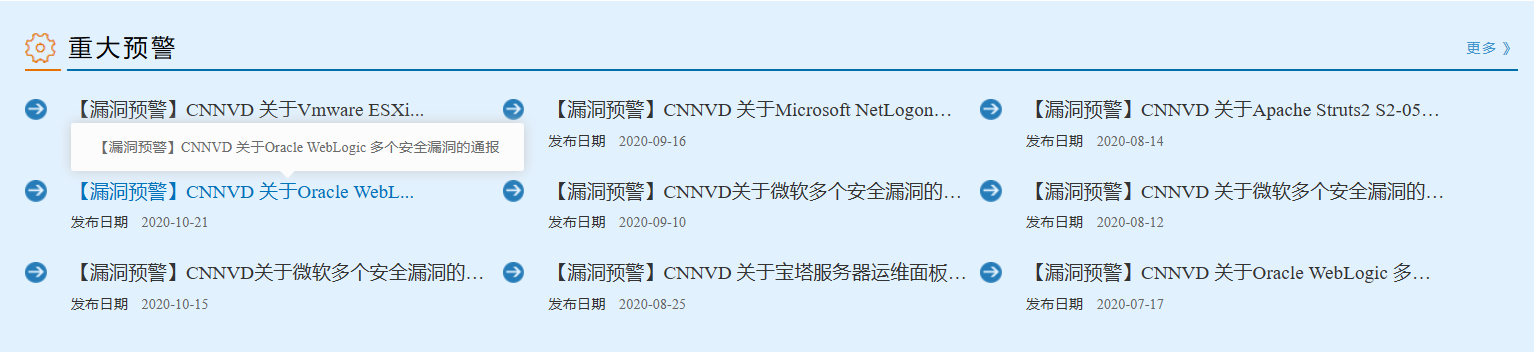
In this part of the work, a few platforms get used frequently, so I’ll introduce them to you all.
- **snyk.io ** https://snyk.io/vuln/search?type=any&q=fastjson
- **CVE Details ** https://www.cvedetails.com/google-search-results.php?q=thinkphp
- seebug https://www.seebug.org/search/?keywords=thinkphp
- And of course, search engine dorks deserve a mention, for example:
site:www.cnvd.org.cn thinkphp
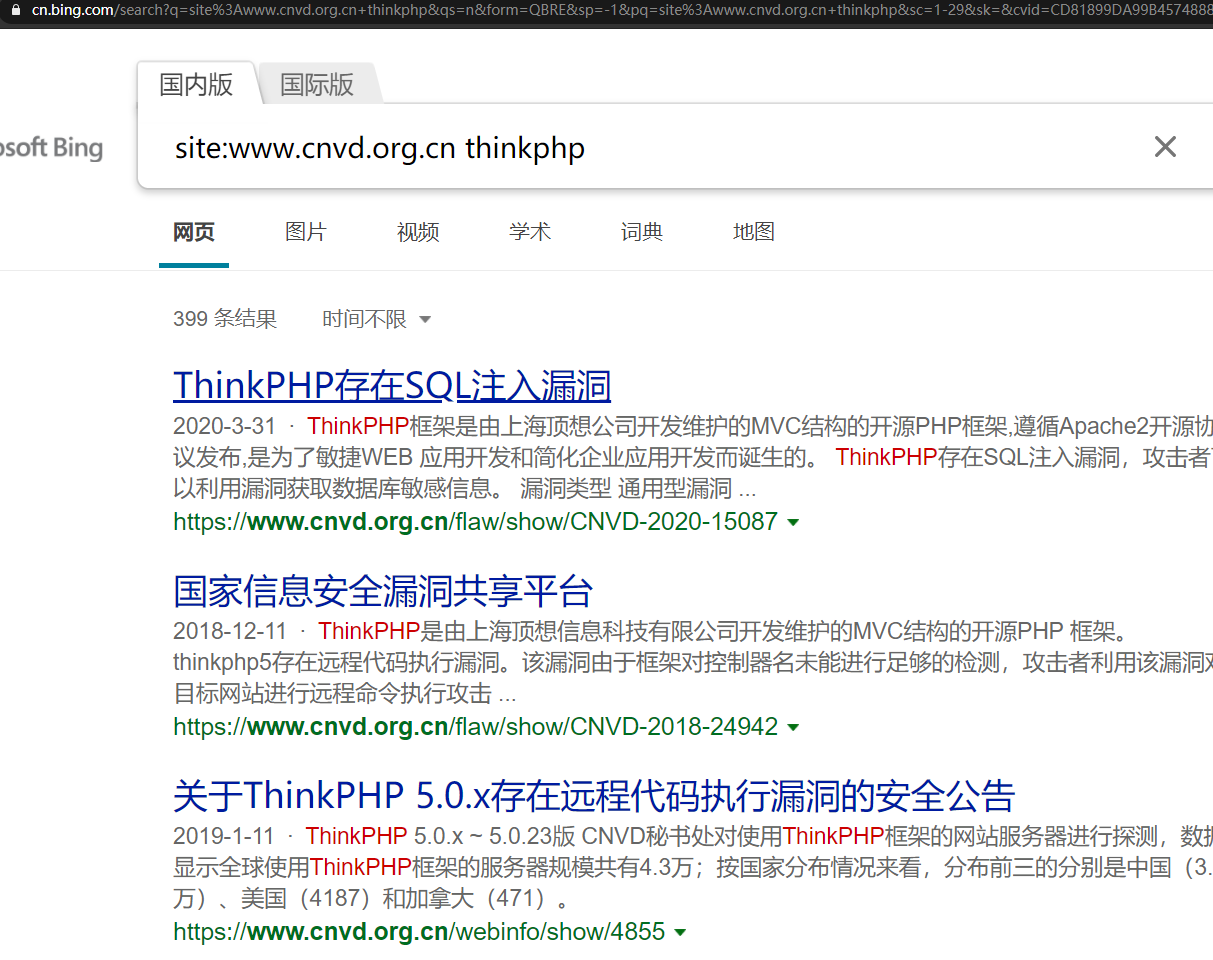
Generally speaking, this phase is driven mainly by personal experience. But since the developers won’t necessarily give you the complete list of components and versions in one go, you often have to wait until later in the test—say, after getting a shell—to fully map out the component landscape. Alright, let’s begin.
The components in this test were as follows:
- ThinkPHP 3
TP 3: but they didn’t specify which minor version. tp<=3.2.3 is affected by an injection vulnerability. You can usually determine the version from routing error messages, or, if you have the source code, by looking directly at the configuration file (a global search for
THINK_VERSIONworks).
- PHP 5.4
PHP 5.4: not a high version. As far as I know, the %00 truncation issue is already fixed (patched in PHP 5.3.24). Any other issues? Nothing comes to mind for now—no rush, let’s keep moving forward.
II. Full Port Scan
A WEB product is of course deployed on some host environment, so host-level vulnerabilities also need attention; otherwise it can easily get ripped open by hackers once it goes live.
For a full port scan, you’d normally just fire off nmap -p- from the command line and charge ahead.
This time, however, I’d also like to introduce a full-port scanning technique that uses an environment variable: first quickly scan all ports, then run a targeted vulnerability scan against the open ports. The commands are as follows:
ports=$(nmap -p- --min-rate=1000 -T4 10.13.38.11 | grep ^[0-9] | cut -d '/' -f 1 | tr '\n' ',' | sed s/,$//)
nmap -p$ports -sC -sV 10.13.38.11
Scan results: omitted
III. WEB Directory Brute-Forcing
The reason for brute-forcing web directories is really the same as in penetration testing: developers often leave behind unauthenticated APIs or backup files. The sooner you find them before an attacker does, the lower the product’s risk. For example, the unauthorized access to Spring Boot’s Actuator is caused by unauthenticated access to the /actuator/env endpoint.
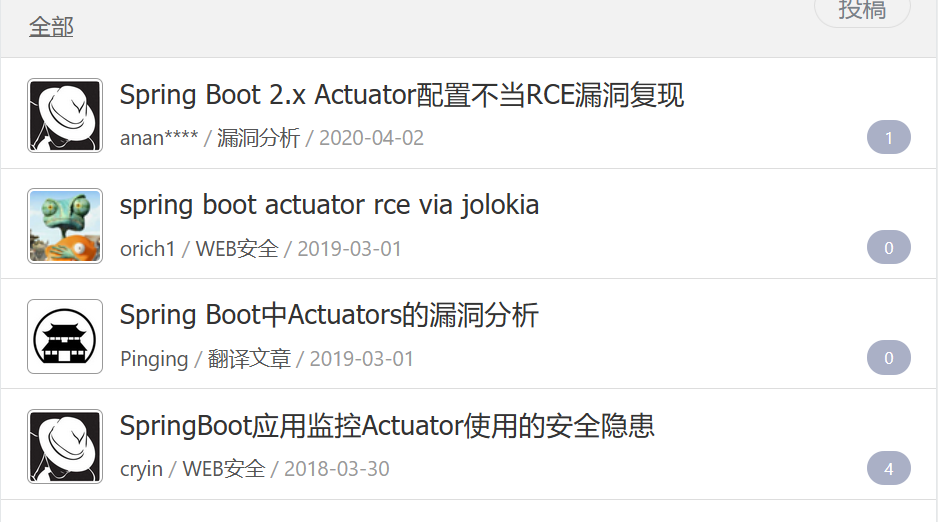
As for tooling, the directory brute-forcing tools I chose were dirsearch + Dirbuster . Both support saving scan results, but here’s my take on them:
- dirsearch: focuses on quickly identifying important paths to pinpoint issues, such as unauthenticated actuators, backup files, API endpoints, common admin panels, etc.;
- Dirbuster: focuses on comprehensive path brute-forcing. Using the medium dictionary at the 400k-word level, it can brute-force quite a lot of folders—the results are pretty decent.
Scan results: omitted
IV. WEB Security Content Testing
After some intense testing, half an afternoon yielded nearly ten vulnerabilities, spanning all sorts of areas. Let’s walk through them together.
0x01 Server-Side Password Auto-Fill
Since this was a product security test, the developers naturally had to give me an account and password. But right after logging in successfully, I suddenly sensed something was off.
I visited the admin panel from another machine and saw the login form boldly pre-filled with the password—turns out that after the previous successful login, the server had written the account and password straight into the front-end page. Well played!
Let’s straighten out the logic: since the password wasn’t auto-filled by the browser, it must have come from the server side (it took the account and password from the last successful login and filled them in as default values in the input fields—perhaps for convenience). A textbook logic flaw. On top of that, there was no CAPTCHA here and no anti-replay token, so the account and password were at risk of brute-forcing. Three minutes, two bugs—solid little low-severity finds!
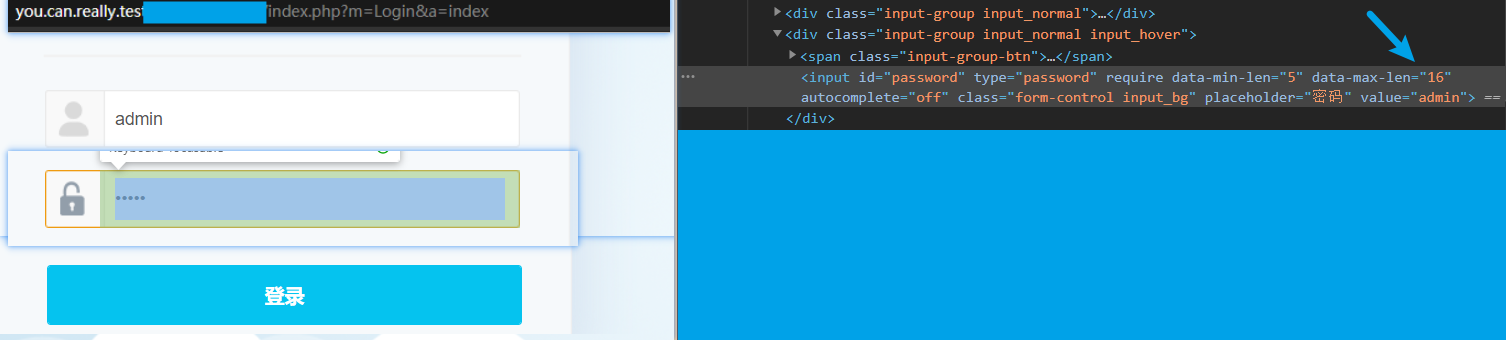
Wow, a whole day of testing just to find a plaintext password bug—well played!
0x02 XSS
Inside the admin panel, on the attribute editing page, I habitually inserted <"> to check whether the back end HTML-entity-escaped the page’s output—and found that angle brackets were not escaped. In the left part of the screenshot below, you can see that < has already “merged” with the HTML code,

So we can use the right angle bracket > to close the <span tag. Let’s fill in an alert-box payload, <"><script>alert(/xss/)</script>, refresh—and the box pops—no problem there, stored XSS in hand.
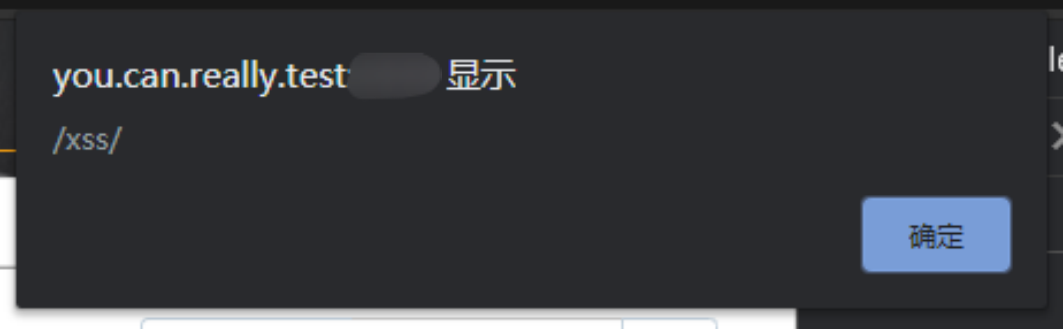
With stored XSS in hand, reflected XSS certainly wouldn’t be missing. After a brief search, I found another endpoint with a GET-type reflected XSS. The main reason is that the response’s content type is Content-Type: text/html, i.e., the browser renders the page content as HTML; additionally, the endpoint’s characteristic is that the input parameters are reflected in the response. Combine the two and you have reflected XSS.
What worker would be content to stop at XSS? Let’s keep looking for something a bit more serious.
0x03 Command Injection
Complex command, simple injection.
I looked at the admin panel’s feature points; they lean toward ops tools for network administrators—for example, performing login scans against Linux servers. Of course, the prerequisite is that we must supply the SSH account and password.
The more advanced the operation, the closer it gets to the underlying layer—and the closer to the underlying layer, the more dangerous it is.
A bold guess: to accomplish the SSH login, the back-end implementation probably invokes sshpass, so there might be an OS command injection issue. Let’s try?
# Use sshpass to remotely connect to a host directly
sshpass -p password ssh root@127.0.0.1
I tried everything from &&, ||, >, < all the way to backticks```, and they all errored out directly—well, so everything’s filtered, huh. Yet the turning point often arrives when you’re at your dirtiest: the developers forgot to filter $ and parentheses (). One shot of $(sleep 5), it slept for five seconds and woke back up—shell secured.

First thing after getting a shell: grab authorization, code audit.
0x04 SQL Injection?
This system, like the article where I audited OneThink, is built on the TP3 framework. At first I wanted to see whether the same front-end login bypass existed.
Front-end login bypass: inject at the USERNAME field, use a UNION SELECT joint query to control the password value returned by the database so that it matches the PASSWORD value, thereby achieving a bypass of the front-end login.
Conclusion first: since the system’s username parameter is not injectable—meaning the password value returned by the database cannot be controlled—even knowing the password’s encryption scheme would not yield a front-end login bypass. Which also means the back end doesn’t have one either. The back end has quite a few places using the $where variable, all concatenating user input; simply close it with a single quote to achieve injection, and one sweep of SQLMAP drives straight to the heart of it. Then again—why bother with back-end SQL injection when you’ve already got command execution?
0x05 Front-End SSRF
While auditing the code along the way, I also found several standalone PHP files lacking authentication. The first things found were two SSRFs.
HTTPS-Only SSRF
During registration, I noticed an IP-address field in the request data. Tracing it into the source code, it turns out the back end makes a curl request to it.
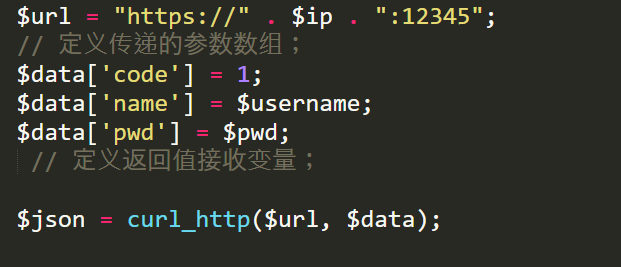
However, since the CURLOPT_FOLLOWLOCATION attribute is not enabled, 302 redirects can’t be used, and only https requests are possible.
Jack-of-All-Trades SSRF
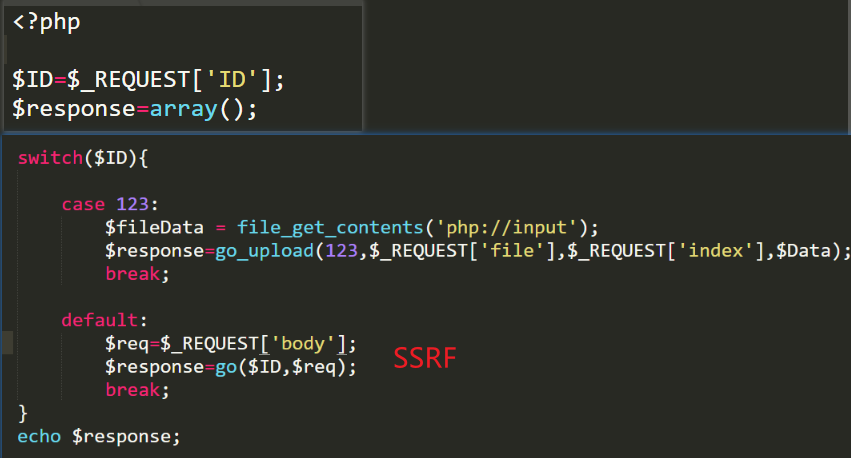
There was another SSRF that supports 302: following the go function, it’s a CURL wrapper with CURLOPT_FOLLOWLOCATION enabled, so we can use a 302 redirect to the gopher protocol to hit the intranet. Of course: this is only a proof, no demo.
0x06 Front-End Arbitrary File Upload
Actually, at the case 123 branch in that previous screenshot, there is an arbitrary file upload—it’s just that the files get uploaded to the intranet, so it has no practical use.
Later, I noticed a file-upload-related component in use. In xxxxxx/uploadfile/app.php, the following code exists
//app.php
<?php
$DIR = 'base';
$src = file_get_contents('php://input');

if (preg_match("#^data:image/(\w+);base64,(.*)$#", $src, $matches)) {
    $appUrl = sprintf(
        "%s://%s%s",
        isset($_SERVER['HTTPS']) && $_SERVER['HTTPS'] != 'off' ? 'https' : 'http',
        $_SERVER['HTTP_HOST'],
        $_SERVER['REQUEST_URI']
    );
    $appUrl = str_replace("app.php", "", $appUrl);

    $base64 = $matches[2];
    $type = $matches[1];
    if ($type === 'jpeg') {
        $type = 'jpg';
    }

    $filename = md5($base64).".$type";
    $filePath = $DIR.DIRECTORY_SEPARATOR.$filename;

    if (file_exists($filePath)) {
        die('{"result" : "$appUrl".'base/'."$filename"');
    } else {
        $data = base64_decode($base64);
        file_put_contents($filePath, $data);
        die('{"result" : "$appUrl".'base/'."$filename"');
    }
This is truly a textbook-grade upload vulnerability—it teaches you regex and gets you familiar with pseudo-protocols at the same time. I had even prepared an HTML upload form, but it turns out even that step was unnecessary.
The whole file’s logic is: via regex, extract the XXXXX
and YYYYYYY values from a string of the form data:image/XXXXX;base64,YYYYYYY, and use them as the file extension and file content respectively.
So the exploitation path is obvious: base64-encode the upload content directly, put the data into POST_DATA, and achieve a lossless PHP file upload. Moreover, since the file content lacks the signatures of a PHP script, the upload bypasses the WAF along the way—absolute mastery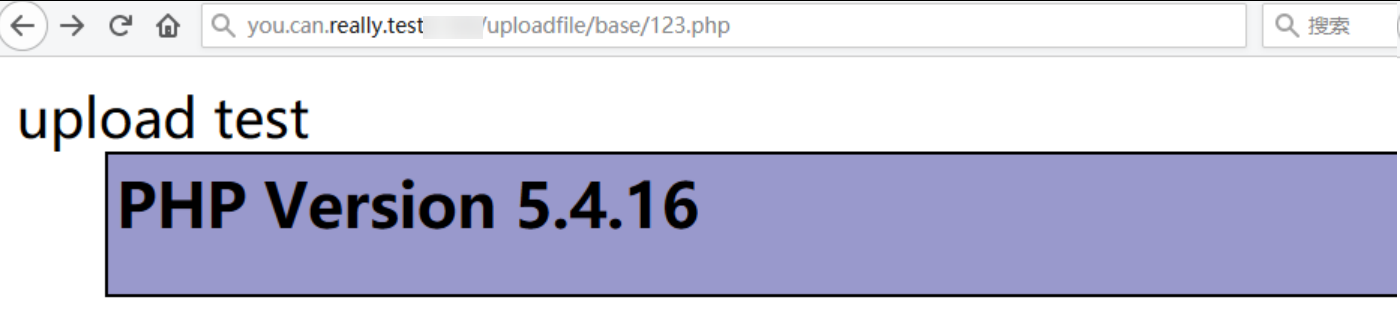
data:image/php;base64,dXBsb2FkIHRlc3Q8P3BocCBwaHBpbmZvKCk7ID8+
Front-end upload, one shot to the soul, straight to liftoff.
In reality, XSS, SQLi, and SSRF are all just means, not ends—if a front-end RCE issue existed, why not bring it up?
0x07 Front-End Command Execution
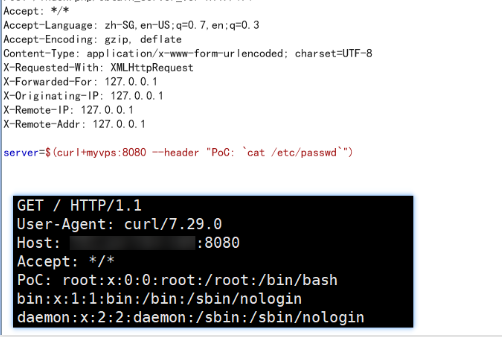
After some intricate variable tracing, I finally discovered that an endpoint for fetching the network-management machine’s version had unauthenticated command execution—you could call it instant liftoff.
Summary
The music fades, the Haidilao is finished, and life goes on: I’ve recently been reading Alibaba’s Java Development Manual. The author mentions SQL injection right in the first chapter—a testament to deep expertise.
In truth, whether development or security, neither can work behind closed doors. Developers need to understand security, and security folks should learn some development too. After all, here I am, still grinding away, because I don’t understand development.